Skip to content

Feedback

Got an idea for Lay Theme? I might include it in a new update or code an addon.
489 Topics 2.1k Posts
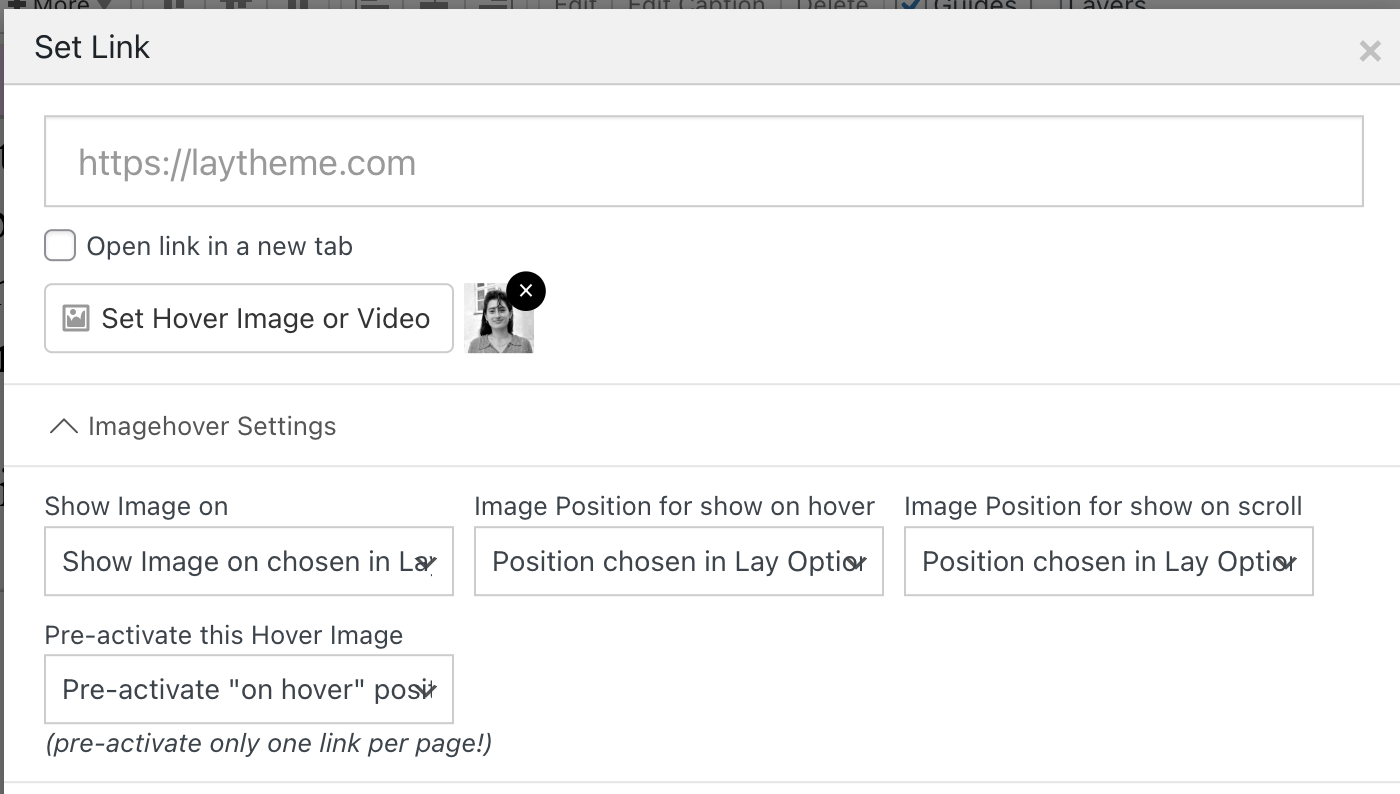
  • news element: image hover

    2
    0 Votes
    2 Posts
    100 Views
    arminunruhA
    im not sure if i understand what you mean imagehover images work for links in texts elements only
  • Height of marquees relative to screen

    10
    1
    0 Votes
    10 Posts
    439 Views
    arminunruhA
    make sure to remove your custom css you added before
  • fixed footer

    3
    0 Votes
    3 Posts
    184 Views
    S
    Thank you!
  • active state for index (clarity inside)

    4
    0 Votes
    4 Posts
    170 Views
    S
    Thanks Armin, I never thought of working in that way! That makes a lot of sense.. merci
  • hide expand collapse row text after it's been pressed

    4
    0 Votes
    4 Posts
    163 Views
    A
    @arminunruh nice, thanks!
  • Retain Place-Freely position when adding elements on top

    11
    0 Votes
    11 Posts
    559 Views
    F
    The tip selecting all elements and drag them down worked. Thank you very much for your help!
  • horizontal scroll behaviour on carousel

    18
    0 Votes
    18 Posts
    841 Views
    A
    @arminunruh hey, thank you so much for working on this despite no longer requiring it for this website I am working on. Hopefully it will come in useful for another website. I hope I didn't take too much time away from you when you could have worked on something else.
  • Using Variable fonts in in Text window

    7
    1
    0 Votes
    7 Posts
    335 Views
    C
    šŸ™ŒšŸ»šŸ™ŒšŸ»šŸ™ŒšŸ»šŸ™ŒšŸ»šŸ™ŒšŸ»šŸ™ŒšŸ»šŸ™ŒšŸ»
  • 0 Votes
    3 Posts
    143 Views
    Q
    Great thank you!
  • easings on woocommerce

    3
    0 Votes
    3 Posts
    121 Views
    A
    @arminunruh ahh no worries!
  • Thumbnails grid url video

    3
    0 Votes
    3 Posts
    117 Views
    arminunruhA
    the videos aspect ratio is determined by a .ph container that gets a padding bottom css. you might need to adapt this too
  • random order for fullscreen slider

    2
    0 Votes
    2 Posts
    127 Views
    arminunruhA
    mmh not sure!!
  • fullscreen slider / preview image

    2
    0 Votes
    2 Posts
    112 Views
    arminunruhA
    ah i understand mmh i havent seen any requests for a functionality like this, i hope its ok if you can do it manually
  • feature request: Snap to the center of the column gutter

    5
    0 Votes
    5 Posts
    251 Views
    arminunruhA
    ah i understand mmh
  • html5 video in marquee

    4
    0 Votes
    4 Posts
    265 Views
    arminunruhA
    of course, im releasing an update now and then it will be possible!
  • Feature mouseover image for regular images

    8
    0 Votes
    8 Posts
    815 Views
    arminunruhA
    oh i see. no i havent worked on this :|
  • display project desc on mobile but hover on desktop

    3
    0 Votes
    3 Posts
    153 Views
    arminunruhA
    you could use custom css to disable zoom on mobile! .no-touchdevice .thumb:hover img, .touchdevice .thumb.hover img, .no-touchdevice .thumb:hover video, .touchdevice .thumb.hover video{ transform: none!important; } in custom css for mobile
  • Request: horizontal placement in a stack

    2
    0 Votes
    2 Posts
    118 Views
    arminunruhA
    thats true, its on my todo list!
  • Combine anchors with collapsible rows.

    14
    0 Votes
    14 Posts
    1k Views
    arminunruhA
    can you update lay theme now? then in the gridder, right click the collapsed row. click "set html class and id" then set the id to for example: hello then on another page create a link to that page, with #hello for example: https://mywebsite/mypage#hello if you click this link or just enter this link in your browser, this should now open the page with the row expanded and scrolled to. if you have any button on that page to expand that row, that button will get clicked automatically. then for example it should replace its text or collapse other rows. meaning any settings that are associated with that expand row button should work. let me know if it works for you
  • Project Thumnail max height

    2
    0 Votes
    2 Posts
    115 Views
    arminunruhA
    [image: 1731425336651-screenshot-2024-11-12-at-16.28.52.png] looking at the code it seems that they used a margin inside of a thumbnail div. .thumb-collection .thumb{ margin: 6vw auto!important; width: 60%!important; } Enter this css in "lay options" -> "custom css & html" -> "custom css for desktop"

I also code custom websites or custom Lay features.
šŸ’æ Email me here: šŸ’æ
info@laytheme.com

Our Web Development company: 100k.studio

Want to tip me? https://www.paypal.com/paypalme/arminunruh

Before you post:
  1. When using a WordPress Cache plugin, disable it or clear your cache.
  2. Update Lay Theme and all Lay Theme Addons
  3. Disable all Plugins
  4. Go to Lay Options → Custom CSS & HTML, click "Turn Off All Custom Code", click "Save Changes"

This often solves issues you might run into

When you post:
  1. Post a link to where the problem is
  2. Does the problem happen on Chrome, Firefox, Safari or iPhone or Android?
  3. If the problem is difficult to explain, post screenshots / link to a video to explain it
Online Users
Forgot your key, lost your files, need a previous Lay Theme or Addon version? Go to www.laykeymanager.com