Skip to content

Shop / WooCommerce

Shop related questions and issues

253 Topics 1.2k Posts
  • Variable product images

    19
    0 Votes
    19 Posts
    941 Views
    K
    @felix_rabe Thank you! :)
  • This topic is deleted!

    1
    0 Votes
    1 Posts
    2 Views
    No one has replied
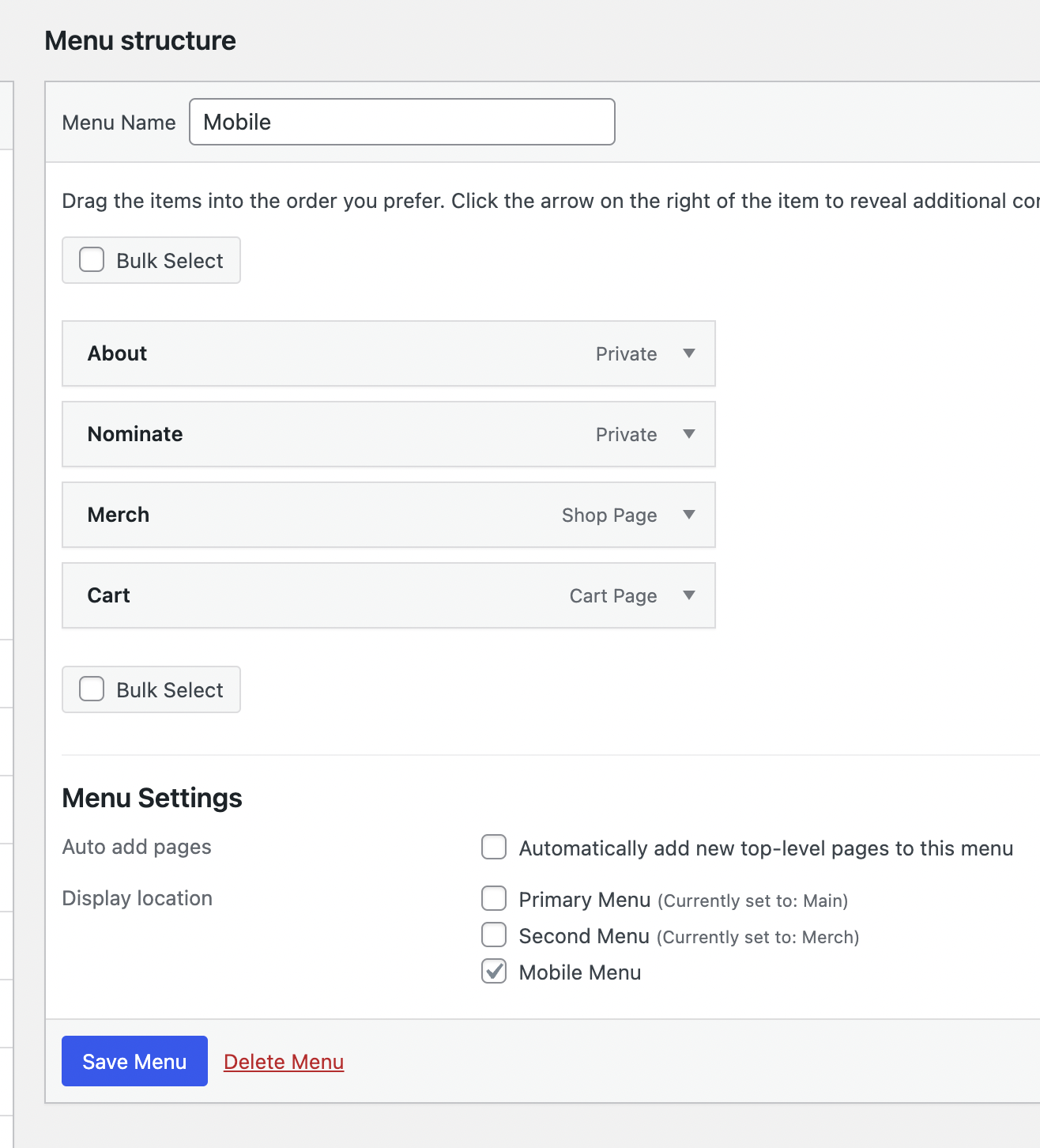
  • hide Cart Menupoint when empty on mobile

    10
    0 Votes
    10 Posts
    407 Views
    arminunruhA
    ah damn, ok i put it on my todo list
  • No selection option for paypal payment in checkout page

    3
    0 Votes
    3 Posts
    123 Views
    O
    Hello @arminunruh , Thanks for your answer. All theme and plugins are of course up-to-date. Is there any other important setting except toggle? And is this lay theme not considered with official paypal plugin in woocommerce? My current settings are like this. [image: 1701340950642-2023-11-30-11-39-08.jpg] [image: 1701340950701-2023-11-30-11-39-50-resized.jpg] Thank you for advance. Seokoh
  • woocommerce lag and freeze since last uptdate

    12
    0 Votes
    12 Posts
    345 Views
    A
    Done. Thank you Armin!
  • This topic is deleted!

    1
    0 Votes
    1 Posts
    5 Views
    No one has replied
  • This topic is deleted!

    1
    0 Votes
    1 Posts
    4 Views
    No one has replied
  • Mouse Over / Image Flipper for Product Thumbnails?

    20
    3
    1 Votes
    20 Posts
    1k Views
    arminunruhA
    oh yea its a great idea. shopify has this feature too. i will write it down! at the moment i dont know if there is a way to do this mmh
  • Product Variations not selectable

    10
    0 Votes
    10 Posts
    353 Views
    L
    @arminunruh yess! now it works, thank you so much!
  • double ways of change quantety

    3
    1
    0 Votes
    3 Posts
    135 Views
    E
    @arminunruh said in double ways of change quantety: /* Chrome, Safari, Edge, Opera / input::-webkit-outer-spin-button, input::-webkit-inner-spin-button { -webkit-appearance: none; margin: 0; } / Firefox */ input[type=number] { -moz-appearance: textfield; } Thank you! I will try that.
  • This topic is deleted!

    3
    1
    0 Votes
    3 Posts
    25 Views
  • WooCommerce template files error

    3
    2
    0 Votes
    3 Posts
    103 Views
    arminunruhA
    hey woocommerce should still work! things is, everytime they release an update, i need to adapt files in lay theme. but most of the time its super minor changes that barely do anything
  • CARtcart duplication in menu

    2
    0 Votes
    2 Posts
    68 Views
    arminunruhA
    Can't use the secondary menu for menu due to CARTCART bug. sure, i wasn't aware of this bug can you send your website address, /wp-admin/ username and password and a link to this topic to info@laytheme.com?
  • Shop products not showing (routes back to home)

    2
    1
    0 Votes
    2 Posts
    99 Views
    arminunruhA
    can you send your website address, /wp-admin/ username and password and a link to this topic to info@laytheme.com?
  • Custom php code system for editing Woocommerce functions

    3
    0 Votes
    3 Posts
    349 Views
    L
    @arminunruh thanks for your reply. It's not the woocommerce files that I need to change, I need to add functions to the functions.php file to alter the messaging behind the back order products and a few other tweaks that I know how to do and would usually put in a child theme but had read that lay theme isn't compatible. Will give it a try.
  • styling quantity and button

    5
    1
    0 Votes
    5 Posts
    530 Views
    arminunruhA
    ah i see probably you need some css for the number input! google "how to use chrome inspector" google "how to change text color for input" good luck for now i think its best to not use a black background color for your website if you have a shop, because you'll run into other parts of the shop that dont work well with black backgrounds
  • cart layout / big vertical menu conflict

    cart layout vertical menu
    2
    1
    0 Votes
    2 Posts
    170 Views
    arminunruhA
    hey sorry i overlooked your post how about you use the sidecart plugin: https://laytheme.com/documentation/shop-setup.html#sidecart-plugin
  • This topic is deleted!

    1
    0 Votes
    1 Posts
    17 Views
    No one has replied
  • side cart buttons not customizable

    3
    0 Votes
    3 Posts
    109 Views
    arminunruhA
    are u sure u went to customize → woocommerce → side cart buttons ?
  • Product Thumbnail Grid

    3
    0 Votes
    3 Posts
    156 Views
    C
    Works now. Thank you very much!

I also code custom websites or custom Lay features.
šŸ’æ Email me here: šŸ’æ
info@laytheme.com

Our Web Development company: 100k.studio

Want to tip me? https://www.paypal.com/paypalme/arminunruh

Before you post:
  1. When using a WordPress Cache plugin, disable it or clear your cache.
  2. Update Lay Theme and all Lay Theme Addons
  3. Disable all Plugins
  4. Go to Lay Options → Custom CSS & HTML, click "Turn Off All Custom Code", click "Save Changes"

This often solves issues you might run into

When you post:
  1. Post a link to where the problem is
  2. Does the problem happen on Chrome, Firefox, Safari or iPhone or Android?
  3. If the problem is difficult to explain, post screenshots / link to a video to explain it
Online Users
Forgot your key, lost your files, need a previous Lay Theme or Addon version? Go to www.laykeymanager.com