Skip to content

Shop / WooCommerce

Shop related questions and issues

261 Topics 1.3k Posts
  • Search bar for Product

    6
    0 Votes
    6 Posts
    224 Views
    arminunruhA
    thank you!
  • Product Carousel – Prev/Next Buttons

    2
    1
    0 Votes
    2 Posts
    94 Views
    arminunruhA
    try this css in "lay options" body.single-product .lay-woocommerce-gallery.swiper-container{ --swiper-navigation-size: 30px; }
  • Shop stopped working URGENT payment options missing

    2
    0 Votes
    2 Posts
    244 Views
    arminunruhA
    hey there i sent u an email
  • Homepage: custom shop page if is set as homepage

    2
    1
    0 Votes
    2 Posts
    144 Views
    arminunruhA
    hey sofia! i think you need to create a new page and then set that page to the shop menu item it will have a different page id so you can style it differently
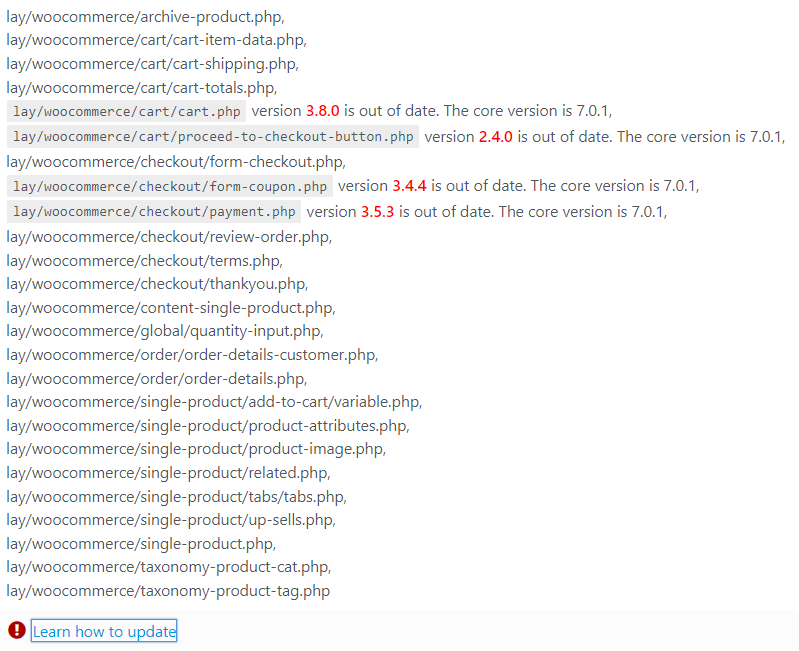
  • Outdated copies of some WooCommerce template files

    2
    0 Votes
    2 Posts
    136 Views
    arminunruhA
    @Warul-Kawa said in Outdated copies of some WooCommerce template files: lay/woocommerce/global/quantity-input.php version 4.0.0 is out of date. The core version is 7.2.0 thanks will fix this!
  • Product page carousel only swipeable, not clickable

    4
    1 Votes
    4 Posts
    217 Views
    L
    @fabiandraxl same here
  • Automatic account creation on checkout doesn't work

    2
    0 Votes
    2 Posts
    104 Views
    arminunruhA
    hey there! maybe your webserver doesnt send out emails? read this: https://woocommerce.com/document/email-faq/ on one website i did a shop on i needed to use an extra plugin for email sending. it was one of these i think MailPoet (Plugin) – Send unlimited emails free per month (1,000 unique recipients limit). Mailjet (Plugin) – Send 6,000 emails free per month. Sendinblue (Plugin) – Send 9,000 emails free per day. Postmark (Plugin) – Priced plans start at 10,000 emails a month. Amazon SES (Plugin) – Send 62,000 emails free per month if your website is hosted on AWS or pricing starts at $0.10 for every 1,000 emails.

  • Outdated Woocommerce theme files

    4
    1
    0 Votes
    4 Posts
    226 Views
    arminunruhA
    going to fix this now and release an update today or tomorrow
  • Hide Empty Cart

    9
    0 Votes
    9 Posts
    379 Views
    arminunruhA
    hey @lortnok its about hiding the menu point, not the cart itself
  • 0 Votes
    2 Posts
    119 Views
    arminunruhA
    thanks lukas will work on this
  • Products Grid / Archive Pages

    7
    0 Votes
    7 Posts
    338 Views
    arminunruhA
    @felix_rabe mh mh yes good ideas!
  • 0 Votes
    3 Posts
    175 Views
    P
    @arminunruh Thanks a lot, that sounds great. That's very nice of you!
  • Add to Basket Button

    6
    1
    0 Votes
    6 Posts
    241 Views
    arminunruhA
    .woocommerce a.button.add_to_cart_button{ padding-right: 20px; padding-left: 20px; white-space: nowrap; }
  • This topic is deleted!

    1
    0 Votes
    1 Posts
    2 Views
    No one has replied
  • Custom Cart Icon with Sidecart Pro

    7
    2
    0 Votes
    7 Posts
    302 Views
    F
    @leoncc Or you cold just tap "show pro options" in the side cart setting and then go to "style settings" and inspect in your browser the css for the shown cart icons and implement it via your own css :-)
  • Project und Page sites doesn't show grid anymore.

    2
    0 Votes
    2 Posts
    72 Views
    No one has replied
  • Endless loading/spinner on the Checkoutpage

    3
    2
    0 Votes
    3 Posts
    130 Views
    fabiandraxlF
    @arminunruh Thanks, I forwarded you the details. :P Best, Fabi
  • Hide Shop Menu partly

    2
    0 Votes
    2 Posts
    73 Views
    arminunruhA
    does this help? https://laytheme.com/documentation/custom-css-styling.html#css-based-on-current-page .laycart{ display: none!important; } body.woocommerce-page .laycart{ display: inline-block!important; } this could work!
  • Increase width of dropdown

    6
    1
    0 Votes
    6 Posts
    124 Views
    A
    @arminunruh Thanks!
  • Category pages are empty

    17
    0 Votes
    17 Posts
    777 Views
    arminunruhA
    oh this is still on my todolist will work on it sorry lots of work at the moment thanks for your patience

I also code custom websites or custom Lay features.
💿 Email me here: 💿
info@laytheme.com

Our Web Development company: 100k.studio

Want to tip me? https://www.paypal.com/paypalme/arminunruh

Before you post:
  1. When using a WordPress Cache plugin, disable it or clear your cache.
  2. Update Lay Theme and all Lay Theme Addons
  3. Disable all Plugins
  4. Go to Lay Options → Custom CSS & HTML, click "Turn Off All Custom Code", click "Save Changes"

This often solves issues you might run into

When you post:
  1. Post a link to where the problem is
  2. Does the problem happen on Chrome, Firefox, Safari or iPhone or Android?
  3. If the problem is difficult to explain, post screenshots / link to a video to explain it
Forgot your key, lost your files, need a previous Lay Theme or Addon version? Go to www.laykeymanager.com