Skip to content

Bug Reports

Something is not working? Please provide a screenshot, your browser name and browser version and your operating system.

3.2k Topics 15.2k Posts
  • Fix for json layout invalidation for categories (bug for 1.8.0)

    Pinned
    4
    0 Votes
    4 Posts
    2k Views
    arminunruhA
    Hey moorba, yeah I'm sry, now theres a 1.8.7 update and then it works again :O
  • mouseover on mobile not working

    19
    0 Votes
    19 Posts
    562 Views
    M
    yes thats what i meant
  • Lost my Custom CSS

    14
    0 Votes
    14 Posts
    254 Views
    A
    Ah, that’s very unfortunate.. The main thing I lost in the CSS was that it added more breakpoints for some of the textformats, so they would get smaller when the browser reached a certain width. The titles were breaking the layout of the main page at different screen sizes, so I wanted more control over when they would scale down. Not sure if that’s actually a smart way to solve the problem though.
  • Overlay opening animation issue

    7
    0 Votes
    7 Posts
    188 Views
    arminunruhA
    sorry about the delay, i will try and fix this within the next days :O
  • when row size is set as browser height, it does not respect page gutter

    7
    0 Votes
    7 Posts
    242 Views
    arminunruhA
    I'm actually still not so sure because I looked at the two links that you sent at the very top here, and I don't really see an alignment issue. Maybe you're understanding it differently than how it works. See, for example, if you have a frame at the top of 12% and you have a Browser Height row underneath. Then the height of the whole layout is: 12 % Top Frame + browserheight Row In actuality, it's larger than a browser height. If you want a Browser Height section and in there things should have space to the top, for example, then you should just set frame-top to 0. And then just click some element that is within the row at the top, and then change its space-top or inner-space-top value in the sidebar. But as I said, I'm still not sure if that's even what you mean, so if you could elaborate further, that would be great, or maybe send the right screenshots.
  • Pages missing on Edit link

    2
    2
    0 Votes
    2 Posts
    49 Views
    arminunruhA
    yea seems to be an issue with one of the latest updates, thanks for catching it! will be fixed with the next update
  • Shift + Return for line break

    2
    0 Votes
    2 Posts
    89 Views
    arminunruhA
    ok will be fixed with the next update
  • 0 Votes
    3 Posts
    80 Views
    billybenB
    Hey Armin, Problem solved. Had an issue with hosting Website :) Thank you for the quick reply!
  • no image hover with empty link

    2
    2
    0 Votes
    2 Posts
    75 Views
    arminunruhA
    yes, it will be fixed with the next update. Thanks for the heads up.
  • Imagehover displays blurry

    3
    0 Votes
    3 Posts
    93 Views
    R
    The update fixed it. Thank you @arminunruh !
  • Fullscreen slider toggles off/on when clicking the site title logo

    2
    0 Votes
    2 Posts
    79 Views
    arminunruhA
    Hi Martin, I had a look at your site. There is a JavaScript error coming from your custom dark-slide code. The script starts with (function () {, but the closing })(); is missing. The browser therefore reports SyntaxError: Unexpected end of input. I also noticed that the desktop Site Title currently links to /category/work/, not to the front page. That category is empty and does not have the Fullscreen Slider enabled. The mobile Site Title, on the other hand, links to the actual front page. In Lay Theme itself, clicking a link that points to the currently active page is prevented and does not destroy or reinitialize the Fullscreen Slider. So at the moment it does not look like the slider is being toggled by Lay Theme’s same-page handling. Your reload workaround is currently active, so I cannot reproduce the original behaviour directly. With the workaround enabled, I clicked the Site Title several times and the slider stayed active. Could you first fix or remove the incomplete dark-slide script and make sure both the desktop and mobile Site Title link to the actual front page? Then temporarily remove the reload workaround and test it again. If it still happens after that, let me know and I’ll take another look.
  • project overlay conflicts with horizontal scroll

    8
    0 Votes
    8 Posts
    299 Views
    E
    fixed 👌🏼
  • Licence repeatedly deactivates after automatic WordPress updates

    3
    0 Votes
    3 Posts
    112 Views
    arminunruhA
    I sent you an email with some instructions, and this will also be more robust in the next Lay Theme update.
  • Text as close overlay button

    5
    0 Votes
    5 Posts
    199 Views
    arminunruhA
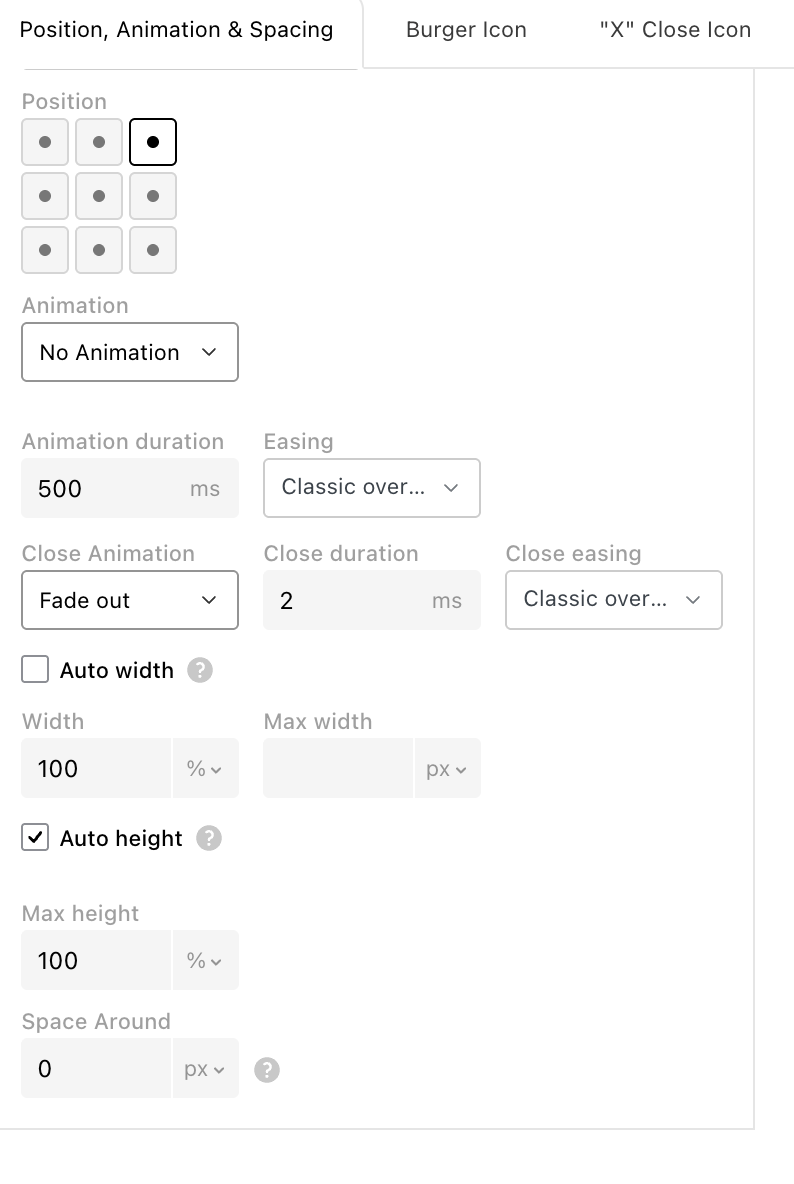
    I think if you update now, you should see the new setting to use text as the close icon for project overlays. [image: 1786613893686-fbbce269-b9e7-4127-8b0a-b498c3f84738-grafik.png]
  • no save changes button in webfonts settings

    3
    1
    0 Votes
    3 Posts
    87 Views
    E
    it didn't work then, now it does!
  • titles in overviews show only one language after update (qtranslate)

    12
    0 Votes
    12 Posts
    695 Views
    arminunruhA
    Hey, I found another issue that I released an update for today, and now it should really work. This was kind of hard to fix. It took a really long time because I just couldn't reproduce it, but a few days ago someone finally sent me their login on a website where this issue actually happens. There I was able to reproduce it and find out why it happened.
  • 0 Votes
    4 Posts
    181 Views
    arminunruhA
    ah its ok! have a nice day
  • Sticky Class no more working with last update

    9
    0 Votes
    9 Posts
    328 Views
    arminunruhA
    thanks a lot! [image: 1785825905920-8be4f87f-acf4-4111-a3ac-4f1f52897e3b-grafik.png] i see you use an id "sticky" but the css you wrote seems to be for a class "sticky" you need to remove the id and write it as a class i think like this [image: 1785825961282-92b86d81-4c74-4154-8962-da14658b9fd6-grafik.png]
  • index in mobile version

    2
    0 Votes
    2 Posts
    113 Views
    arminunruhA
    hey i cant really reproduce this issue! what browser do u use on phone?
  • 0 Votes
    15 Posts
    728 Views
    A
    Cool – thank you so much!!!
Online Users
Forgot your key, lost your files, need a previous Lay Theme or Addon version? Go to www.laykeymanager.com