Skip to content

Bug Reports

Something is not working? Please provide a screenshot, your browser name and browser version and your operating system.
3.1k Topics 14.4k Posts
  • Issues with width of gridder text field

    2
    0 Votes
    2 Posts
    113 Views
    arminunruhA
    your text probably contains html copy the text, paste the text into a texteditor like "sublime text" copy the text from sublime text then create a new text element in the gridder and paste the text this strips all the tags from html code of in the texteditor you click the <> button and remove the html tags yourself
  • videos not being shown

    embed video youtube
    7
    1
    0 Votes
    7 Posts
    354 Views
    arminunruhA
    have you tried disabling your custom code? have you tried disabling all other plugins?
  • This topic is deleted!

    1
    0 Votes
    1 Posts
    1 Views
    No one has replied
  • Website (with logo) loads very slowly

    3
    0 Votes
    3 Posts
    132 Views
    D
    thanks @Richard !
  • Fullscreenslider prevent from clicking links

    5
    0 Votes
    5 Posts
    127 Views
    arminunruhA
    . contour{ z-index: 99; } add this css
  • Changing homepage

    2
    0 Votes
    2 Posts
    85 Views
    arminunruhA
    hey garrod we already fixed this right? if you create a lay theme website next time please use wordpress of wordpress.org, not wordpress.com as described in the installation instructions
  • Sticky Footer not working on mobile...

    6
    0 Votes
    6 Posts
    252 Views
    arminunruhA
    yes its still on my todos, sorry its taking so long
  • This topic is deleted!

    14
    2
    0 Votes
    14 Posts
    49 Views
  • Gridder flickering

    9
    1 Votes
    9 Posts
    294 Views
    arminunruhA
    thank you :D
  • Y-Parallax slider bug in firefox

    2
    0 Votes
    2 Posts
    83 Views
    arminunruhA
    ah damn! im writing it down, can u pls use chrome until i fixed it thanks!
  • Bad bug messing up the rows

    2
    0 Votes
    2 Posts
    64 Views
    arminunruhA
    yee i fixed it
  • Polylang Bug with Project descriptions

    2
    0 Votes
    2 Posts
    47 Views
    arminunruhA
    hey i will work on it!
  • Fullscreen slider displace since last update

    3
    1
    0 Votes
    3 Posts
    75 Views
    arminunruhA
    0h yeah its a bug, can you post your webite address i will fix the bug asap
  • Unable to upload video onto Carousel.

    2
    1
    0 Votes
    2 Posts
    51 Views
    arminunruhA
    hey do these steps: Update Lay Theme and all Lay Theme Addons Disable all Plugins Go to Lay Options → Custom CSS & HTML, click "Turn Off All Custom Code ", click "Save Changes" Now see if your problem solved itself if it didnt help: can you send your website address, /wp-admin/ username and password and a link to this topic to info@laytheme.com?
  • This topic is deleted!

    1
    0 Votes
    1 Posts
    8 Views
    No one has replied
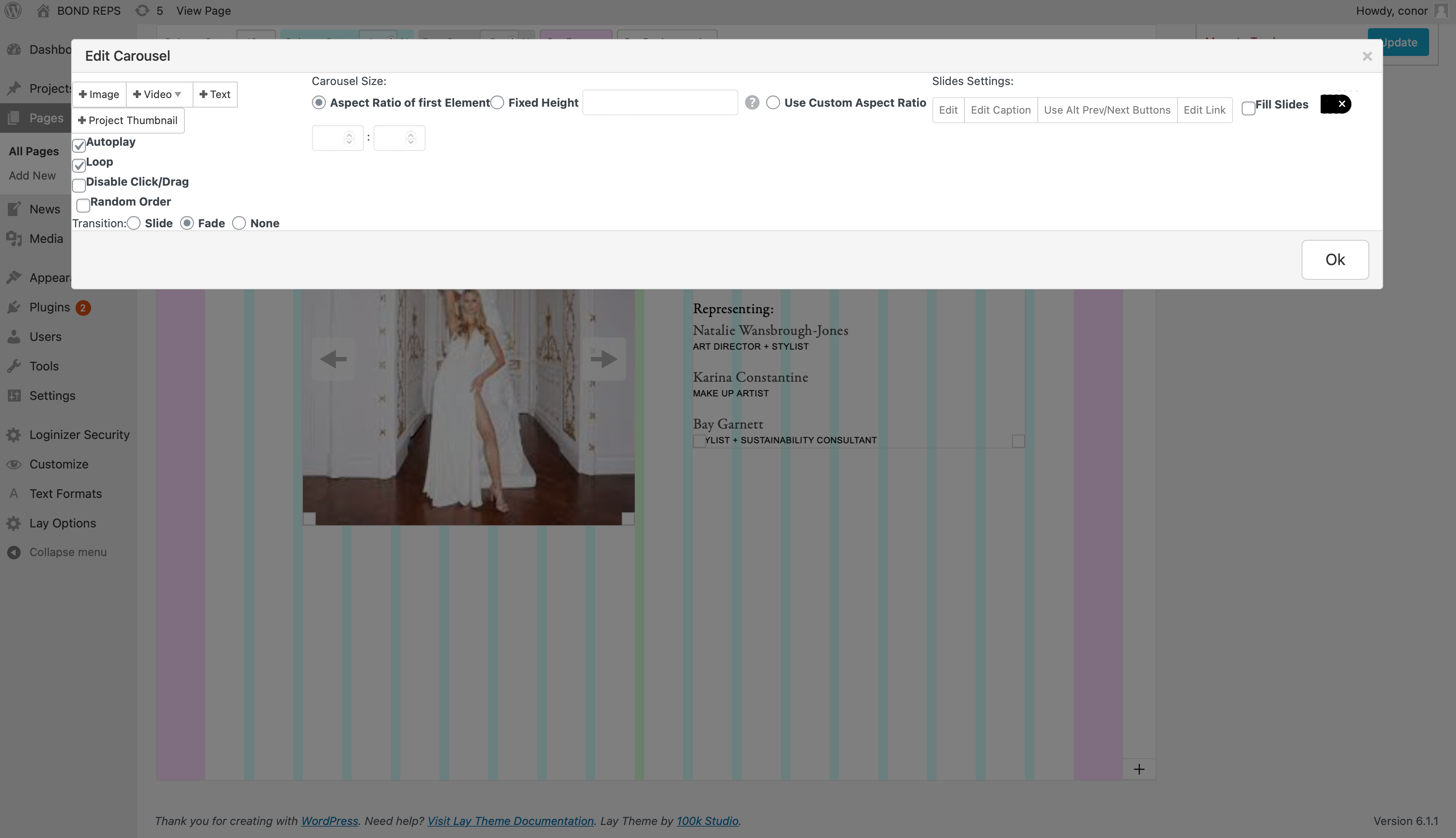
  • Carousel editor

    3
    1
    0 Votes
    3 Posts
    102 Views
    M
    ok ok @arminunruh you are right. I was 100% sure thought that I have updated both the lay theme and the addon, but actually I haven't updated the lay theme... sorry to bother you. thank you, greetings
  • 0 Votes
    2 Posts
    104 Views
    arminunruhA
    hey i see your custom code creates an error: window.laytheme.on("newpageshown", function(layoutObj, type, obj){ if(jQuery("body").hasClass("slug-work")){ var hash = location.hash; jQuery('html, body').animate({ scrollTop: jQuery(hash).offset().top, }, { duration: 0, easing: "easeOutSine" }); } }); please remove that code, it is for scrolling to anchors, you dont need that code anymore cause i put it into lay theme itself the other error: actually i cant find any image linked on that site that produces that error can you send a screenshot of which image you mean maybe install the plugin "simple ssl" i see your website can be reached from http and https, but the http version should redirect to the http version i think mixing up https with http links as image links could have produced that error
  • Project Thumbnailgrid tags have disappeared since the last update.

    4
    3
    0 Votes
    4 Posts
    88 Views
    fabiandraxlF
    @arminunruh Hey Armin, I also contacted my developer and he realised that it was caused by a combination of our custom PHP plugin and a JS change you made. We previously defined the tags via PHP as an HTML list <li> and personalised them that way. Your new JS deleted this list for reasons we can't explain, now we assigned a new class and it works again. Thanks anyway, hope it doesn't cause problems for others as well ... Best regards, Fabi 😘
  • Lightbox not working on macbook pro, and iphone (Chrome)

    5
    0 Votes
    5 Posts
    222 Views
    G
    @arminunruh Ok, I started with plug in deactivation and found that WP Rocket was causing the issue. I re-enabled it and found that clearing the cache on this plug in was able to remedy the issue while the plug in was enabled. I'll keep an eye on this to see if this persists. If you have any insights on this, what settings with this plug in are preferred etc. Please advise. This looks like it solves it for now. Appreciate you. W
  • Carousel

    2
    0 Votes
    2 Posts
    78 Views
    arminunruhA
    oh i will fix it! do you have a link?

I also code custom websites or custom Lay features.
šŸ’æ Email me here: šŸ’æ
info@laytheme.com

Our Web Development company: 100k.studio

Want to tip me? https://www.paypal.com/paypalme/arminunruh

Before you post:
  1. When using a WordPress Cache plugin, disable it or clear your cache.
  2. Update Lay Theme and all Lay Theme Addons
  3. Disable all Plugins
  4. Go to Lay Options → Custom CSS & HTML, click "Turn Off All Custom Code", click "Save Changes"

This often solves issues you might run into

When you post:
  1. Post a link to where the problem is
  2. Does the problem happen on Chrome, Firefox, Safari or iPhone or Android?
  3. If the problem is difficult to explain, post screenshots / link to a video to explain it
Online Users
Forgot your key, lost your files, need a previous Lay Theme or Addon version? Go to www.laykeymanager.com