Skip to content

Bug Reports

Something is not working? Please provide a screenshot, your browser name and browser version and your operating system.
3.2k Topics 14.9k Posts
  • This topic is deleted!

    1
    0 Votes
    1 Posts
    5 Views
    No one has replied
  • 0 Votes
    2 Posts
    84 Views
    arminunruhA
    hey ich schreib dir mal ne email
  • Set Row Images Bacvkground - Background Opacity

    3
    1
    0 Votes
    3 Posts
    181 Views
    CKC
    @arminunruh Thank you Armin !
  • Carousel addon seems broken and doesn't show up

    6
    1
    0 Votes
    6 Posts
    430 Views
    arminunruhA
    your carousel addon is very outdated i sent a link to the latest version to your email address
  • Objects in gridder are in the wrong position

    2
    0 Votes
    2 Posts
    140 Views
    arminunruhA
    hey there! oh yea of course that shouldnt happen can you update lay theme and see if it works? if it doesnt work: can you send your website address, /wp-admin/ username and password and a link to this topic to info@laytheme.com?
  • Fetch new scrape information

    2
    0 Votes
    2 Posts
    95 Views
    arminunruhA
    hey you need to set your frontpage in settings → reading this way yoast will set the correct meta image for the frontpage yoast thinks your frontpage is the page you set in settings → reading it doesnt know that lay theme has its own setting in customizer
  • Play-button on HTML5 Video not visible.

    3
    0 Votes
    3 Posts
    199 Views
    arminunruhA
    hey just looked at this you need to at least check "autoplay" or "show standard controls" or "show custom play button" with the next update you wont need placeholder images anymore for html5 videos
  • Page Links not working

    5
    0 Votes
    5 Posts
    345 Views
    arminunruhA
    yea i read about that too in my seo book. about the no follow thing i might include that in lay theme
  • WP Critical Error after Lay Theme update

    3
    1
    0 Votes
    3 Posts
    148 Views
    arminunruhA
    oh whats the email address of him? i can send refunds i just answered almost all emails today, not sure if his landed in spam maybe
  • This topic is deleted!

    1
    0 Votes
    1 Posts
    3 Views
    No one has replied
  • Videos doesn't play automaticlly in mobile

    5
    0 Votes
    5 Posts
    253 Views
    arminunruhA
    @panteley aha :DDDD
  • 1 Votes
    4 Posts
    242 Views
    S
    @arminunruh thanks!! perfect
  • Warning Error after update...

    3
    1
    0 Votes
    3 Posts
    144 Views
    B
    @arminunruh Yes! It works Armin! Thank you so much!
  • intro starts late in safari

    3
    0 Votes
    3 Posts
    204 Views
    M
    Perfect, runs again as before after the latest update without having changed anything. (Before and now was the background on 100% white opacity) Best and thanks!
  • qtranslate-xt and Marquee

    5
    0 Votes
    5 Posts
    382 Views
    M
    Perfect! Works now Thanks & Best!
  • Update 4.8.1

    3
    1
    0 Votes
    3 Posts
    195 Views
    CKC
    @arminunruh After the new update everything works again. Thanks Armin for the quick help
  • White Translucent Layer > Update 4.8.1

    2
    0 Votes
    2 Posts
    101 Views
    arminunruhA
    hey you can update again then its gone or you go to lay options and disable "intro feature"
  • Marquee images do not load

    20
    0 Votes
    20 Posts
    1k Views
    M
    Yes, seems to be working. Thank you :)
  • From Local to Online - completely different experience

    7
    2
    0 Votes
    7 Posts
    451 Views
    arminunruhA
    hey sorry for the late reply :O you are right, they kind of skip this step in the video. I added this text to the tutorial now to explain this step: " Once you exporter your website and got the files using duplicator you need to upload them to your webhost by using FTP. Do this by using FileZilla or you can use webftp in your webhost control panel if your webhost provides this. Upload the two files to your WordPress root folder where you see the folders "wp-content" and "wp-admin" and "wp-includes". Then in your webbrowser go to: yourwebsite.com/installer.php Congratulations! " heres more info too: https://laytheme.com/documentation/moving-website.html
  • No gridder or anything from the page

    2
    1
    0 Votes
    2 Posts
    77 Views
    arminunruhA
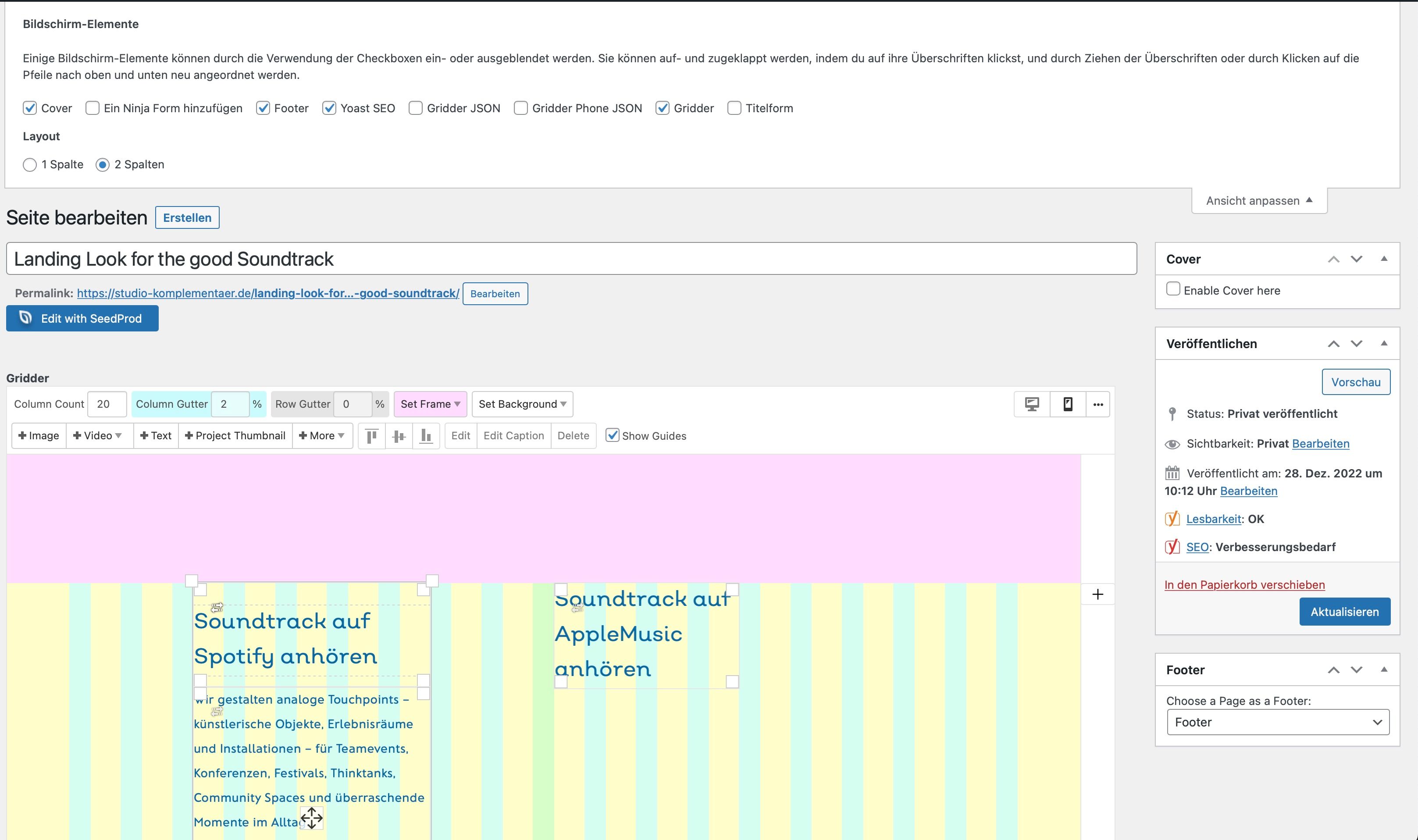
    did you do the steps i outlined on the right? [image: 1667420092874-screenshot-2022-11-02-at-21.14.45.png] if that doesnt help: can you send your website address, /wp-admin/ username and password and a link to this topic to info@laytheme.com?

For paid 1-on-1 Lay Theme Coaching, contact Audrey (audrey@cyberslayers.work) or me (info@laytheme.com).

We also code custom websites or bespoke Lay features. Drop me a line at info@laytheme.com or check out my work at arminunruh.com.

Want to support my work? paypal.me/arminunruh

Before you post:
  1. When using a WordPress Cache plugin, disable it or clear your cache.
  2. Update Lay Theme and all Lay Theme Addons
  3. Disable all Plugins
  4. Go to Lay Options → Custom CSS & HTML, click "Turn Off All Custom Code", click "Save Changes"

This often solves issues you might run into

When you post:
  1. Post a link to where the problem is
  2. Does the problem happen on Chrome, Firefox, Safari or iPhone or Android?
  3. If the problem is difficult to explain, post screenshots / link to a video to explain it
Online Users
Forgot your key, lost your files, need a previous Lay Theme or Addon version? Go to www.laykeymanager.com