Skip to content

Bug Reports

3.2k Topics 15.3k Posts

Something is not working? Please provide a screenshot, your browser name and browser version and your operating system.

  • Primary Menu Missing

    3
    1
    0 Votes
    3 Posts
    331 Views
    arminunruhA
    how to fix it: update lay theme go to lay options click save
  • This topic is deleted!

    1
    0 Votes
    1 Posts
    9 Views
    No one has replied
  • Cover + Footer + Background Image = Scroll Issue

    6
    0 Votes
    6 Posts
    698 Views
    fabiandraxlF
    @arminunruh Did the new update first, will try it after the fix of the background images ... :P thank you anyways ...
  • Images are not displayed on Safari 16.1

    5
    2
    0 Votes
    5 Posts
    496 Views
    arminunruhA
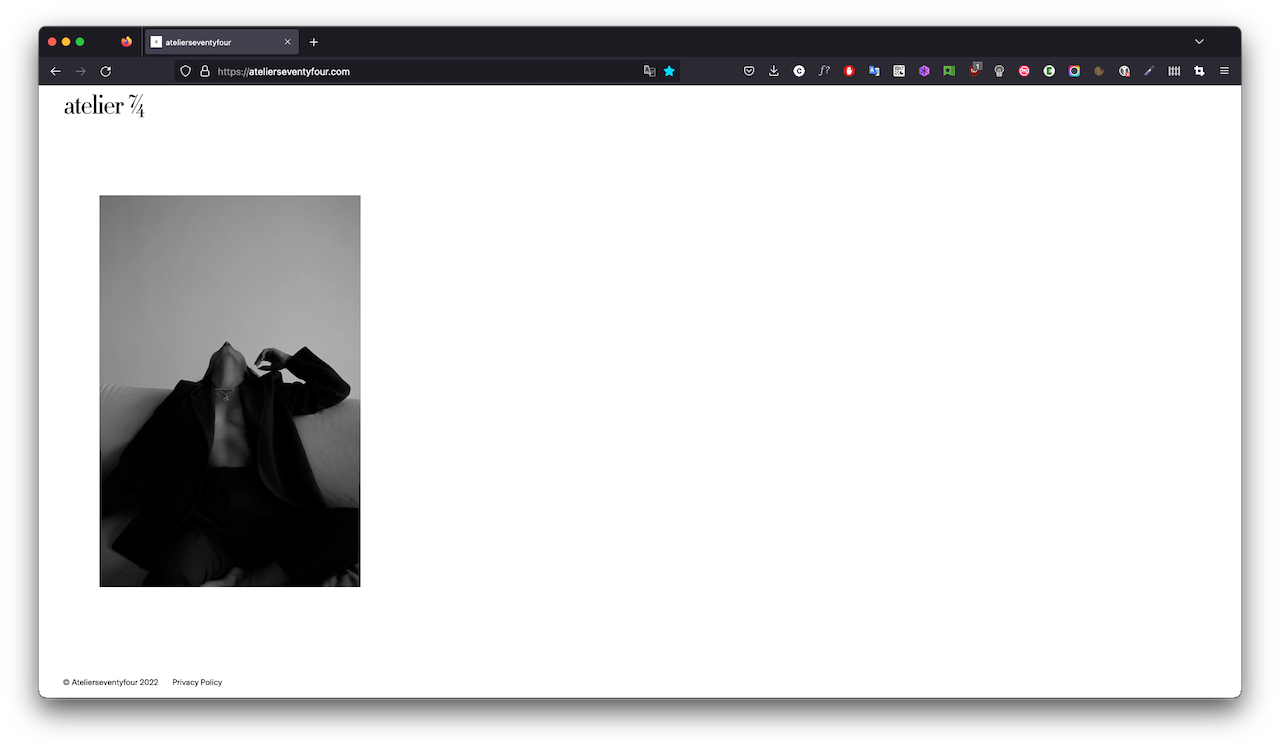
    so i update my mac to the latest version and your website works for me on safari, the images load https://atelierseventyfour.com [image: Screenshot 2022-12-02 at 18.30.15.png] what was your safari version again? mine is Version 16.1 (18614.2.9.1.12) maybe u need to update your mac os, maybe its a bug with the safari version you have :X
  • Video mobile version not visible

    4
    0 Votes
    4 Posts
    392 Views
    arminunruhA
    can you send your website address, /wp-admin/ username and password and a link to this topic to info@laytheme.com?
  • ROW IMAGE BACKGROUND ALIGNMENT

    9
    0 Votes
    9 Posts
    1k Views
    G
    @arminunruh thanks!
  • Project Inedx

    2
    0 Votes
    2 Posts
    123 Views
    arminunruhA
    is lay theme up to date? did you enter the license key on the other site? if u did these steps and it still doesn't work: can you send your website address, /wp-admin/ username and password and a link to this topic to info@laytheme.com?
  • Fullscreen Slider – Mobile View not working correctly

    11
    2
    0 Votes
    11 Posts
    897 Views
    arminunruhA
    hey there still on my todo list!
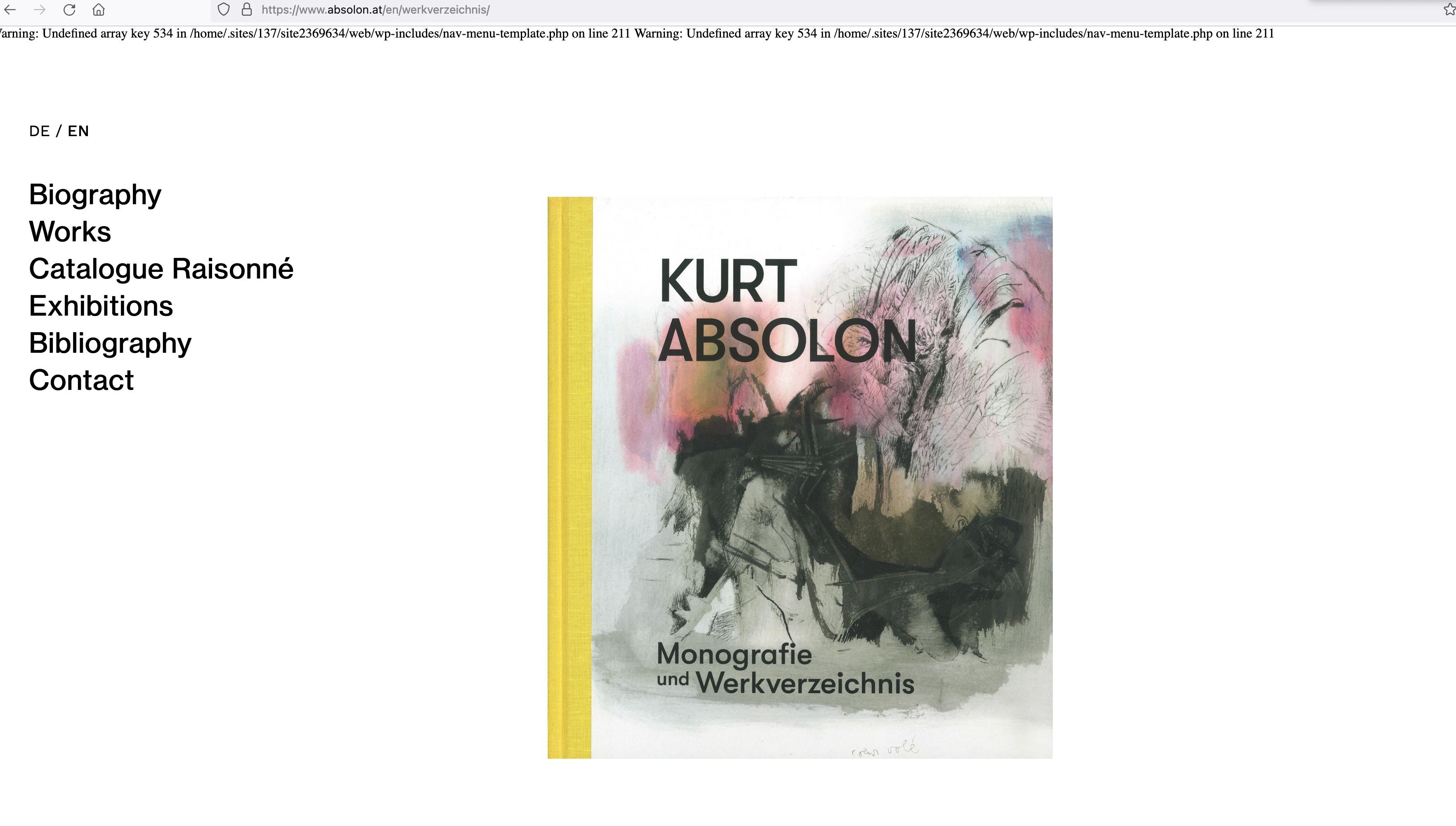
  • Undifined array key 534...

    2
    1
    0 Votes
    2 Posts
    139 Views
    arminunruhA
    oh can you go to your wp-admin and see if maybe you havent assigned a menu to a menu location? or if somehow there is any problem with a menu there if u cant solve it: can you send your website address, /wp-admin/ username and password and a link to this topic to info@laytheme.com?
  • Buttons (in Carousel) are cut off

    4
    2
    0 Votes
    4 Posts
    367 Views
    edgrbnzE
    @arminunruh Sorry, too fast! the good old !important did the trick! So the code would be as follows (for reference): single-caption-inner a{ display: inline-block !important; }
  • Update Problem 4.9.2 to 4.9.3

    6
    3 Votes
    6 Posts
    717 Views
    CKC
    @arminunruh thx Armin !
  • Video doesn't display after coming back from another page.

    9
    0 Votes
    9 Posts
    843 Views
    arminunruhA
    this was fixed <3
  • Mobile layout with one column count bug

    4
    0 Votes
    4 Posts
    430 Views
    arminunruhA
    now it should work out of the box when u update lay theme
  • Polylang Problem on Home

    2
    1 Votes
    2 Posts
    335 Views
    arminunruhA
    someone in here said to not set your frontpage as the frontpage in settings → reading and then it worked for him i have to look into this you can also: can you send your website address, /wp-admin/ username and password and a link to this topic to info@laytheme.com? then i can take a look
  • update doesn't work

    4
    0 Votes
    4 Posts
    499 Views
    arminunruhA
    :X when u update to 4.9.4 that shouldnt happen anymore
  • gridder not appearing after update

    5
    1
    0 Votes
    5 Posts
    689 Views
    arminunruhA
    hey @luciejok try the steps: Update Lay Theme and all Lay Theme Addons Disable all Plugins Go to Lay Options → Custom CSS & HTML, click "Turn Off All Custom Code ", click "Save Changes" Now see if your problem solved itself Go here, see if your problem is listed here: Troubleshooting
  • Polylang - Fix for homepage not switching language / translation

    3
    1 Votes
    3 Posts
    2k Views
    H
    WONDERFUL!!! Thank you for posting this, I had the same issue and it worked <3
  • Can"t update extensions

    10
    0 Votes
    10 Posts
    948 Views
    arminunruhA
    yea i sent him the latest versions
  • SVG hidden below 1440 px width

    13
    2
    0 Votes
    13 Posts
    1k Views
    arminunruhA
    ok you set the svg as a background image of your body i think that wont work properly. the svg size always needs to be width: 100% and height: auto and i guess that wont work when setting the svg as a background image you need to insert the svg into lay options → custom css #& html → custom html at bottom then style the svg to be width: 100%; height: auto; but as i said much earlier: i think you need to insert html divs into lay options → custom css #& html → custom html at bottom then use css to make these divs 1 px wide, and use position fixed to place these divs correctly i think you should have just tried doing that instead of doing it your way because the way you did it, the svg width is percentage based, your 1px lines in your svgs will change their widths because they are contained in the svg and the width of the svg depends on the width of the browser please next time try the thing i suggest :D sry for the rant
  • project index styles

    6
    0 Votes
    6 Posts
    2k Views
    arminunruhA
    ok so i found out this happens when u activate "use imagehover" for the project index element in the "style" tab but then you disable the imagehover addon will be fixed with the next update
Online Users
Forgot your key, lost your files, need a previous Lay Theme or Addon version? Go to www.laykeymanager.com