Skip to content

Bug Reports

Something is not working? Please provide a screenshot, your browser name and browser version and your operating system.
3.1k Topics 14.4k Posts
  • Menu not working

    9
    0 Votes
    9 Posts
    256 Views
    RichardR
    Thank you @Baliner !!! ā­ļø
  • Mobile fixed text glitching on scroll

    4
    0 Votes
    4 Posts
    142 Views
    RichardR
    Dear Allie @allie-heesh I understand if you do not wish to publish your current website on the Thread. Thanks for the video as well, i am assuming the custom class fixedabout is this central text box. Likely we need to change the CSS to work better then. If you feel comfortable you can send me a message via 'chats' and we can talk there 🌼 An alternative would be to email via: licensekeys@laytheme.com I am happy to work with whatever suits you, have a wonderful day Allie. Best Richard
  • Licence key / customizer not working

    4
    0 Votes
    4 Posts
    98 Views
    RichardR
    Dear Willy @willylamers You will not be able to update Lay Theme if it is not registered. šŸŒ "can I not use Lay Theme on a sub directory (joyce.willylamers.nl) with the same single licence I use on my main domain? (www.willylamers.nl)?" Your License key will store the activations based on URL address. Because a sub-domain is still a different website/address (even though it shares the parent domain) it will be considered a separate activation. You can always activate the License key on your testing/development site and then when you are ready send an email to : licensekeys@laytheme.com and get that activation removed. Another alternative is to send an email and ask for the newest version of Lay Theme and install it on your Wordpress. Hope this helps & best wishes Richard
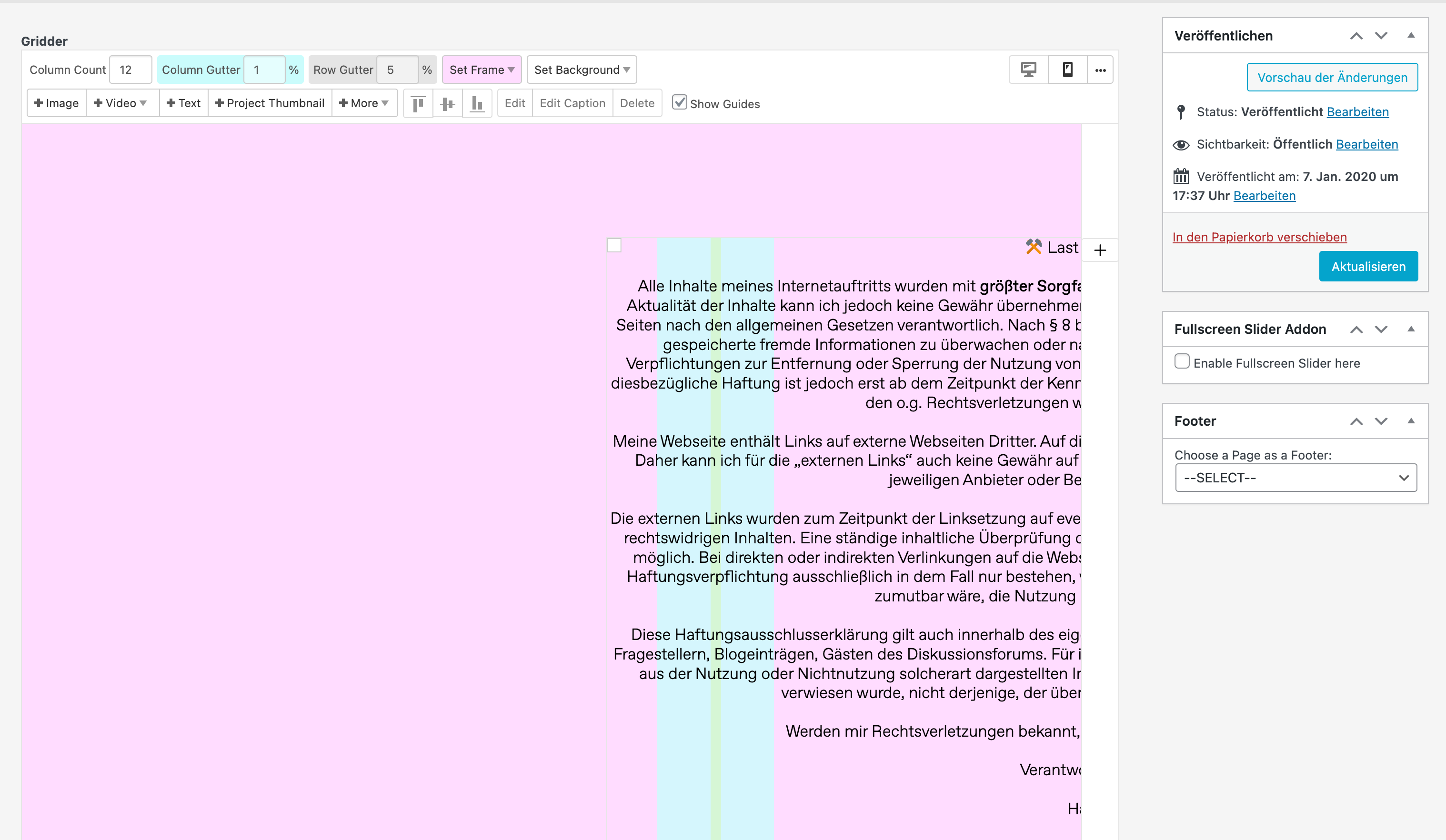
  • Left side of the Gridder Frame not displaying correct distance

    4
    2
    0 Votes
    4 Posts
    176 Views
    RichardR
    Thanks for the update @Financial have a wonderful day & thank you for supporting Lay Theme! ā­ļø
  • Category not showing gridder options

    2
    0 Votes
    2 Posts
    58 Views
    RichardR
    Dear Lisa @lisajasch Please try the following debugging steps: Wordpress, Lay Theme & Laytheme's Addons are all up to date ? Any custom CSS or JS that may interfere is temporarily removed. Any third-party plugins are de-activated to see if this resolves the issue. If using a WordPress Cache plugin, disable it or clear your cache. License key not activated - (in website blank situations or button not available) https://laytheme.com/troubleshooting.html Best šŸŒ Richard
  • right click in gridder with mac (ctrl+click) not working in safari

    5
    0 Votes
    5 Posts
    395 Views
    RichardR
    Dear @Noradavis Both right-clicking with a mouse and Control-clicking works for me with the current Lay Theme (mac). Are you able to try this on a different browser. Best Richard
  • Project-Index Text is cropped

    4
    1
    0 Votes
    4 Posts
    149 Views
    S
    thank you very much!
  • Element Grid Lightbox Caption

    4
    0 Votes
    4 Posts
    125 Views
    RichardR
    Dear Susan @susan39 Thank you for updating the thread to say this is solved, have a wonderful day! šŸŒ… Best Richard
  • Carousels not appearing when page is set to "Private" or "Draft"

    2
    0 Votes
    2 Posts
    43 Views
    RichardR
    Dear @FHT Thanks for the Bug report. I am unable to recreate the Carousel issue with all variations of Private/Draft. For this reason the problem may be local to your wordpress. Are you able to share a screenshot of your settings or any other helpful info? Did you have plugins installed that worked on Status and visibility? Best Richard
  • Cannot place image in mobile Grid & Jpgs dont show on mobile

    1
    2
    0 Votes
    1 Posts
    33 Views
    No one has replied
  • Projects with password does not view in a Project Thumbnail Grid.

    3
    0 Votes
    3 Posts
    127 Views
    D
    Nice, thanks!
  • Projects with password does not view in a Project Thumbnail Grid.

    3
    0 Votes
    3 Posts
    101 Views
    D
    Perfect, thanxs a lot!
  • image-hover not working

    5
    0 Votes
    5 Posts
    107 Views
    RichardR
    Dear @romanecmoisan If you would like me to take a closer look at this problem, feel free to message me via 'Chats' with your login details, i can then inspect. Note: please do not disclose any private info on the Thread itself šŸŒ Best Richard
  • Broken link in carousel

    8
    0 Votes
    8 Posts
    207 Views
    RichardR
    Dear @MathiasBC Have replied to your message šŸŒ Best Richard
  • Polylang Category Translations not linked

    8
    0 Votes
    8 Posts
    558 Views
    RichardR
    Thanks @arminunruh ! šŸ’Ŗ
  • Project Index not updating

    2
    1 Votes
    2 Posts
    101 Views
    RichardR
    Dear @maximilianm Does this behaviour (not updating) apply when testing the Project index on an incognito window? - Do you have any Cache plugins installed? Best Richard
  • Text overlay over cover is moved to the left edge

    13
    0 Votes
    13 Posts
    451 Views
    RichardR
    @neunzehnachtneun Thank you Sebastian have replied šŸ‘ Best Richard
  • Text in cover always positioned on the left

    4
    2
    1 Votes
    4 Posts
    121 Views
    RichardR
    Dear Benjamin @benni Another user has also reported this Bug and it has been forwarded to Armin āœ… In the meantime the solution would be to pull the text element all the way to the edge and this overcomes the bug: [image: 1652049666264-screen-shot-2022-05-09-at-10.39.05-am-resized.png] Best Richard
  • Images don't show on the page

    15
    2
    0 Votes
    15 Posts
    533 Views
    RichardR
    Dear Allie @allie-heesh Are you able to post a link to your website with the problem text layouts? šŸ” Best Richard
  • Full Screen Slider Mobile Image CutOff

    14
    3
    0 Votes
    14 Posts
    546 Views
    RichardR
    Dear @EstherdeGraaf I am testing on an Iphone X, when removing all Custom CSS the Fullscreen Slider displays correctly for the height of the viewport: [image: 1652045482816-screen-shot-2022-05-09-at-9.29.21-am-resized.png] Best Richard

I also code custom websites or custom Lay features.
šŸ’æ Email me here: šŸ’æ
info@laytheme.com

Our Web Development company: 100k.studio

Want to tip me? https://www.paypal.com/paypalme/arminunruh

Before you post:
  1. When using a WordPress Cache plugin, disable it or clear your cache.
  2. Update Lay Theme and all Lay Theme Addons
  3. Disable all Plugins
  4. Go to Lay Options → Custom CSS & HTML, click "Turn Off All Custom Code", click "Save Changes"

This often solves issues you might run into

When you post:
  1. Post a link to where the problem is
  2. Does the problem happen on Chrome, Firefox, Safari or iPhone or Android?
  3. If the problem is difficult to explain, post screenshots / link to a video to explain it
Online Users
Forgot your key, lost your files, need a previous Lay Theme or Addon version? Go to www.laykeymanager.com