Skip to content

Bug Reports

Something is not working? Please provide a screenshot, your browser name and browser version and your operating system.
3.1k Topics 14.5k Posts
  • Can't resize text fields inside stack

    4
    0 Votes
    4 Posts
    153 Views
    arminunruhA
    ok seems like a bug. i fixed it and it will be included with the next update
  • project thumbnail grid glitching between languages

    5
    0 Votes
    5 Posts
    598 Views
    E
    ok thank you!!
  • issues with table element

    19
    5
    0 Votes
    19 Posts
    3k Views
    arminunruhA
    ok!! i will try to recreate it
  • layout Cache not incompatible with Polylang?

    2
    0 Votes
    2 Posts
    333 Views
    arminunruhA
    ah damn. thanks for the heads up. i did test it with qtranslateXT and its incompatible with qtranslateXT. I will check out if maybe i can make it compatible with polylang somehow
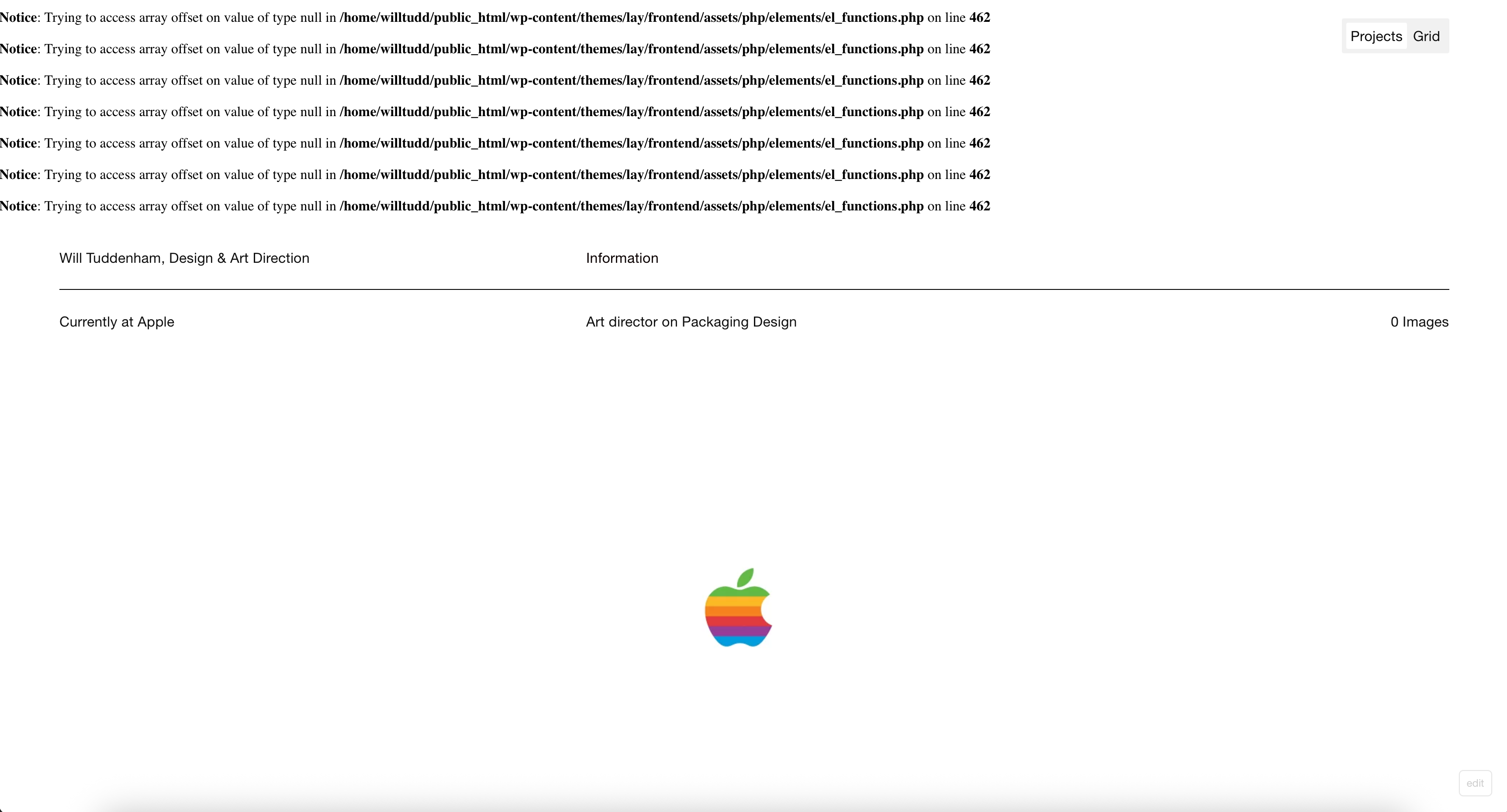
  • Warning error in home screen

    2
    1
    0 Votes
    2 Posts
    282 Views
    arminunruhA
    ah i see! will be fixed with the next update
  • Product images not displayed in Orders/Emails with Lay Theme

    4
    0 Votes
    4 Posts
    439 Views
    arminunruhA
    will be fixed with the next update
  • Single Product Page; Tabs and Description Not Displaying Correctly

    3
    2
    0 Votes
    3 Posts
    431 Views
    arminunruhA
    ok it will be fixed with the next update
  • External Video in Thumbnail Grid Not Triggering AJAX Page Transition

    9
    0 Votes
    9 Posts
    578 Views
    arminunruhA
    What you could do is you could just not use your custom video player plugin and not use shortcodes on your project pages. So in summary it has nothing to do with the external video source, but its because of the shortcode
  • Text formats preview not showing actual font

    2
    1
    0 Votes
    2 Posts
    196 Views
    arminunruhA
    Can you please send: a link to this forum topic your website address /wp-admin/ username and password to: info@laytheme.com
  • cover video sound

    2
    0 Votes
    2 Posts
    356 Views
    arminunruhA
    so videos cannot autoplay unless they are muted. if you want sound on a video i suggest you add the video as a video element using [image: 1757599968570-0d9b3be7-a42b-4377-b6bc-a0fdad8d995b-image.png] because those can have unmute buttons
  • website got broke

    2
    1
    0 Votes
    2 Posts
    379 Views
    arminunruhA
    go to wp-admin to apperance - themes, scroll down where it says "broken theme" click delete. then click add theme, upload theme and use lay.zip: https://kernl-file-uploads.s3.amazonaws.com/uploads/08-09-2025/lay.zip its related to: http://laythemeforum.com/topic/11195/broken-website-since-yesterday-14th-of-aug.-how-to-fix-it
  • News element issues with on scroll transitions enabled

    18
    0 Votes
    18 Posts
    1k Views
    arminunruhA
    ah ok will be fixed with the next update
  • PHP 8.3+ compatibility errors (theme, WP, and plugins all up to date)

    5
    2
    0 Votes
    5 Posts
    1k Views
    arminunruhA
    ah yea, ok let me work on this more you can also as i said disable wp_debug to make these messages disappear yea in wp-config.php you can disable wp_debug change this line: define('WP_DEBUG', true); to: define('WP_DEBUG', false);
  • 1 Votes
    27 Posts
    2k Views
    arminunruhA
    mh the update should work! https://kernl-file-uploads.s3.amazonaws.com/uploads/04-09-2025/12-44-52/lay.zip here is a link to the latest version updating shouldn't break the website no
  • lightbox mobile doesnt work

    5
    0 Votes
    5 Posts
    441 Views
    arminunruhA
    ok can u update the lightbox addon now and try again? the settings i recommended in my previous reply shouldn't matter, you can set them back to how you had them before
  • Thumbnail grid produces unneeded space when using categories

    7
    0 Votes
    7 Posts
    235 Views
    S
    It seems removing the row height disabled the extra space for each additional subcategory, even though the extra space seemed longer than 80vh. Was it adding the 80vh after the end of the thumbnail grid perhaps? However, this means I can't use custom heights when using this setup. If there are no other issues going on, then this fix will work as well :-)
  • Gridder hides content / thumbnail grid

    7
    3
    0 Votes
    7 Posts
    281 Views
    arminunruhA
    amazing! im glad its fixed for you!
  • This topic is deleted!

    2
    2
    0 Votes
    2 Posts
    2 Views
  • Black line below menu bar that doesnt go away

    4
    2
    0 Votes
    4 Posts
    209 Views
    L
    Hey, I just had the same issue. Even if it's a bit late, here is where you can find it. Customize > Menu Bar > check the box: show boarder.
  • Bug: Website completely scattered out of nowhere

    2
    1
    0 Votes
    2 Posts
    86 Views
    arminunruhA
    Can you please send: a link to this forum topic your website address /wp-admin/ username and password to: info@laytheme.com

I also code custom websites or custom Lay features.
šŸ’æ Email me here: šŸ’æ
info@laytheme.com

Our Web Development company: 100k.studio

Want to tip me? https://www.paypal.com/paypalme/arminunruh

Before you post:
  1. When using a WordPress Cache plugin, disable it or clear your cache.
  2. Update Lay Theme and all Lay Theme Addons
  3. Disable all Plugins
  4. Go to Lay Options → Custom CSS & HTML, click "Turn Off All Custom Code", click "Save Changes"

This often solves issues you might run into

When you post:
  1. Post a link to where the problem is
  2. Does the problem happen on Chrome, Firefox, Safari or iPhone or Android?
  3. If the problem is difficult to explain, post screenshots / link to a video to explain it
Online Users
Forgot your key, lost your files, need a previous Lay Theme or Addon version? Go to www.laykeymanager.com