Skip to content

Bug Reports

Something is not working? Please provide a screenshot, your browser name and browser version and your operating system.
3.1k Topics 14.4k Posts
  • Page loads wrong Vimeo Video

    4
    0 Votes
    4 Posts
    85 Views
    arminunruhA
    nice work!
  • Latest lightbox doen't work with latest laytheme

    2
    0 Votes
    2 Posts
    95 Views
    RichardR
    Dear @Sunnyi Please make sure of the following debuggings: Wordpress, Lay Theme & Laytheme's Addons are all up to date ? Any custom CSS or JS that may interfere is temporarily removed. Any third-party plugins are de-activated to see if this resolves the issue. If using a WordPress Cache plugin, disable it or clear your cache. License key not activated - (in website blank situations or button not available) If your WordPress Dashboard shows a warning "PHP Update required” Please update your PHP version in your webhost control panel. Additionally take a look at https://laytheme.com/troubleshooting.html for known problems. If these do not help: Could you please send your website address, /wp-admin/ username and password and a link to this topic to info@laytheme.com? Is likely a Bug & will try to get it sorted as soon as possible. Apologies for any inconvenience this may have caused and thank you for using Lay Theme Sincerely Richard
  • Right click doesn't work

    5
    0 Votes
    5 Posts
    121 Views
    RichardR
    Dear Nora @nora-heinisch-2 Yes, it is advised that you purchase a License as this will come with necessary updates. As time goes by you are likely to experience issue as your Laytheme gets further out of date. Apologies for any inconvenience caused and have a lovely day :) Sincerely Richard
  • Row Video Background not showing up on Mobile

    5
    0 Votes
    5 Posts
    160 Views
    willcanningW
    OK - for the time being I was able to use a Vimeo embed and CSS to get this working as I have to deliver the site ASAP. The code is very clunky but fine for now.
  • Category Filter wrong order

    5
    0 Votes
    5 Posts
    209 Views
    ffingerF
    @Richard I checked your list and sent you an E-Mail. Thanks in advance! :)
  • Webfont (Fontstand) is not working on mobile

    4
    0 Votes
    4 Posts
    95 Views
    RichardR
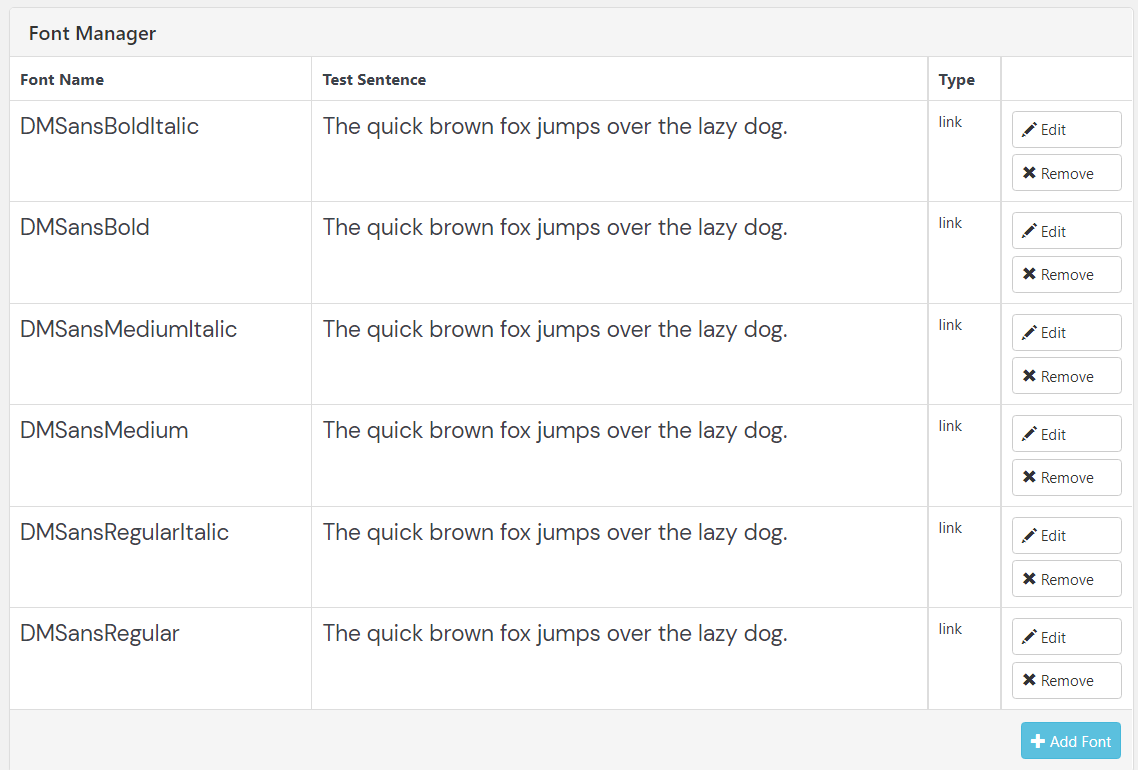
    Dear JJ @Dodo Could you please convert your font into .woff or .woff2 format and insert it via the Font Manager found within: Lay Options > Webfonts Rather than using the direct <head> method. Within > Text Formats > Custom Classes can still be set Talk soon & best wishes Richard
  • Custom Mouse Cursor left/right for Carousel not showing up

    5
    0 Votes
    5 Posts
    414 Views
    RichardR
    Dear @PTD I am unable to see issue with your Carousel's Custom Arrows. Wish to help & best wishes :) Richard
  • Problem updating changes made on the homepage

    4
    0 Votes
    4 Posts
    105 Views
    RichardR
    Dear @Ailuj To be sure: Wordpress, Lay Theme & Laytheme's Addons are all up to date ? Any custom CSS or JS that may interfere is temporarily removed. Any third-party plugins are de-activated to see if this resolves the issue. If using a WordPress Cache plugin, disable it or clear your cache. ( I know you have cleared this.. ) Best Richard
  • Video thumbnails play automatically on mobile!

    15
    0 Votes
    15 Posts
    621 Views
    T
    Thank you very much for your continuous help Richard! Autolay on Desktop is way too hectic and too much, so "play on mouseover" is mandatory. However the mobile and tablet versions still autoplayed all thumbnails perfectly normal. Until now it has changed. Now the autoplay on mobile and tablet does not work anymore and the thumbnails also have an ugly play icon on mobile. This now results in either: reworking the mobile sites as a workaround or the better version: I hoped it might be possible to solve this problem by using css. Maybe something like: Activating autoplay for thumbnails in customizer and then manually telling the desktop site via CSS to change it to "play on mouseover". Is that possible? I hope you understand what I mean. Cheers!
  • Can't change the frontpage

    5
    0 Votes
    5 Posts
    177 Views
    RichardR
    Dear @Sophie1000 Thanks for update & solution :) Best Richard
  • Custom cursor pointer issue

    4
    0 Votes
    4 Posts
    640 Views
    RichardR
    Dear @lilievongruen Awesome! Have a wonderful day :) Best Richard
  • Carousel does not show up

    4
    2
    0 Votes
    4 Posts
    247 Views
    arminunruhA
    can you send your website address, /wp-admin/ username and password and a link to this topic to info@laytheme.com?
  • Internal sever error jQuery code

    8
    1
    0 Votes
    8 Posts
    275 Views
    M
    hey @Armin-Unruh, Yes it was related to that, thank you for your help!! It's working again :) Have a nice day, Mathilde
  • Site Title and Browser Back Button

    9
    0 Votes
    9 Posts
    337 Views
    RichardR
    Thanks @arminunruh :)
  • Project Thumbnails not clickable anymore

    4
    0 Votes
    4 Posts
    85 Views
    RichardR
    Dear Phil @Irrlicht Strange indeed! As this is likely a bug, both of you having the same issue: Could you please make sure of the following: Wordpress, Lay Theme & Laytheme's Addons are all up to date ? Any Custom CSS or JS that may interfere is temporarily removed. Any third-party plugins de-activated to see if this resolves the issue. If your WordPress Dashboard shows a warning "PHP Update required" please update your PHP version in your webhost control panel. Additionally please take a look at https://laytheme.com/troubleshooting.html for known problems. If none apply to you - Let me know and i will forward this as soon as possible :) Talk soon & thank you for using Lay Theme Phil Sincerely Richard
  • Carrousel caption bug

    4
    0 Votes
    4 Posts
    174 Views
    RichardR
    Dear @kr Kristen On Mobile and Desktop i can see the mix-blend:difference - What part specifically is not working? What browser are you using? Talk soon & have a wonderful day :) Thank you for using Lay Theme! Best Richard
  • Text Formats Not Working in Firefox

    5
    0 Votes
    5 Posts
    261 Views
    RichardR
    Dear @Theodoros I have answered your thread about the text format - Also have we made sure with a .woff format first? Best Richard
  • Custom Webfont doesnt work in Chrome and Firefox

    5
    0 Votes
    5 Posts
    142 Views
    RichardR
    Dear @fr Thats a great idea, of course! - Thank you : ) Best Richard
  • Projects won't show on desktop

    8
    1
    0 Votes
    8 Posts
    115 Views
    RichardR
    Dear Lea @leastu No worries - Glad its sorted and you can continue with your project :) Best Richard
  • Letters stuck together

    3
    1
    0 Votes
    3 Posts
    70 Views
    RichardR
    Thanks @fr :)

I also code custom websites or custom Lay features.
💿 Email me here: 💿
info@laytheme.com

Our Web Development company: 100k.studio

Want to tip me? https://www.paypal.com/paypalme/arminunruh

Before you post:
  1. When using a WordPress Cache plugin, disable it or clear your cache.
  2. Update Lay Theme and all Lay Theme Addons
  3. Disable all Plugins
  4. Go to Lay Options → Custom CSS & HTML, click "Turn Off All Custom Code", click "Save Changes"

This often solves issues you might run into

When you post:
  1. Post a link to where the problem is
  2. Does the problem happen on Chrome, Firefox, Safari or iPhone or Android?
  3. If the problem is difficult to explain, post screenshots / link to a video to explain it
Forgot your key, lost your files, need a previous Lay Theme or Addon version? Go to www.laykeymanager.com