Skip to content

General Discussion

A place to talk about anything Lay Theme related
4.9k Topics 20.9k Posts
  • front page problem

    8
    3
    0 Votes
    8 Posts
    118 Views
    L
    thank you!! perfect
  • image hover with a color tint

    6
    1
    0 Votes
    6 Posts
    299 Views
    arminunruhA
    did you get it to work? if you dont want the black to be black you can add filter: brightness(1.2); or use opacity css on the image and then use css to have a blue color on the background? idk [image: 1722273183153-screenshot-2024-07-29-at-19.12.59.png] this "generate" button gives you the css, did you get it to work with that? @alasdair17 yea, maybe hes doing a website for a client and doesnt want the client to have to use PS
  • Front page problem

    3
    0 Votes
    3 Posts
    76 Views
    arminunruhA
    you could also see if by any chance you uploaded a index.html file to your ftp, that overrides the frontpage of wordpress but thats not the case, i can tell by looking at your website
  • 0 Votes
    7 Posts
    259 Views
    arminunruhA
    very good felix, only thing that is missing is left: 50%; so it should be: .thumb .title{ white-space: nowrap!important; left: 50%!important; position: relative!important; transform: translateX(-50%)!important; display: inline-block!important; } also it needs to be inline-block and position relative for that to work properly
  • Custom row height + row image background

    14
    1
    0 Votes
    14 Posts
    529 Views
    arminunruhA
    this will probably cut off the left and right image a lot! this is what it looks like for me with 3 portrait images: [image: 1721928546074-screenshot-2024-07-25-at-19.29.03-resized.png]
  • Project Index with tag filter bubbles

    7
    1
    0 Votes
    7 Posts
    276 Views
    arminunruhA
    thumbnailgrids dont support imagehover addon i think only projectindex do
  • Image hover customization

    2
    0 Votes
    2 Posts
    124 Views
    arminunruhA
    hm i dont know look at the code using the chrome inspector, u can see the markups for a hoverimages are right next to the column: [image: 1721747044632-screenshot-2024-07-23-at-17.03.59.png] im not too sure, but maybe you can give the column a class and then use the sibling selector: https://developer.mozilla.org/en-US/docs/Web/CSS/Subsequent-sibling_combinator or you could give the row a class and select the images using that i dont really have time to code this for you
  • website Image background scaling wrong only on iOS

    3
    2
    0 Votes
    3 Posts
    544 Views
    P
    Thank you! At least I didn't screw anything up. I'll try the css way and if that doesn't work I can use the loop as a fallback. And thanks again for the fast answer
  • set row image background (CENTER)

    2
    0 Votes
    2 Posts
    119 Views
    arminunruhA
    http://laythemeforum.com:4567/topic/9818/custom-row-height-row-image-background/7
  • 1ST SECTION FIXED

    2
    1
    0 Votes
    2 Posts
    95 Views
    panteleyP
    Found it šŸ¤˜šŸ» Leaving the CSS here in case sb may want to do the same in the future: .fixed-row { position: fixed; top: 10px; right: 20px; bottom: 10px; left: 20px; }
  • Instagram feed don't work

    3
    3
    0 Votes
    3 Posts
    157 Views
    arminunruhA
    yes, shortcodes need to be added with +more → +shortcode or if you add it in the textbox it may also work if you go to "lay options" and enable "content filter" [image: 1721379753824-screenshot-2024-07-19-at-11.02.29.png]
  • Fixed content on 1st row / short cover

    3
    2
    0 Votes
    3 Posts
    111 Views
    panteleyP
    @arminunruh [image: 200w.gif?cid=6c09b952win7o34a6d780d3e62909smvrrn4886vn8t4ez8k&ep=v1_gifs_search&rid=200w.gif&ct=g]
  • INDEX, Typography

    2
    0 Votes
    2 Posts
    88 Views
    arminunruhA
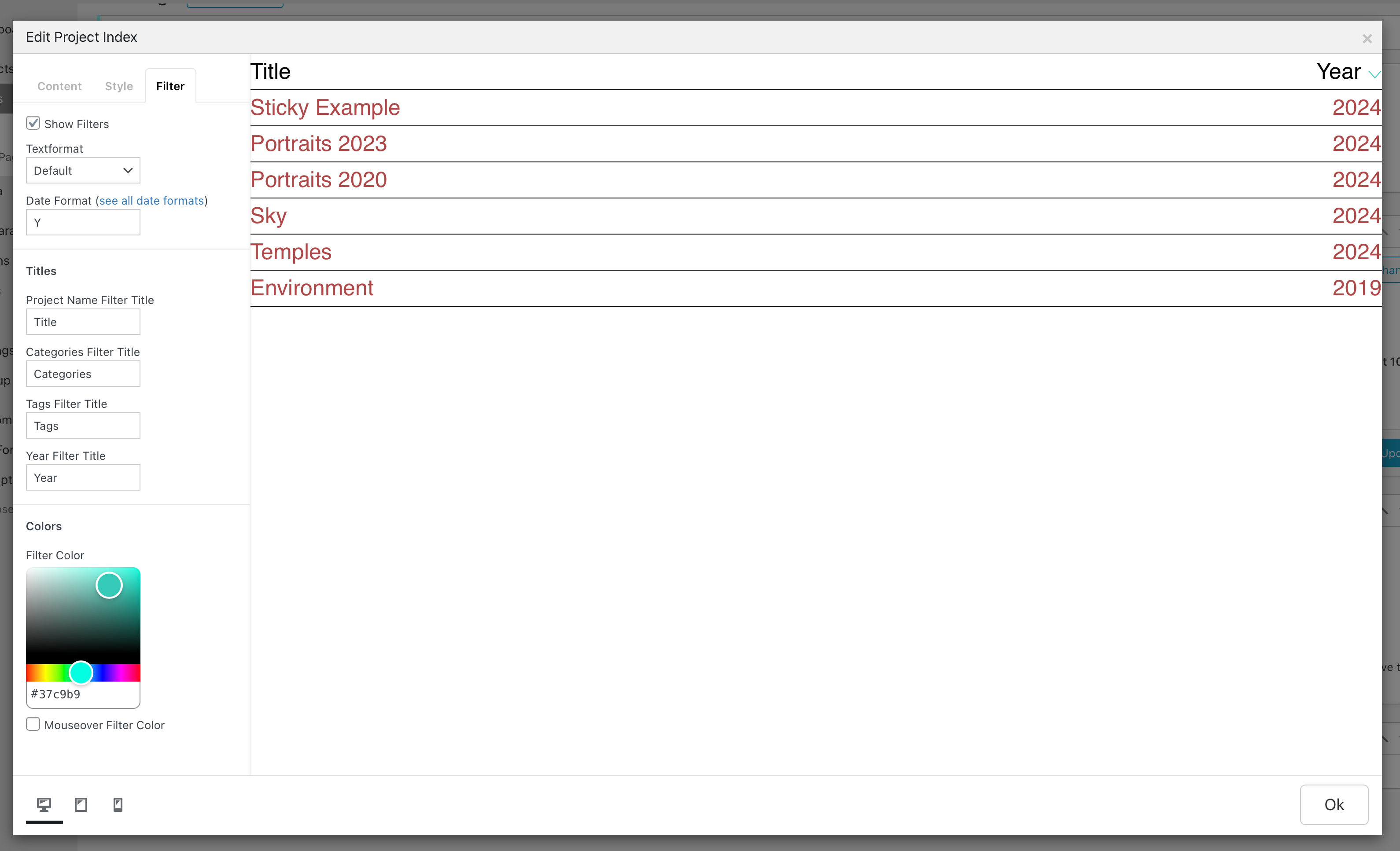
    you can create a textformat in "textformats" [image: 1721220092731-screenshot-2024-07-17-at-14.41.29.png] then assign it when editing the project index element
  • Overlay on mobile missing X button

    4
    0 Votes
    4 Posts
    149 Views
    arminunruhA
    hey when im on the mobile page and i click on the + then i navigate to another page instead of opening an overlay. this is your custom coded html link: [image: 1721219750261-screenshot-2024-07-17-at-14.35.45.png] however, its missing the data attributes: data-id, data-type etc as in this working overlay link: [image: 1721219804325-screenshot-2024-07-17-at-14.36.39.png] if you add the correct data attributes, the overlay will work also make sure to disable any caching plugins while you're working on this
  • Navigation bar

    8
    0 Votes
    8 Posts
    225 Views
    A
    Thank you so much for your detailed reply! I managed to get the solution I aimed for via 2 menus. Thanks again :) Best wishes, Annika
  • project order within dashboard

    2
    0 Votes
    2 Posts
    55 Views
    arminunruhA
    oh maybe you can find a plugin like "posts folders" when i search for posts folders plugins i see [image: 1720689969052-screenshot-2024-07-11-at-11.26.05.png] [image: 1720689988186-screenshot-2024-07-11-at-11.26.23.png]
  • This topic is deleted!

    1
    0 Votes
    1 Posts
    1 Views
    No one has replied
  • burger menu disappears on refresh

    6
    0 Votes
    6 Posts
    193 Views
    Q
    great armin - thank you so much!
  • Blurred background doesn't work on mobile menu

    8
    2
    0 Votes
    8 Posts
    158 Views
    arminunruhA
    [image: 1720604032915-screenshot-2024-07-10-at-11.33.48.png] well your website is just a white empty box when i resize it so its smaller when i go here: https://www.cleliacadamuro.com/ instead of here: http://www.cleliacadamuro.com/ Hi Armin, the plugin simple ssl was already installed usually that should not happen if that plugin is installed so for the blur not working: the menu animation is an animation where it goes from 0 height to full height. i think thats why the blur doesnt work. go to customize → mobile → mobile menu [image: 1720604430758-screenshot-2024-07-10-at-11.40.26.png] and then as menu style, DONT use menu style 3
  • Start gif/video mouse hover in project thumbnail

    13
    1
    0 Votes
    13 Posts
    839 Views
    arminunruhA
    ok very good! amazing work!

I also code custom websites or custom Lay features.
šŸ’æ Email me here: šŸ’æ
info@laytheme.com

Our Web Development company: 100k.studio

Want to tip me? https://www.paypal.com/paypalme/arminunruh

Before you post:
  1. When using a WordPress Cache plugin, disable it or clear your cache.
  2. Update Lay Theme and all Lay Theme Addons
  3. Disable all Plugins
  4. Go to Lay Options → Custom CSS & HTML, click "Turn Off All Custom Code", click "Save Changes"

This often solves issues you might run into

When you post:
  1. Post a link to where the problem is
  2. Does the problem happen on Chrome, Firefox, Safari or iPhone or Android?
  3. If the problem is difficult to explain, post screenshots / link to a video to explain it
Online Users
Forgot your key, lost your files, need a previous Lay Theme or Addon version? Go to www.laykeymanager.com