Skip to content

General Discussion

A place to talk about anything Lay Theme related
4.9k Topics 20.9k Posts
  • Burger menu to show a custom page?

    5
    0 Votes
    5 Posts
    175 Views
    arminunruhA
    very good @alasdair17 thanks a lot for answering people! he can also hide the mobile menu in the customizer → mobile → mobile menu → hide i think
  • 0 Votes
    3 Posts
    89 Views
    arminunruhA
    (sorry for the late response)
  • Problem with text block position

    6
    0 Votes
    6 Posts
    194 Views
    arminunruhA
    hey for pages you should always use a page or maybe a category page. so pages are things like frontpage/homepage, about page or contact page. dont use a project for the homepage, because a project can be part of a projectindex element, or a project thumbnailgrid ok im sorry it is still not in the right spot! did you do the steps in the blue box? like disabling all plugins to see if it changes anything? if it doesnt work: can you send your website address, /wp-admin/ username and password and a link to this topic to info@laytheme.com? also: can you please send me the link to the new page that you have problems with? because you re-created the page not as a category but as a different page right.
  • Presale questions

    2
    0 Votes
    2 Posts
    99 Views
    arminunruhA
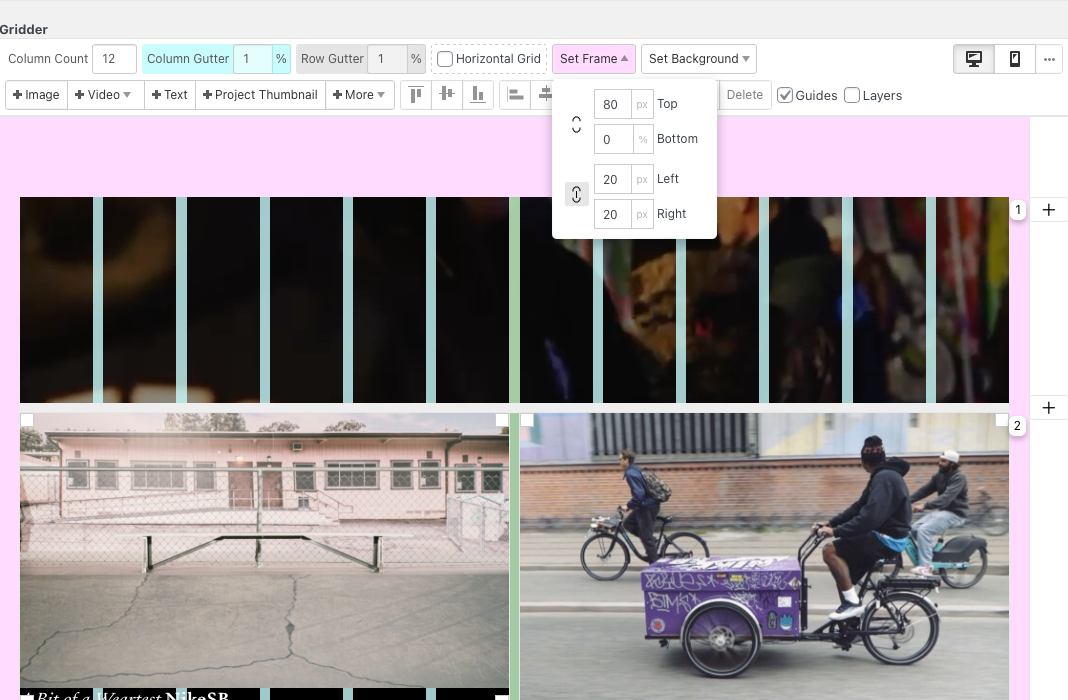
    hey! no :/ only with custom css, for example with this: http://laythemeforum.com/topic/9348/sit-carousel-captions-at-bottom-of-page/13?_=1718794871520 but you could also use the fullscreen slider addon. on the link you showed me you also have fullscreen images, so the fullscreen slider in horizontal mode would be better. the captions and numbers can then be put into the corners. you would create browser filling rows: https://laytheme.com/documentation/gridder-rows.html#use-browser-height-for-row-height then you'd put images in there and texts in the corners. each one of these browser filling rows is then turned into a "slide" just like on the link you provided. here, you could also add a button to a product: https://laytheme.com/documentation/buttons.html 3.: i think probably yes yea. but it cant be added to a product page. but to any other type of pages i think! using +more → +shortcode
  • 0 Votes
    2 Posts
    164 Views
    arminunruhA
    hey! so if i was you i would try and create both types of menus. then i would use custom css to hide and show the menus based on which page you're on https://laytheme.com/documentation/custom-css-styling.html#css-based-on-current-page so lets assume your homepage has the slug home. and you have two menus: .menu-1 and .menu-2 then you'd do //by default, menu1 is always shown, and menu2 is always hidden .menu-1{ display: block!important; } .menu-2{ display: none!important; } // but on homepage, hide menu1 and show menu2 instead .slug-home .menu-1{ display: none!important; } .slug-home .menu-2{ display: block!important; } this css is the basic logic behind how you show one menu on the homepage and hide the other. and on all other pages its the other way around. but your classes you use will be different because you will need to hide/show a menu, a mobile menu or a button that opens an overlay. so you'll need to get comfortable with the "chrome inspector" for example to find the correct css selectors and write the css yourself. also you're right you can't create multiple menus for mobile. for desktop you can have up to 4. one way to get around this is to use "custom css & html" → "custom html at top/bottom" in here you can hard-code some anchor tags and use custom css to style them. this could act as an additional menu on mobile. all of this needs quite some knowledge in html and css but with some patience and learning you will be able to do it
  • HTML VIDEO MAXIMUM UPLOADING SIZE

    4
    1
    0 Votes
    4 Posts
    164 Views
    E
    @alasdair17 Thank you man! Thought this limitation comes from Laytheme but definitely trying increasing it through server tonight.
  • overflow scroll for one row in fullscreen slider

    3
    0 Votes
    3 Posts
    141 Views
    arminunruhA
    o i think it only works if you use the horizontal slider you use the vertical one, with this it wont work :/
  • List of Tags

    2
    0 Votes
    2 Posts
    94 Views
    arminunruhA
    oh no, but maybe you can find a plugin for this
  • Blackness in the transition

    2
    0 Votes
    2 Posts
    42 Views
    arminunruhA
    yea can you go to customize → background and set the background color to white for example
  • intro text - different font sizes on desktop & mobile

    2
    0 Votes
    2 Posts
    103 Views
    arminunruhA
    theres only the possibility to use a textformat that has different sizes for desktop, tablet and phone then in customize → intro apply this textformat to the text
  • Yoast SEO plugin compatability

    10
    0 Votes
    10 Posts
    944 Views
    arminunruhA
    hey i answered you in your new thread
  • mobile menu bar transparency/colour, and customiser preview

    2
    0 Votes
    2 Posts
    45 Views
    arminunruhA
    hey hmm no i haven't seen this issue before! can u try the things in the blue box to the right? "before you post"
  • This topic is deleted!

    1
    1
    0 Votes
    1 Posts
    1 Views
    No one has replied
  • This topic is deleted!

    1
    1
    0 Votes
    1 Posts
    7 Views
    No one has replied
  • Recommendations for webhosts

    2
    0 Votes
    2 Posts
    87 Views
    A
    Highly recommend Siteground who have terrific support, they are Europe based but I think they have servers in US as well.
  • remove one menu item from landing page (carousel)

    7
    0 Votes
    7 Posts
    277 Views
    arminunruhA
    ok im glad i could help you! sorry i couldn't help you with the other thing with the other one post u did :O :/
  • favicon different display safari

    2
    2
    0 Votes
    2 Posts
    116 Views
    arminunruhA
    oh actually i have no idea ://
  • Audio in the background video

    video homepage
    6
    0 Votes
    6 Posts
    1k Views
    arminunruhA
    no since a few years this is a limitation set by browsers which cant be overriden
  • carousel scroll like marque

    7
    1
    0 Votes
    7 Posts
    259 Views
    B
    @arminunruh ok thanks :)
  • ELement / Project gird / Same hight/ alig

    3
    0 Votes
    3 Posts
    141 Views
    albrechtA
    thx @arminunruh Didn’t changed the Layout. But now its working. I think I chosen the wrong class. Best!

I also code custom websites or custom Lay features.
💿 Email me here: 💿
info@laytheme.com

Our Web Development company: 100k.studio

Want to tip me? https://www.paypal.com/paypalme/arminunruh

Before you post:
  1. When using a WordPress Cache plugin, disable it or clear your cache.
  2. Update Lay Theme and all Lay Theme Addons
  3. Disable all Plugins
  4. Go to Lay Options → Custom CSS & HTML, click "Turn Off All Custom Code", click "Save Changes"

This often solves issues you might run into

When you post:
  1. Post a link to where the problem is
  2. Does the problem happen on Chrome, Firefox, Safari or iPhone or Android?
  3. If the problem is difficult to explain, post screenshots / link to a video to explain it
Online Users
Forgot your key, lost your files, need a previous Lay Theme or Addon version? Go to www.laykeymanager.com