Skip to content

General Discussion

A place to talk about anything Lay Theme related
4.9k Topics 20.9k Posts
  • Deleted the default catagory "WORK"

    3
    0 Votes
    3 Posts
    48 Views
    K
    @arminunruh Thank you!!! Yes, that works :-)
  • Projects order

    3
    0 Votes
    3 Posts
    133 Views
    D
    @arminunruh THANKS! darg and drop - okaaaay :) i was searching for some buttons to order :D
  • image height adjusted to text div height

    19
    2
    0 Votes
    19 Posts
    727 Views
    D
    @arminunruh that works, thank you!
  • Thumbnail Grid

    10
    0 Votes
    10 Posts
    592 Views
    B
    @arminunruh okay, I get that :) Thanks, I really enjoy working with laytheme anyways!
  • 0 Votes
    4 Posts
    102 Views
    arminunruhA
    i can do this for you! can you send your website address, /wp-admin/ username and password and a link to this topic to info@laytheme.com?
  • make menu titles scroll back to top

    2
    0 Votes
    2 Posts
    82 Views
    arminunruhA
    in appearance → menus go to screen options and enable css classes: [image: 1677768614573-screenshot-2023-03-02-at-15.49.32-resized.png] then add a css class to your menupoint like: scrollup then add this JS to lay options → custom html & css → custom <head> content : jQuery(document).on("click", ".scrollup", function(e){ e.stopPropagation(); e.preventDefault(); jQuery('html, body').animate({scrollTop: 0}, 600, 'easeOutQuint'); })
  • Intro video with transparency

    2
    0 Votes
    2 Posts
    113 Views
    arminunruhA
    h265 videos can have transparency not sure about the browser compatibility
  • carousel

    2
    0 Votes
    2 Posts
    131 Views
    arminunruhA
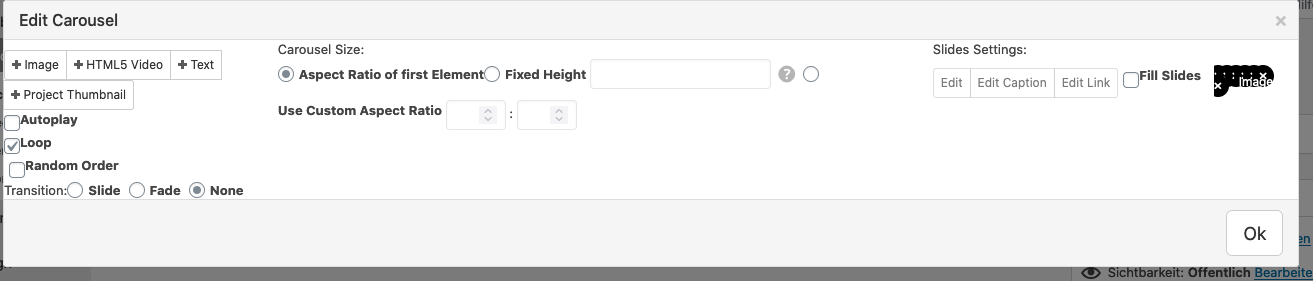
    [image: 1677761981807-screenshot-2023-03-02-at-13.59.37.png] you can set a slide width to 50% for example and then two slides are shown
  • where is the first text from

    2
    1
    0 Votes
    2 Posts
    49 Views
    arminunruhA
    hey you need to go to appearances → menus and create a menu and save it or just click the link where it says "click here"
  • mobile menu background height

    3
    1
    0 Votes
    3 Posts
    182 Views
    D
    @arminunruh that's right, thank you!
  • Postion of Added Image Alt Tags

    5
    0 Votes
    5 Posts
    202 Views
    arminunruhA
    [image: 1677758495958-screenshot-2023-03-02-at-13.01.30.png] hey looking at my code of the carousel addon i see i already have the order correct i think but i havent released that update yet for the carousel addon. let me wait to release another carousel update until i have changed sth more than just the order of the alt tag texts
  • Split screen website Thumbnail grid hides active project

    7
    0 Votes
    7 Posts
    322 Views
    arminunruhA
    aha amazing :)
  • Spam comments

    4
    0 Votes
    4 Posts
    119 Views
    arminunruhA
    will be fixed with the next update
  • No gridder in customize of main page

    4
    0 Votes
    4 Posts
    147 Views
    arminunruhA
    oh really, i havent received an email by INFO@NOTIFBUTWHEN.COM neither in spam or in my inbox can u send it again
  • Breadcrumbs /// Quick Edit

    7
    0 Votes
    7 Posts
    308 Views
    arminunruhA
    ^^ yeee not sure when i will have time to work on this!
  • This topic is deleted!

    1
    0 Votes
    1 Posts
    3 Views
    No one has replied
  • This topic is deleted!

    1
    0 Votes
    1 Posts
    2 Views
    No one has replied
  • project description

    12
    0 Votes
    12 Posts
    422 Views
    S
    @alasdair17 it works! thank you!
  • Change break point between mobile and desktop navigation

    3
    0 Votes
    3 Posts
    189 Views
    D
    @arminunruh Ok thanks I saw that. But as you mentioned, it will cause the mobile version to show up, which is not what I want. Anyway, I will try further…
  • position of close-icon in mobile menu off

    2
    0 Votes
    2 Posts
    89 Views
    arminunruhA
    hey there! oh yea, its a bug. will be fixed with the next update

I also code custom websites or custom Lay features.
💿 Email me here: 💿
info@laytheme.com

Our Web Development company: 100k.studio

Want to tip me? https://www.paypal.com/paypalme/arminunruh

Before you post:
  1. When using a WordPress Cache plugin, disable it or clear your cache.
  2. Update Lay Theme and all Lay Theme Addons
  3. Disable all Plugins
  4. Go to Lay Options → Custom CSS & HTML, click "Turn Off All Custom Code", click "Save Changes"

This often solves issues you might run into

When you post:
  1. Post a link to where the problem is
  2. Does the problem happen on Chrome, Firefox, Safari or iPhone or Android?
  3. If the problem is difficult to explain, post screenshots / link to a video to explain it
Forgot your key, lost your files, need a previous Lay Theme or Addon version? Go to www.laykeymanager.com