Skip to content

General Discussion

5.0k Topics 21.7k Posts

A place to talk about anything Lay Theme related

  • Site is on smaller screens broken

    5
    0 Votes
    5 Posts
    548 Views
    A
    @arminunruh its not solved but its fine like it is currently wir wollten gerne das einhorn auch auf den projektthumbnails im image slider haben. das ist aber nur das handsymbol. das lassen wir aber jetzt bis auf weiteres so best, alex
  • This topic is deleted!

    1
    0 Votes
    1 Posts
    1 Views
    No one has replied
  • Video player preload settings + lazyload videos

    7
    0 Votes
    7 Posts
    2k Views
    arminunruhA
    yea lazyloading in firefox created some bugs for firefox, so i disabled it for firefox
  • Mail to button not working

    2
    0 Votes
    2 Posts
    260 Views
    arminunruhA
    i dont see a contact button!
  • Hide menu bar on home page only

    2
    0 Votes
    2 Posts
    410 Views
    arminunruhA
    sure! basically do body.slug-xxx .navbar{ display: none!important; } go to chrome browser, right click the website and click "inspect element" or: https://developer.chrome.com/docs/devtools/open/ then in the body tag find the slug-xx class: [image: Screenshot 2023-05-20 at 20.06.02.png] here it is slug-frontpage so the css would be: body.slug-frontpage .navbar{ display: none!important; } this is described here: https://laytheme.com/documentation/custom-css-styling.html#css-based-on-current-page

  • split screen - one page website

    9
    1 Votes
    9 Posts
    1k Views
    arminunruhA
    that project will be the project that is shown first when you enter the website i added this to the tutorial now: [image: Screenshot 2023-05-20 at 19.23.18.png]
  • loop vertical rows

    2
    0 Votes
    2 Posts
    165 Views
    arminunruhA
    noo :/ theres no feature like that
  • are HTML 5 videos lazy-loading within a gallery?

    4
    0 Votes
    4 Posts
    529 Views
    arminunruhA
    very nice !! <3
  • project image not showing when shared on facebook

    2
    0 Votes
    2 Posts
    257 Views
    arminunruhA
    i see i haven't coded it to work this way. it will only use the image in "lay options" → "meta tags" but this is a good idea, i will change the code to work that way
  • hyperlink to a new email message

    4
    1 Votes
    4 Posts
    318 Views
    B
    @alasdair17 merci !! it works perfectly and so easy, thank you for the efficient and quick help :)
  • This topic is deleted!

    1
    0 Votes
    1 Posts
    5 Views
    No one has replied
  • css selectors for 2nd and 3rd menu?

    4
    0 Votes
    4 Posts
    456 Views
    A
    @arminunruh said in css selectors for 2nd and 3rd menu?: .primary{} and the others: .second_menu{} .third_menu{} .fourth_menu{} :) Mega. Works fine! haven't found the menu names there in the inspector.
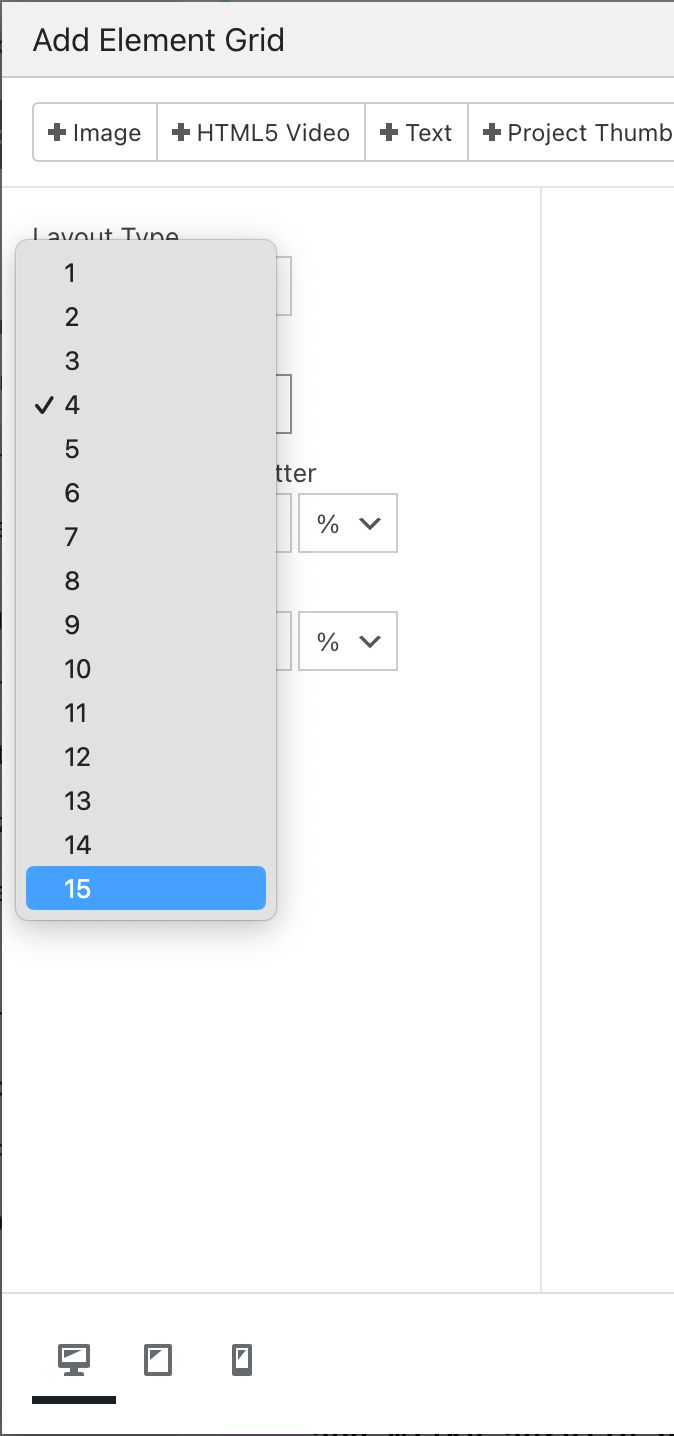
  • more than 15 columns in element grid possible?

    2
    1
    0 Votes
    2 Posts
    156 Views
    arminunruhA
    i can do 32! :D wait for the next update
  • Background image or video not working

    7
    0 Votes
    7 Posts
    758 Views
    arminunruhA
    hey im very sorry this happened and i wasnt fast to fix this! i did a lay theme course at a university last week. i will try and do better testing before i release updates, so i wont create too many new bugs! this will be fixed with the new update im releasing today! you can always get the previous lay theme versions on laykeymanager.com if sth like this happens again
  • Project title as thumb, show thumb-image on hover

    3
    0 Votes
    3 Posts
    366 Views
    arminunruhA
    @kamehouse said in Project title as thumb, show thumb-image on hover: from: thumb image (normal state) / project title (hover) to: project title (normal) / thumb image (hover) hey! i dont understand this you want the normal image the "featured image" aka "project thumbnail" to show up and the title and on hover? i dont understand
  • This topic is deleted!

    5
    0 Votes
    5 Posts
    9 Views
  • This topic is deleted!

    1
    0 Votes
    1 Posts
    3 Views
    No one has replied
  • Web fonts with different glyphs

    2
    0 Votes
    2 Posts
    340 Views
    R
    I found a solution here : https://helpx.adobe.com/au/fonts/using/open-type-syntax.html#calt Thanks anyway :)
  • This topic is deleted!

    2
    0 Votes
    2 Posts
    10 Views
  • This topic is deleted!

    2
    0 Votes
    2 Posts
    10 Views
Online Users
Forgot your key, lost your files, need a previous Lay Theme or Addon version? Go to www.laykeymanager.com