Skip to content

Addons

Got a question about an Addon?
879 Topics 4.1k Posts
  • Link to slide in carousel

    4
    0 Votes
    4 Posts
    301 Views
    RichardR
    Dear @maxkesslau Thanks for the update. I cant currently look into it but will keep this thread saved for the future to inspect! ๐ŸŒ Best wishes Richard
  • Primary menu links not working with Contact Form 7 / Material Design

    2
    1
    0 Votes
    2 Posts
    66 Views
    RichardR
    Dear @Mkshm Sorry that i am unable to provide support for third-party plugins at the moment but i hope other here on the forum using Contact Form 7 will speak up โœจ Best wishes Richard
  • CF7 Contact Form 7 does not send Upload file in Mail after Update

    4
    0 Votes
    4 Posts
    164 Views
    RichardR
    Dear @gameoversociety Lay Theme is happy to provide a pervious version if needed. Please email lostfiles@laytheme.com with your License key, referencing this thread to receive the download file. Best wishes Richard
  • Footer with Fullscreenslide

    fullscreen fullscreenslide footer full screen
    2
    0 Votes
    2 Posts
    193 Views
    RichardR
    Dear Sophia @Sophia Thank you for the question ๐ŸŒ " In the foreseeable future" I doubt unfortunately as most attention is on refinement of Lay Theme integration with WooCommerce. I am more than happy to add this to the development notes, so that when time becomes available, it there for possible discussion. Sorry that i cannot provide a more in depth answer than that Sophia but thank you so much for supporting Lay Theme and best wishes ๐ŸŒผ Sincerely Richard
  • Photos cropped on mobile

    1
    0 Votes
    1 Posts
    38 Views
    No one has replied
  • Stack overlapping images possible?

    2
    1
    0 Votes
    2 Posts
    74 Views
    RichardR
    Dear Kathi @Katharina This can be achieved using the "y-offset" ๐ŸŒ [image: 1622433557564-screen-shot-2021-05-31-at-3.52.50-pm-resized.png] Hope this helps and best wishes, have a wonderful day! โœจ Sincerely Richard
  • Problem with custom mouse cursor Carousel Addon

    2
    0 Votes
    2 Posts
    275 Views
    RichardR
    Dear Alessia @alessiarodler The custom mouse cursor must fit into a dimension smaller than 128 x 128 px. I converted your .svg 'green hand' cursor into a .png and made it smaller to test this & it is indeed working as it should. ( Note: much smaller just for testing purposes ) : [image: 1621551145270-screen-shot-2021-05-21-at-10.48.47-am-resized.png] Hope this helps & best wishes Alessia, thank you for supporting Lay Theme ๐ŸŒ Sincerely Richard
  • Lightbox: Prev and Next not working with mouse click

    2
    0 Votes
    2 Posts
    58 Views
    T
    OK I updated Laytheme and it fixed the problem.
  • Carousel vary timeing

    2
    0 Votes
    2 Posts
    67 Views
    RichardR
    Dear J @jfollert Apologies if i misunderstand: " Is it possible to delay the timing for individual Carousel Slides for each Carousel Container? " Or: " Is it possible to delay the timing for each carousel individually on a page with multiple carousels?" However regardless of the answer this will require custom coding in order to set up Carousel's differently to one another. It cannot be done within Lay Theme's default options sorry. Hope this helps J & best wishes ๐ŸŒผ Richard
  • Carousel: applying alt-buttons class to another class

    1
    0 Votes
    1 Posts
    78 Views
    No one has replied
  • Carousel : photo slide's jumping

    2
    0 Votes
    2 Posts
    59 Views
    RichardR
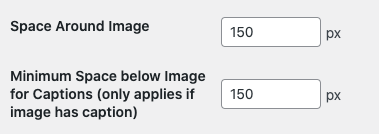
    Dear Katinka @katinkameyers Thank you for the example videos. The Carousel is acting how is way intended to function. Removal of the 'slide' or 'jumping' can be altered within the Carousel Gridder settings: [image: 1620704065435-screen-shot-2021-05-11-at-3.32.22-pm-resized.png] And within > Lay Options > Carousel Addon > [image: 1620704069791-screen-shot-2021-05-11-at-3.32.41-pm-resized.png] It is a little difficult to know exactly what is meant or wished - that you still have some smooth sliding but without full sliding? wish to understand better :) Sincerely Richard
  • 0 Votes
    2 Posts
    169 Views
    RichardR
    Dear Sophia @Sophia Its not possible through any options available in the Gridder sorry. I dont think that your asking to remove that row either - You wish to be able to 'free scroll' just that part of the page that occurs with the Thumbnail Grid. However in the Fullscreen Slider options the auto-scroll can be turned off: [image: 1620703611144-screen-shot-2021-05-11-at-3.25.53-pm-resized.png] Sincerely Richard
  • Lightbox's navigation doesn't work

    7
    0 Votes
    7 Posts
    215 Views
    T
    @Richard ๐Ÿ˜Š๐Ÿ™๐Ÿป
  • Purchased wrong addon

    4
    0 Votes
    4 Posts
    70 Views
    RichardR
    Dear @Bjarne Most Welcome! ๐ŸŒ Best Richard
  • Carousel - Image aspect ratio and image alignment

    5
    0 Votes
    5 Posts
    143 Views
    RichardR
    Dear @Balazs Great to hear! :) Best wishes and thank you for using Lay Theme in 2021! Sincerely Richard
  • This topic is deleted!

    1
    0 Votes
    1 Posts
    2 Views
    No one has replied
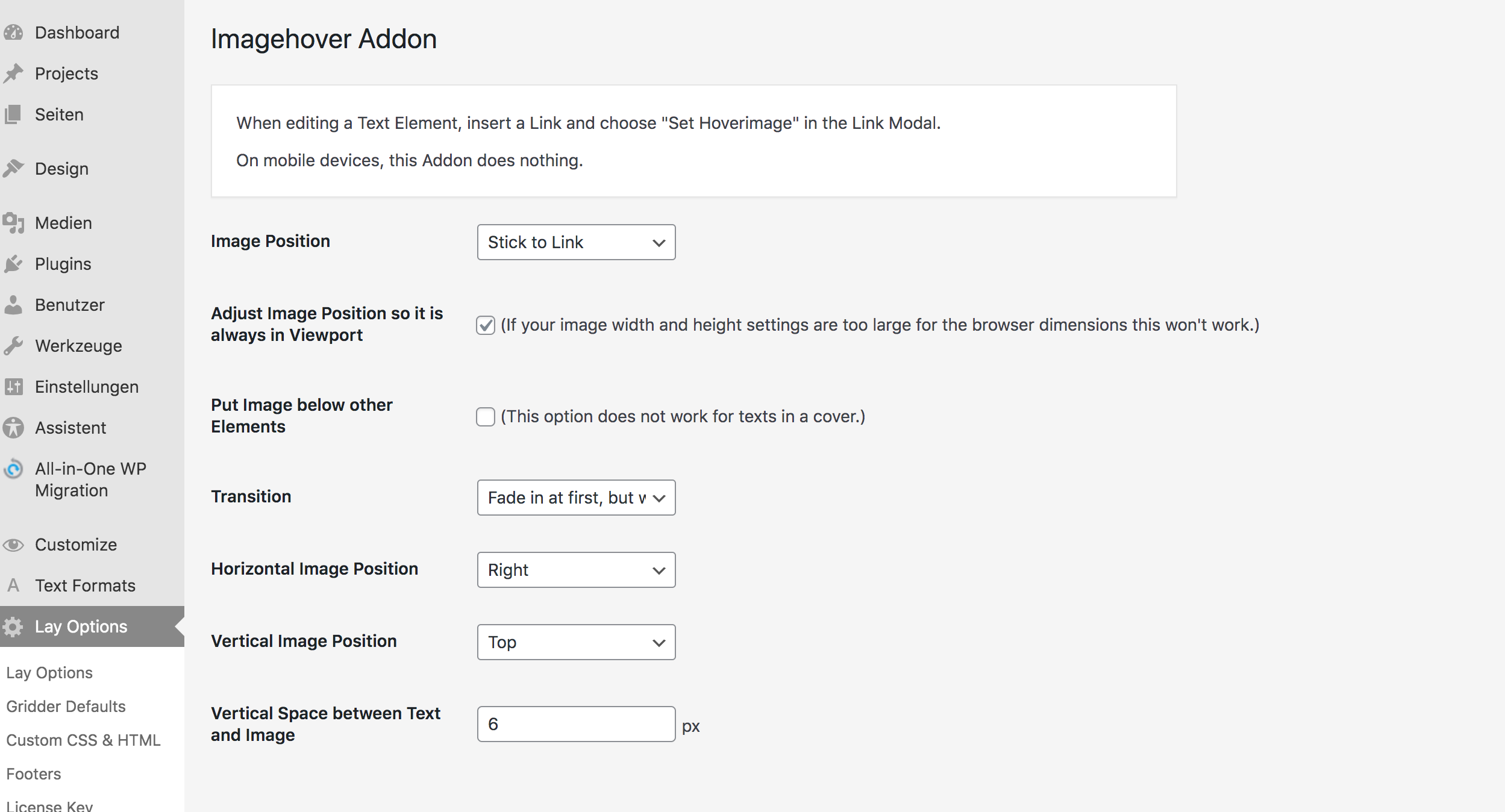
  • Image Hover Add-on / Using without active link

    9
    0 Votes
    9 Posts
    602 Views
    R
    @Baptiste Thank you for your reply. when I use "pointer-events: none;" the link doesn't appear anymore that's true, but then in my case the image doesn't appear either. Am I wrong?
  • Carousel is not working at all

    11
    0 Votes
    11 Posts
    234 Views
    arminunruhA
    Maybe there was an issue with the update service, Someone else also told me they couldn't update for a few days
  • Image Hover addon on "specific rows"

    2
    1
    0 Votes
    2 Posts
    116 Views
    BaptisteB
    @Richard @arminunruh Any idea?
  • Carousel: responsive height without changing position of captions

    4
    1
    0 Votes
    4 Posts
    119 Views
    RichardR
    Dear Anna @billo3D Using !important at the end of your CSS rule gives it precedence, sorry i should have mentioned that! Please let me know if it helps E.g: .lay-carousel{ padding-bottom: 99px !important; } Best Richard

I also code custom websites or custom Lay features.
๐Ÿ’ฟ Email me here: ๐Ÿ’ฟ
info@laytheme.com

Our Web Development company: 100k.studio

Want to tip me? https://www.paypal.com/paypalme/arminunruh

Before you post:
  1. When using a WordPress Cache plugin, disable it or clear your cache.
  2. Update Lay Theme and all Lay Theme Addons
  3. Disable all Plugins
  4. Go to Lay Options โ†’ Custom CSS & HTML, click "Turn Off All Custom Code", click "Save Changes"

This often solves issues you might run into

When you post:
  1. Post a link to where the problem is
  2. Does the problem happen on Chrome, Firefox, Safari or iPhone or Android?
  3. If the problem is difficult to explain, post screenshots / link to a video to explain it
Online Users
Forgot your key, lost your files, need a previous Lay Theme or Addon version? Go to www.laykeymanager.com