Add to cart button below image – products thumbnail grid
Shop / WooCommerce
4
Posts
2
Posters
555
Views
2
Watching
-
Hello!
Working on a store page – the below image description for the products thumbnail grid –
takes a lot to put the "add to cart" button on the right side of the below-image. Please advice if there is a better way to get that done.Best!
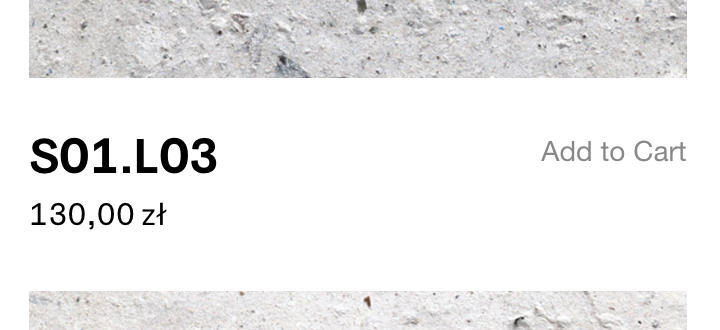
/* store page title + button*/ /*description not 100%*/ .lay-products-thumbnails-grid .below-image .woocommerce-loop-product__title ,.lay-woocommerce-product-thumbnail-price{ width: 64%; float:left; } .lay-products-thumbnails-grid .product .woocommerce .add_to_cart_inline { float: right; color: #888; } .lay-products-thumbnails-grid .below-image .add_to_cart_inline { margin: 0px !important; float:right !important; text-align: right; color: #888; } .lay-products-thumbnails-grid .below-image #lay-woocommerce .button, .lay-content a.button.add_to_cart_button { padding: 0px !important; color: #888; } .lay-products-thumbnails-grid .below-image .ajax_add_to_cart{ margin: 0px !important; } #lay-woocommerce .button, #lay-woocommerce a.button, .lay-content a.button.add_to_cart_button { color: #888; opacity: 1; line-height: 0px !important; top:-20px } .lay-products-thumbnails-grid #lay-woocommerce .button, #lay-woocommerce a.button, .lay-content a.button.add_to_cart_button:hover { border-color: #000; border-bottom: 0px solid #000 !important; border-width: 0px; border-style: solid; background-color: transparent; } -
hey!
the next lay theme update will include a setting for this.
in customize -> woocommerce -> product thumbnails ->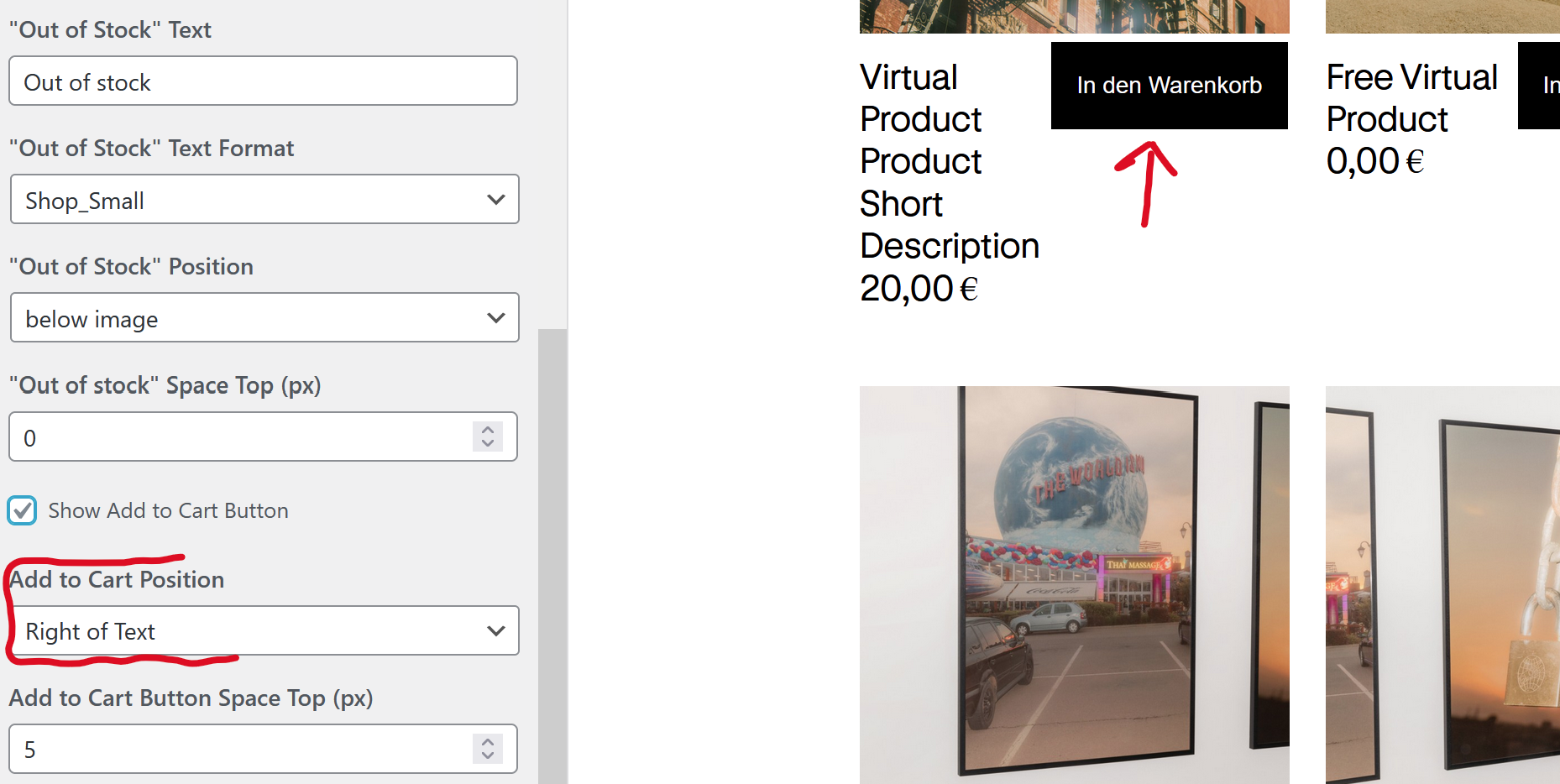
-
your css is great, i think i would use display flex on the parent container of the text and button though, but the result is the same
-
your css is great, i think i would use display flex on the parent container of the text and button though, but the result is the same
@arminunruh
Perfect! Thanks!


Online Users
Forgot your key, lost your files, need a previous Lay Theme or Addon version?
Go to www.laykeymanager.com