Standard WooCommerce tabs -> accordion?
Shop / WooCommerce
3
Posts
2
Posters
496
Views
2
Watching
-
Hi Armin,
I’m creating a variable product in WooCommerce because I offer different sizes. For a regular product, the description appears directly beneath the “Add to Cart” button. But as soon as it becomes a variable product, the standard WooCommerce tabs turn into an accordion. How can I skip this accordion? I just want the description to appear as plain text, like it did before.
Here’s a product example:
-
you can enable this setting:
"Product Description outside of Tabs"
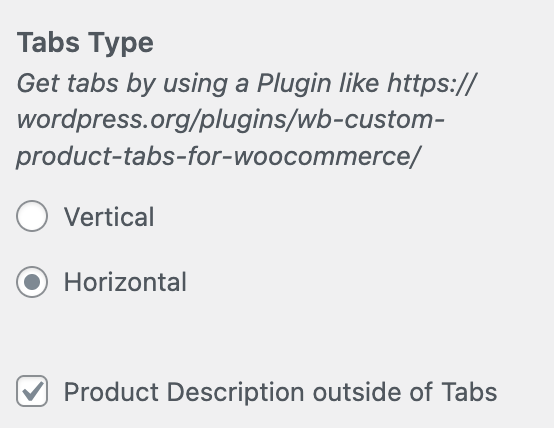
in customize → woocommerce → single product
-
Wau!! Didn’t know there are WooCommerce Settings in Customize! Was doing everything manually with CSS! Haha! Thank you!!

Online Users
Forgot your key, lost your files, need a previous Lay Theme or Addon version?
Go to www.laykeymanager.com