Prepare Product editing – how to aktivate Lay theme editor?
Shop / WooCommerce
2
Posts
2
Posters
327
Views
2
Watching
-
Hi Armin,
is it possible to enable the Lay Editor for product pages as well, just like on the shop page, shopping cart, and checkout page?
In the manual, I find the following:
"Prepare Product editing
In “Products”, click “Add New”.
Then in the top right corner, click the three dots and click “Turn off the new product form”."But I can't find “Turn off the new product form”???
Thanks al lot in advance
Marc -
you want the Gridder for the product pages?
You can just go to Lay Options and enable it there.
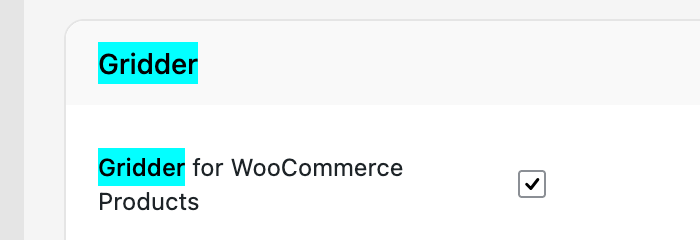
In the search bar, just search for Gridder. And then you will easily find the setting.


Online Users
Forgot your key, lost your files, need a previous Lay Theme or Addon version?
Go to www.laykeymanager.com