xootix side cart text and icon display- save changes issues
-
https://wildflowers.works/
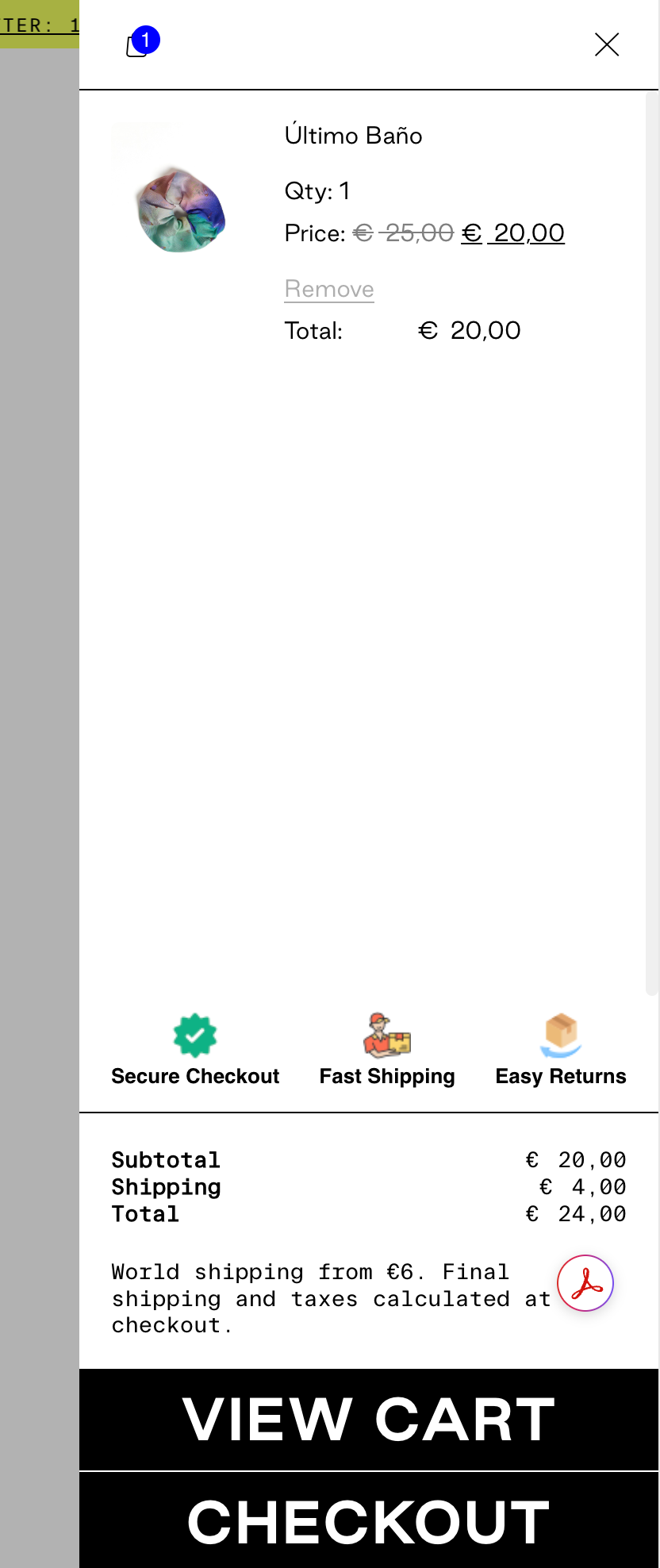
all browsers, desktop and phoneI have the side cart pro from xootix. there is a text field in the settings where the default has icons as well as text like fast shipping etc. It says that if you delete the contents of that box it will delete it from the display.
however every time i delete it and save or try and edit the text or icons and save, it defaults back to the default display. (which for us is bad as we don't like the icons, and also our shipping is standard, not fast express)
I've contacted them several times and they say they don't have that issue with other people and can't offer solutions. (unless i give them access to my site but i don't feel comfortable doing that)
So I wanted to check if it could be a conflict with side cart and laytheme?
if you add something to our cart and look at the side cart when it opens you will see these icons -
maybe it's indeed an issue from their side, but as i've tried for assistance many times, i thought i would check here in case you can see some conflict withthe laytheme customise side cart settings and their defaults or save settings?
-
hey i wont support this sidecart addon anymore
please uninstall it and use lay theme's own sidecart!
https://laytheme.com/documentation/shop-setup#sidecart-pluginyou enable it in the customizer. only works if you disable the xootix sidecart
the xootix sidecart solution was just a workaround until lay had its own sidecart.
that plugin has too many options and is too ugly and when they change things and update it, then it looks weird on lay

Hello! It looks like you're interested in this conversation, but you don't have an account yet.
Getting fed up of having to scroll through the same posts each visit? When you register for an account, you'll always come back to exactly where you were before, and choose to be notified of new replies (either via email, or push notification). You'll also be able to save bookmarks and upvote posts to show your appreciation to other community members.
With your input, this post could be even better 💗
Register Login