cart-collaterals sticky on cart page
-
Hello,
the description on the product page is on sticky ( body.single-product .lay-woocommerce-sticky .summary )
.cart-collaterals on the cart page works great with that too! Probably depends on the design but the instance layout seems to be the same.
.lay-woocommerce-cart-product-item-last-line is super on point.Best,
Maciej -
ah you mean its a code snippet you wanted to share if others want to do the same thing too? nice!
im a little confused though.
do you want help with making something sticky in your product page? -
ah you mean its a code snippet you wanted to share if others want to do the same thing too? nice!
im a little confused though.
do you want help with making something sticky in your product page?@arminunruh sorry, nevermind – had some laggy css or something.
do you have any idea why check out page input fields doubles?
-
hey!
did you use the correct setup for the checkout?
https://laytheme.com/documentation/shop-setup.html#preparation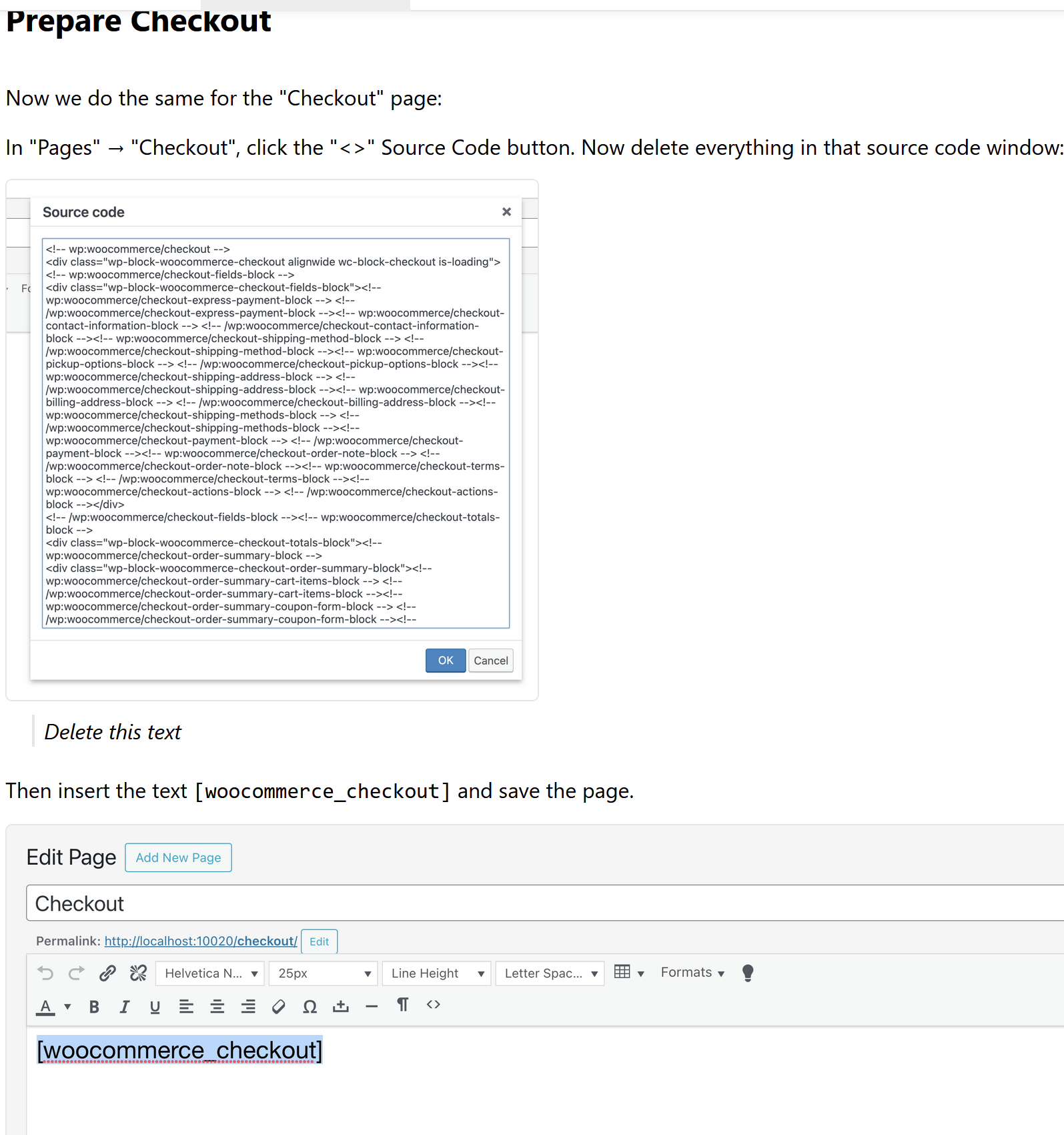
since a while, woocommerce inserts some custom cart code that doesnt work with all the lay theme styling and lay theme checkout customizer settings
-
hey!
did you use the correct setup for the checkout?
https://laytheme.com/documentation/shop-setup.html#preparationsince a while, woocommerce inserts some custom cart code that doesnt work with all the lay theme styling and lay theme checkout customizer settings
Correct, no extra code in that!
-
if u still have this issue:
do you have a link to your checkout?
because on my checkout, i cant replicate this issue -
if u still have this issue:
do you have a link to your checkout?
because on my checkout, i cant replicate this issue@arminunruh
Please, have a look. It is not browser specific (tried chrome and safari)https://polczynski.info/pl/sklep/?woo-share=gMFbk04jOowoNsZMPo0VwJt7XFOEnRuB