Skip to content
  • Recent
  • Tags
  • Popular
  • Users
  • Search
Skins
  • Light
  • Brite
  • Cerulean
  • Cosmo
  • Flatly
  • Journal
  • Litera
  • Lumen
  • Lux
  • Materia
  • Minty
  • Morph
  • Pulse
  • Sandstone
  • Simplex
  • Sketchy
  • Spacelab
  • United
  • Yeti
  • Zephyr
  • Dark
  • Cyborg
  • Darkly
  • Quartz
  • Slate
  • Solar
  • Superhero
  • Vapor

  • Default (No Skin)
  • No Skin
Collapse

Lay Theme Forum

  1. Home
  2. Feedback
  3. text on image and stacks

text on image and stacks

Scheduled Pinned Locked Moved Feedback
13 Posts 3 Posters 127 Views 2 Watching
  • Oldest to Newest
  • Newest to Oldest
  • Most Votes
Reply
  • Reply as topic
Log in to reply
This topic has been deleted. Only users with topic management privileges can see it.
  • A Offline
    A Offline
    alasdair17
    wrote last edited by alasdair17
    #1

    hey @arminunruh

    really enjoying the sidebar features!

    Text on Image (Sidebar):

    When you add a rounded corner to an image and apply a gradient to it the gradient doesn’t take into account that the corner is round and applies it as if it were a rectangle.

    Could we have a blurred effect option when a gradient is applied here? So either the top or bottom of the image is slightly blurred with text on top - could be cool!

    Stacks:

    When you build a card using a stack (image, text and background colour etc together) the background shape doesn’t cleanly enter or exit the page when you have navigation transitions on. It always shows up first or last. It works fine when it’s not in a stack, like if it's just text with a background colour. Hope that makes sense!

    Thanks!

    1 Reply Last reply
    0
    • arminunruhA Offline
      arminunruhA Offline
      arminunruh
      Global Moderator
      wrote last edited by
      #2

      yes the gradient fix i did, just need to release the update today.

      unfortunately, blur doesnt support fading out like that. i mean its possible but not clean and really hacky. i wont code this as a feature as long as theres no good way to do it.

      ok i will check out the stack issue

      A 1 Reply Last reply
      1
      • arminunruhA Offline
        arminunruhA Offline
        arminunruh
        Global Moderator
        wrote last edited by
        #3

        ok stack issue will be fixed with the next update!

        1 Reply Last reply
        1
        • arminunruhA arminunruh

          yes the gradient fix i did, just need to release the update today.

          unfortunately, blur doesnt support fading out like that. i mean its possible but not clean and really hacky. i wont code this as a feature as long as theres no good way to do it.

          ok i will check out the stack issue

          A Offline
          A Offline
          alasdair17
          wrote last edited by
          #4

          @arminunruh thanks! and yeah no worries as that makes sense!

          1 Reply Last reply
          0
          • S Offline
            S Offline
            samfrancis
            wrote last edited by
            #5

            Nice catches, especially the stack transition thing, I’ve noticed something similar before but couldn’t quite pin it down.

            Good to hear both are getting fixed though. The gradient issue in particular was a bit distracting with rounded corners.

            For the blur idea, yeah I get why it’s tricky. Would be a really cool effect if there was a clean way to do it though, maybe something CSS-based in the future.

            Looking forward to the update 👍

            1 Reply Last reply
            1
            • arminunruhA Offline
              arminunruhA Offline
              arminunruh
              Global Moderator
              wrote last edited by arminunruh
              #6

              Yea the blur gradient is a really good idea, agree! The update that I released yesterday did fix both issues.

              1 Reply Last reply
              1
              • A Offline
                A Offline
                alasdair17
                wrote last edited by
                #7

                Screenshot 2026-03-25 at 07.46.10.png

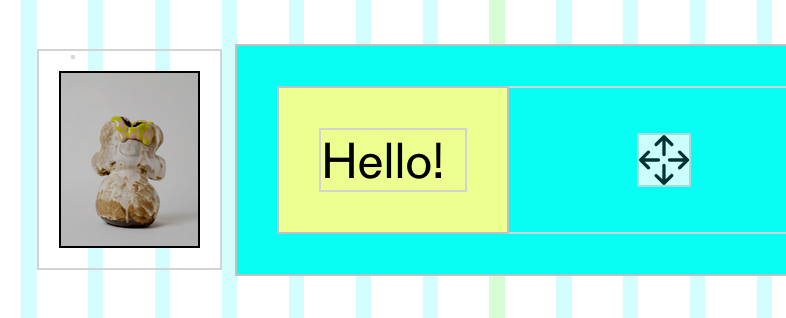
                also noticed @arminunruh that text elements inside a stack the padding isn't applied.

                arminunruhA 1 Reply Last reply
                0
                • A Offline
                  A Offline
                  alasdair17
                  wrote last edited by
                  #8

                  Screenshot 2026-03-25 at 07.57.26.png

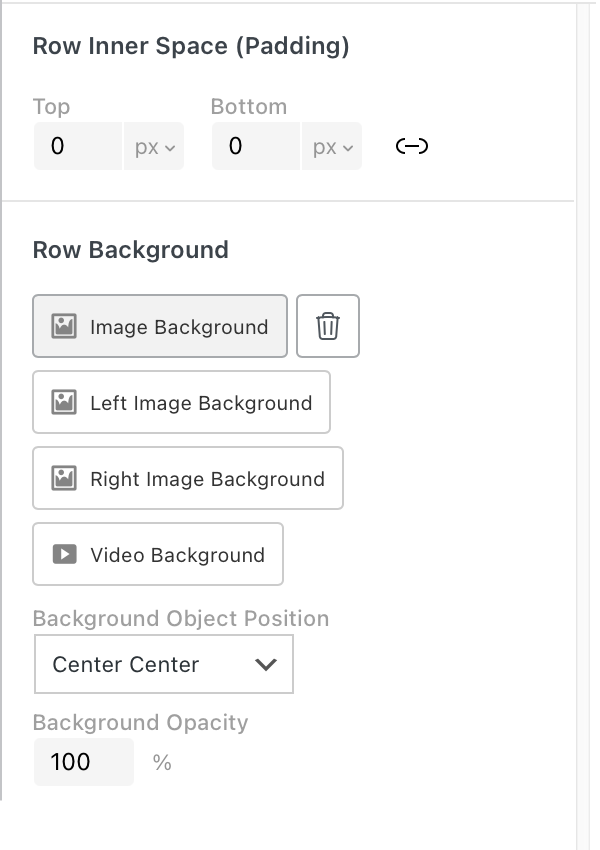
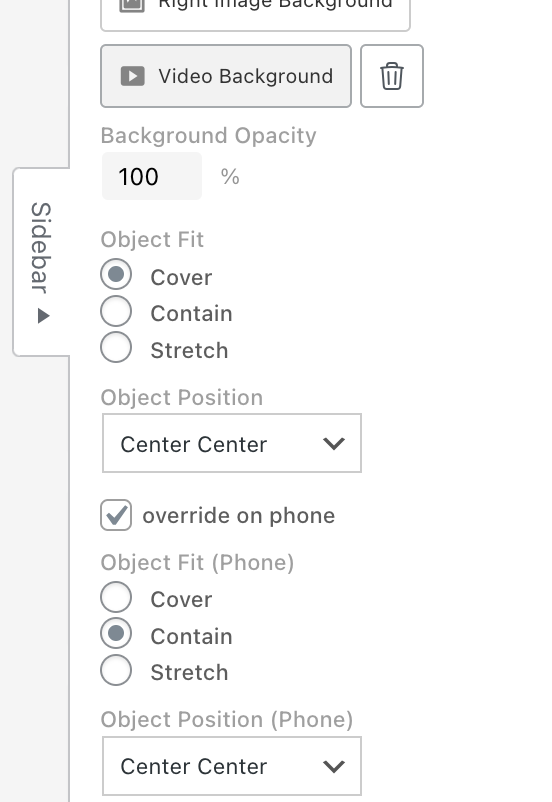
                  could we also have more control of row image backgrounds for mobile here? Like be able to choose a different position for mobile?

                  1 Reply Last reply
                  0
                  • A Offline
                    A Offline
                    alasdair17
                    wrote last edited by alasdair17
                    #9

                    Screenshot 2026-03-25 at 08.18.51.png

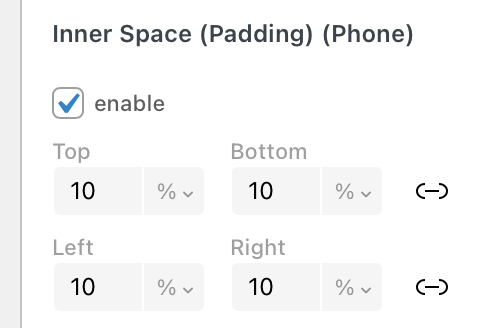
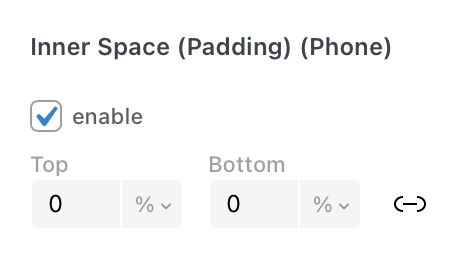
                    sorry noticed another thing! could we have left and right padding for stacks and images on the sidebar?

                    1 Reply Last reply
                    0
                    • A alasdair17

                      Screenshot 2026-03-25 at 07.46.10.png

                      also noticed @arminunruh that text elements inside a stack the padding isn't applied.

                      arminunruhA Offline
                      arminunruhA Offline
                      arminunruh
                      Global Moderator
                      wrote last edited by
                      #10

                      @alasdair17 this will be fixed with the next update

                      1 Reply Last reply
                      1
                      • arminunruhA Offline
                        arminunruhA Offline
                        arminunruh
                        Global Moderator
                        wrote last edited by arminunruh
                        #11

                        ok stack elements and images will get padding left and right too with the next update
                        1b92d386-4eb4-416c-abe8-0f837c7df778-grafik.png

                        1 Reply Last reply
                        1
                        • arminunruhA Offline
                          arminunruhA Offline
                          arminunruh
                          Global Moderator
                          wrote last edited by
                          #12

                          ok row background object fit and object position will be setable for phone too with the next update
                          grafik.png

                          1 Reply Last reply
                          1
                          • A Offline
                            A Offline
                            alasdair17
                            wrote last edited by
                            #13

                            amazing! thanks @arminunruh

                            1 Reply Last reply
                            0
                            Reply
                            • Reply as topic
                            Log in to reply
                            • Oldest to Newest
                            • Newest to Oldest
                            • Most Votes


                            I also code custom websites or custom Lay features.
                            💿 Email me here: 💿
                            info@laytheme.com

                            Our Web Development company: 100k.studio

                            Want to tip me? https://www.paypal.com/paypalme/arminunruh

                            Before you post:
                            1. When using a WordPress Cache plugin, disable it or clear your cache.
                            2. Update Lay Theme and all Lay Theme Addons
                            3. Disable all Plugins
                            4. Go to Lay Options → Custom CSS & HTML, click "Turn Off All Custom Code", click "Save Changes"

                            This often solves issues you might run into

                            When you post:
                            1. Post a link to where the problem is
                            2. Does the problem happen on Chrome, Firefox, Safari or iPhone or Android?
                            3. If the problem is difficult to explain, post screenshots / link to a video to explain it
                            Online Users
                            Forgot your key, lost your files, need a previous Lay Theme or Addon version? Go to www.laykeymanager.com
                            laytheme.com
                            • Login

                            • Don't have an account? Register

                            • Login or register to search.
                            • First post
                              Last post
                            0
                            • Recent
                            • Tags
                            • Popular
                            • Users
                            • Search