content overflowing when there is row padding
-
I am experiencing a really annoying issue, where if I add top/bottom row padding, then the content inside the row overflows the bottom. In particular if I use the vertical lines. The code I am using is as follows. What I am doing wrong here?:
.row_padded {
  background-color: #f79b89;
  padding-top:100px;
  padding-bottom:100px;
}
Alternatively is there a better way to add row padding? I keep finding that content is running to close to the top/bottom of rows when I have specified a row background colour.
-
yea you can click on a row, then in the sidebar:
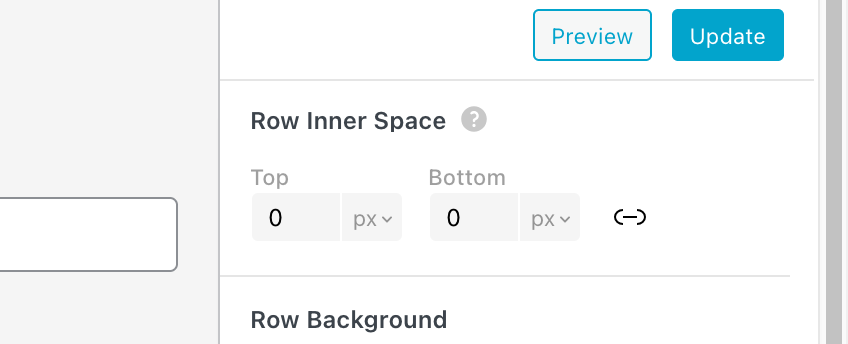
can you try that instead of the css?
-
ah yea now i understand what you mean!! ok i will fix it.
until then use this CSS
.col.type-vl.absolute-position{
top: 0!important;
}in lay options -> custom css & html
or
.row_padded .col.type-vl.absolute-position{
top: 0!important;
} -
Thanks @arminunruh that sort of works. The issue looks to be that the vertical lines now touch the very top/bottom edge of the row once padding is added. What I am trying to achieve is for rows to have padding, and vertical lines to inherit this same padding when placed in a row, rather than ignoring this padding. if that makes sense?
-
ah now i understand what you mean. ok let me think about it
-
this should be fixed now!!
