Skip to content
  • Recent
  • Tags
  • Popular
  • Users
  • Search
Skins
  • Light
  • Brite
  • Cerulean
  • Cosmo
  • Flatly
  • Journal
  • Litera
  • Lumen
  • Lux
  • Materia
  • Minty
  • Morph
  • Pulse
  • Sandstone
  • Simplex
  • Sketchy
  • Spacelab
  • United
  • Yeti
  • Zephyr
  • Dark
  • Cyborg
  • Darkly
  • Quartz
  • Slate
  • Solar
  • Superhero
  • Vapor

  • Default (No Skin)
  • No Skin
Collapse

Lay Theme Forum

  1. Home
  2. Shop / WooCommerce
  3. Mouse Over / Image Flipper for Product Thumbnails?

Mouse Over / Image Flipper for Product Thumbnails?

Scheduled Pinned Locked Moved Shop / WooCommerce
20 Posts 7 Posters 3.2k Views 2 Watching
  • Oldest to Newest
  • Newest to Oldest
  • Most Votes
Reply
  • Reply as topic
Log in to reply
This topic has been deleted. Only users with topic management privileges can see it.
  • L
    L
    Lina
    wrote on last edited by
    #1

    Hi Armin & Richard,
    I hope you are fine :)!
    I am trying to find a way to add a Mouse-Over Feature to my Product Thumbnails. I found a Plug-In which is supposed to work well, but it causes a lot of chaos when activated (see image). Any ideas how I can solve it?
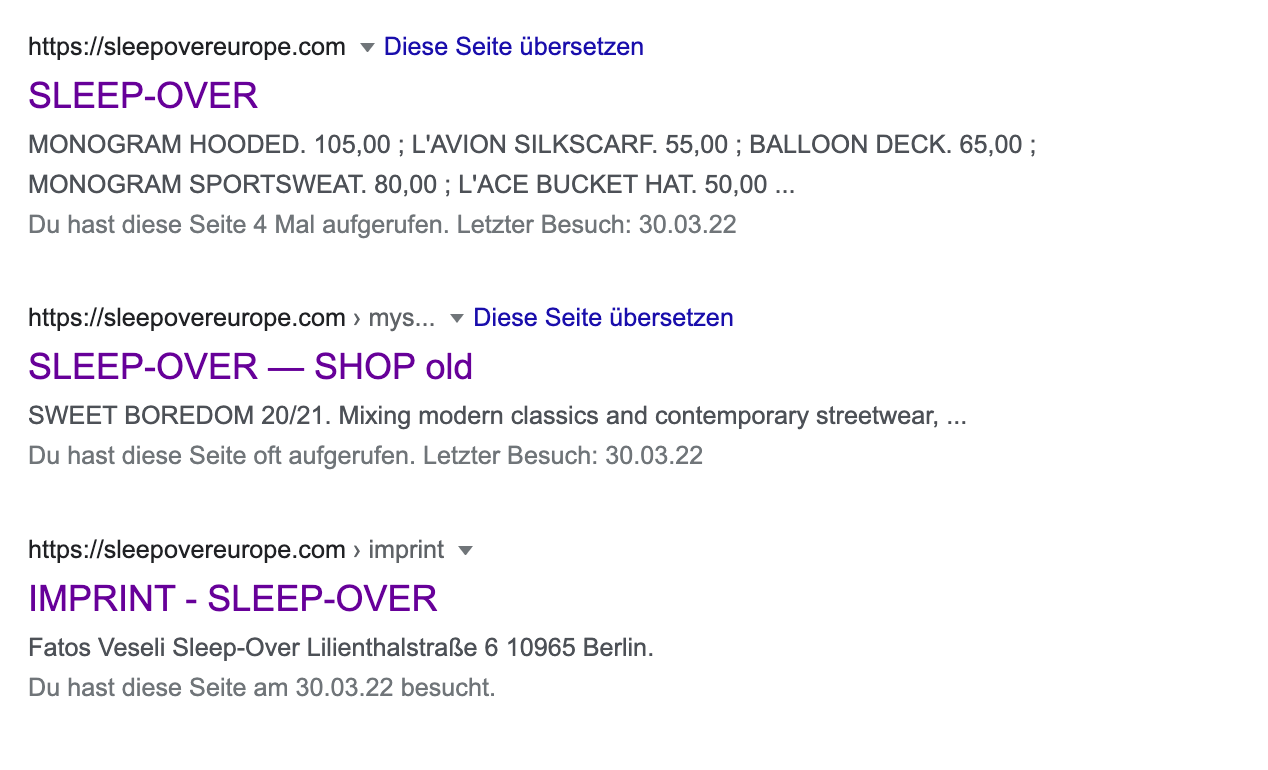
    Also: when searching for our website on Google it displays an old shop draft name. This project and the name is already deleted. When clicking on it it redirects to the actual shop? How can I solve that? Thanks in advance for your help – always <3
    Bildschirmfoto 2022-03-30 um 17.43.12.png Bildschirmfoto 2022-03-30 um 17.40.54.png Bildschirmfoto 2022-03-30 um 17.47.12.png

    1 Reply Last reply
    1
    • RichardR
      RichardR
      Richard
      Global Moderator
      wrote on last edited by
      #2

      Dear @Lina

      This mouse-over feature, what would happen when hovering over a Product Thumbnail? I see the "Product Image Flipper" am i right in assuming on mouseover another product image would appear?

      Regarding your old name and Google, from some research these things take times as google indexes your new sight and slowly learns that the old does not exist anymore.
      Im not 100% sure but online it seems this is a very common case, new domain/business and google still having old names & content.


      Talk soon ⭐️
      Richard
      1 Reply Last reply
      0
      • L
        L
        Lina
        wrote on last edited by
        #3

        HI Richard and thanks for your quick answer!
        Exactly. When hovering over the Product Thumbnail normally the second image of the Product hovering over, should appear. What happens now is that all the product images get stacked over each other and the products overlap. Mouse over works, but it looks really bad haha. This is what the shop normally looks like: Bildschirmfoto 2022-04-01 um 11.16.24.png
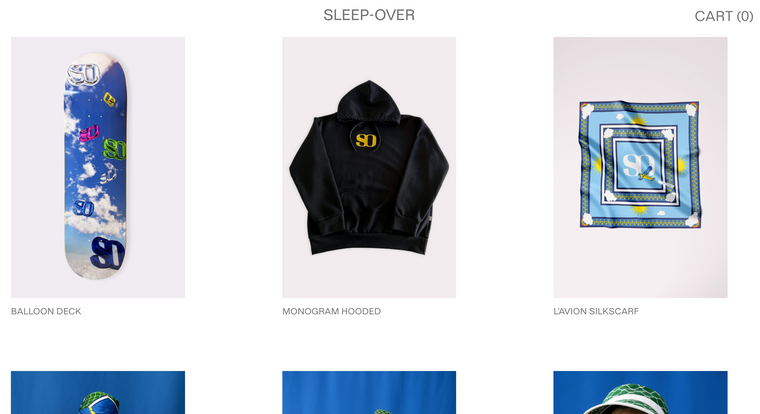
        Is there any way to fix that?
        Thanks for your help!

        1 Reply Last reply
        0
        • RichardR
          RichardR
          Richard
          Global Moderator
          wrote on last edited by
          #4

          Dear @Lina

          Cool shop ⭐️ I see that the effect is switched off currently?

          • Is there any time it would be active to get a better look? 🔍

          If the images are stacking but mouseover function working there may be some simple CSS for image placement.

          install TP Product Image Flipper for Woocommerce

          Woocommerce, Lay Theme updated

          Images stacking, but mouseover function working:

          Screen Shot 2022-04-03 at 2.49.58 PM.png

          Screen Shot 2022-04-03 at 2.50.04 PM.png

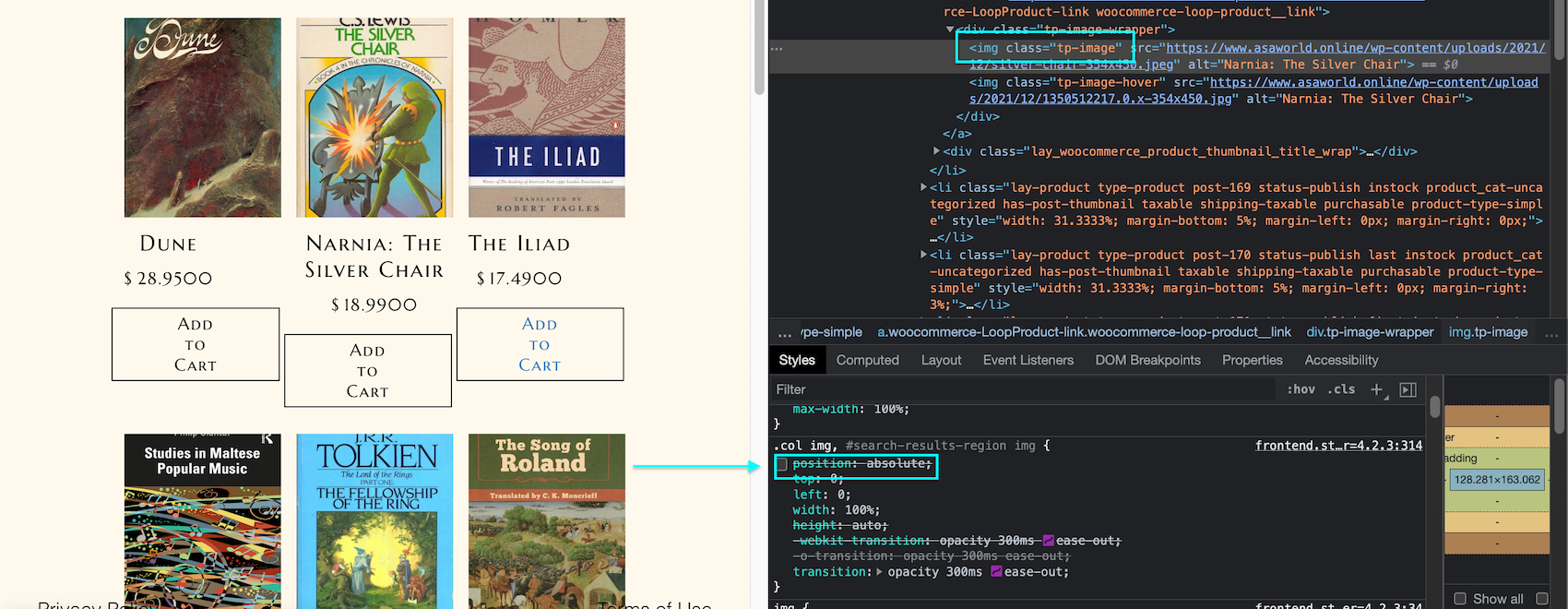
          Lay Theme's CSS is applying position:absolute to the images, with it removed i get a the correct layout:
          Screen Shot 2022-04-03 at 2.58.16 PM.png

          https://www.w3schools.com/cssref/pr_class_position.asp

          You may wish to seek the aid of a developer to help you with this problem, but hope this sets them in the right direction ✅


          Best wishes
          Richard
          1 Reply Last reply
          0
          • L
            L
            Lina
            wrote on last edited by
            #5

            Hi Richard! Cool, many thanks already! I will try that out (with help haha) and get back to you :-).

            1 Reply Last reply
            0
            • RichardR
              RichardR
              Richard
              Global Moderator
              wrote on last edited by
              #6

              Thanks @Lina ! best of luck ⭐️

              1 Reply Last reply
              0
              • F
                F
                felix_rabe
                wrote on last edited by felix_rabe
                #7

                This might resolve it with the tp image product flipper plugin, assuming all product images will have the same dimensions, without fiddling with the lay theme css.

                 .tp-image-wrapper{
                     aspect-ratio: 2/3;
                 }
                
                1 Reply Last reply
                0
                • arminunruhA
                  arminunruhA
                  arminunruh
                  Global Moderator
                  wrote on last edited by
                  #8

                  the replace image on mouseover feature for product thumbnails is on my todo list

                  L 1 Reply Last reply
                  1
                  • arminunruhA arminunruh

                    the replace image on mouseover feature for product thumbnails is on my todo list

                    L
                    L
                    Lina
                    wrote on last edited by
                    #9

                    @arminunruh cooool <3 <3

                    1 Reply Last reply
                    1
                    • T
                      T
                      tasio
                      wrote on last edited by tasio
                      #10

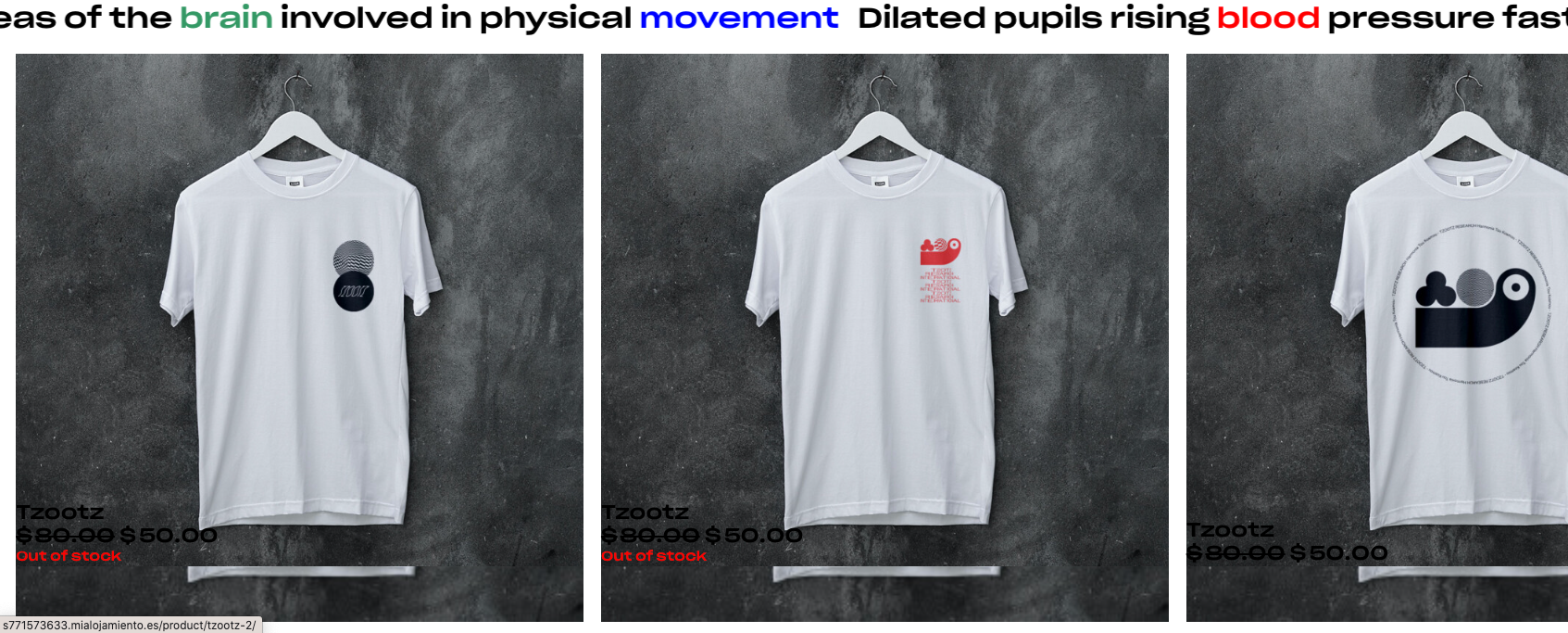
                      The same problem, I have installed the Image Flip For WooCommerce but it does not work well, I have tried with other plugins and none works correctly :(

                      How I can solve it?

                      Very grateful for all your work

                      :(
                      Captura de pantalla 2023-01-30 a las 15.34.35.png

                      A 1 Reply Last reply
                      0
                      • T tasio

                        The same problem, I have installed the Image Flip For WooCommerce but it does not work well, I have tried with other plugins and none works correctly :(

                        How I can solve it?

                        Very grateful for all your work

                        :(
                        Captura de pantalla 2023-01-30 a las 15.34.35.png

                        A
                        A
                        alasdair17
                        Global Moderator
                        wrote on last edited by
                        #11

                        @tasio hey, sometimes external plugins don't work too well with laytheme but I think Armin said he will be working on an image flipper for laytheme woocommerce in the future.

                        T 1 Reply Last reply
                        1
                        • A alasdair17

                          @tasio hey, sometimes external plugins don't work too well with laytheme but I think Armin said he will be working on an image flipper for laytheme woocommerce in the future.

                          T
                          T
                          tasio
                          wrote on last edited by
                          #12

                          @alasdair17 Oh thanks !

                          1 Reply Last reply
                          0
                          • arminunruhA
                            arminunruhA
                            arminunruh
                            Global Moderator
                            wrote on last edited by
                            #13

                            damn mmmh

                            1 Reply Last reply
                            0
                            • K
                              K
                              kumi.studio
                              wrote on last edited by
                              #14

                              I'm also trying to do the same, and I feel like I've gotten pretty close, I just can't figure out the last bit: I've managed to get the next image in the gallery to show up and be positioned and sized appropriately, the only remaining issue is that it is showing up underneath the original thumbnail rather than replacing it:
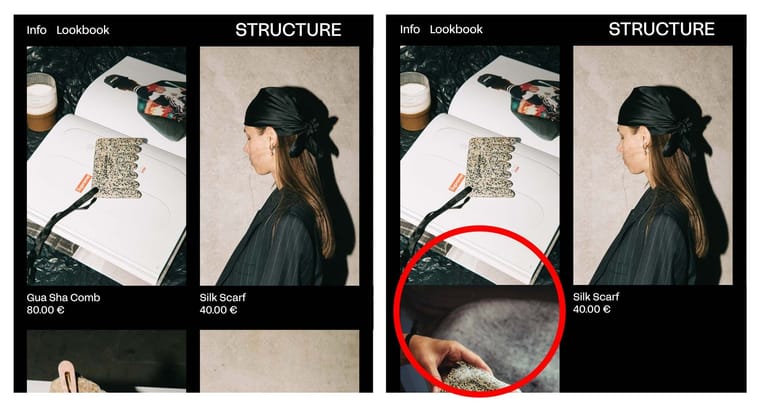
                              Screenshot.jpg

                              I've modified the following thread to make it work a little better with lay theme as on its own causes similar problems as those shown above:

                              ORIGINAL THREAD

                              https://stackoverflow.com/questions/62088615/switch-product-image-on-hover-on-woocommerce-archive-page

                              MODIFIED PHP SNIPPET

                              add_action( 'woocommerce_before_shop_loop_item_title', 'add_on_hover_shop_loop_image' ) ;

                              function add_on_hover_shop_loop_image() {

                              $image_id = wc_get_product()->get_gallery_image_ids()[1] ;
                              $img_size = wc_get_image_size( $image_id, 'full' );

                              if ( $image_id ) {

                                  echo '<div class="product-thumb-hover">';
                              	echo wp_get_attachment_image( $image_id, 'full' ) ;
                              	echo '</div>';
                              

                              } else { //assuming not all products have galleries set

                              echo wp_get_attachment_image( wc_get_product()->get_image_id() ) ; 
                              

                              }

                              }

                              MODIFIED CSS

                              .product-thumb-hover img {
                              display: none;
                              }

                              .lay-product:hover .product-thumb-hover img {
                              display: block;
                              }

                              .woocommerce-LoopProduct-link img {
                              position: relative;
                              }

                              If you would like to view this live you can visit: https://structuremk.com/store/

                              I hope this helps either to figure out this issue I'm facing or to come up with a better solution

                              K 1 Reply Last reply
                              0
                              • K kumi.studio

                                I'm also trying to do the same, and I feel like I've gotten pretty close, I just can't figure out the last bit: I've managed to get the next image in the gallery to show up and be positioned and sized appropriately, the only remaining issue is that it is showing up underneath the original thumbnail rather than replacing it:

                                Screenshot.jpg

                                I've modified the following thread to make it work a little better with lay theme as on its own causes similar problems as those shown above:

                                ORIGINAL THREAD

                                https://stackoverflow.com/questions/62088615/switch-product-image-on-hover-on-woocommerce-archive-page

                                MODIFIED PHP SNIPPET

                                add_action( 'woocommerce_before_shop_loop_item_title', 'add_on_hover_shop_loop_image' ) ;

                                function add_on_hover_shop_loop_image() {

                                $image_id = wc_get_product()->get_gallery_image_ids()[1] ;
                                $img_size = wc_get_image_size( $image_id, 'full' );

                                if ( $image_id ) {

                                    echo '<div class="product-thumb-hover">';
                                	echo wp_get_attachment_image( $image_id, 'full' ) ;
                                	echo '</div>';
                                

                                } else { //assuming not all products have galleries set

                                echo wp_get_attachment_image( wc_get_product()->get_image_id() ) ; 
                                

                                }

                                }

                                MODIFIED CSS

                                .product-thumb-hover img {
                                display: none;
                                }

                                .lay-product:hover .product-thumb-hover img {
                                display: block;
                                }

                                .woocommerce-LoopProduct-link img {
                                position: relative;
                                }

                                If you would like to view this live you can visit: https://structuremk.com/store/

                                I hope this helps either to figure out this issue I'm facing or to come up with a better solution

                                K
                                K
                                kumi.studio
                                wrote on last edited by kumi.studio
                                #15

                                **Edit

                                I've changed the CSS to the following and it works, it doesn't feel like the most elegant solution so please let me know what you think, but it seems to do the job for now:

                                .product-thumb-hover img {
                                display: none;
                                margin-top: -150%;
                                }

                                .lay-product:hover .product-thumb-hover img {
                                display: block;
                                }

                                .lay-product:hover .ph.lay-woocommerce-image img {
                                display: none;
                                }

                                .woocommerce-LoopProduct-link img {
                                position: relative;
                                }

                                1 Reply Last reply
                                0
                                • arminunruhA
                                  arminunruhA
                                  arminunruh
                                  Global Moderator
                                  wrote on last edited by
                                  #16

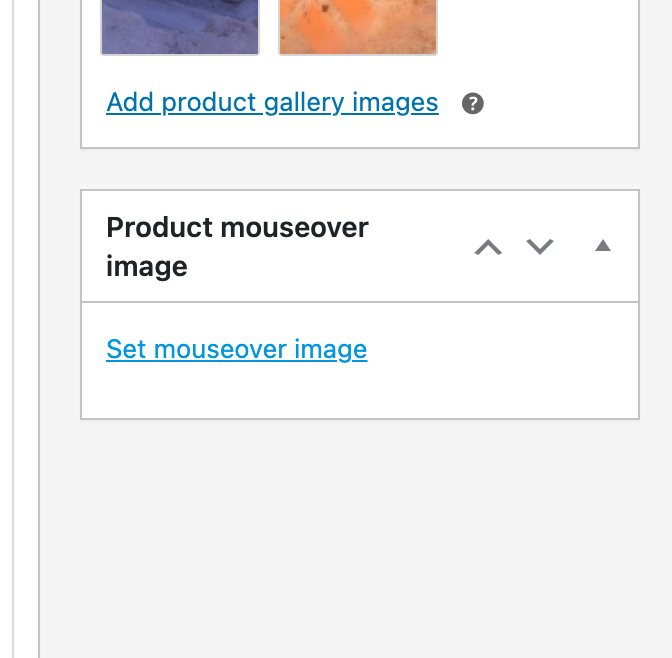
                                  i think you did a great job, it looks like it works well!

                                  i will release an update today that will include this as a feature
                                  Screenshot 2023-09-11 at 16.43.37.png

                                  K 1 Reply Last reply
                                  0
                                  • arminunruhA
                                    arminunruhA
                                    arminunruh
                                    Global Moderator
                                    wrote on last edited by
                                    #17

                                    and your website looks really great btw!

                                    1 Reply Last reply
                                    0
                                    • arminunruhA arminunruh

                                      i think you did a great job, it looks like it works well!

                                      i will release an update today that will include this as a feature

                                      Screenshot 2023-09-11 at 16.43.37.png

                                      K
                                      K
                                      kumi.studio
                                      wrote on last edited by kumi.studio
                                      #18

                                      @arminunruh oh really? brilliant! thanks Armin, loving using the theme

                                      K 1 Reply Last reply
                                      0
                                      • K kumi.studio

                                        @arminunruh oh really? brilliant! thanks Armin, loving using the theme

                                        K
                                        K
                                        kumi.studio
                                        wrote on last edited by
                                        #19

                                        @kumi-studio 1 last question, not sure if this is entirely related, but I couldn't find another post about it on the forum, currently there is no way to use video for either the thumbnails or in the product pages themselves right? would be super to be able to do so

                                        1 Reply Last reply
                                        1
                                        • arminunruhA
                                          arminunruhA
                                          arminunruh
                                          Global Moderator
                                          wrote on last edited by
                                          #20

                                          oh yea its a great idea. shopify has this feature too. i will write it down!
                                          at the moment i dont know if there is a way to do this mmh

                                          1 Reply Last reply
                                          0

                                          Hello! It looks like you're interested in this conversation, but you don't have an account yet.

                                          Getting fed up of having to scroll through the same posts each visit? When you register for an account, you'll always come back to exactly where you were before, and choose to be notified of new replies (either via email, or push notification). You'll also be able to save bookmarks and upvote posts to show your appreciation to other community members.

                                          With your input, this post could be even better 💗

                                          Register Login
                                          Reply
                                          • Reply as topic
                                          Log in to reply
                                          • Oldest to Newest
                                          • Newest to Oldest
                                          • Most Votes


                                          Online Users
                                          I
                                          itsbadjujuju
                                          Forgot your key, lost your files, need a previous Lay Theme or Addon version? Go to www.laykeymanager.com
                                          laytheme.com
                                          • Login

                                          • Don't have an account? Register

                                          • Login or register to search.
                                          • First post
                                            Last post
                                          0
                                          • Recent
                                          • Tags
                                          • Popular
                                          • Users
                                          • Search