Skip to content

Bug Reports

Something is not working? Please provide a screenshot, your browser name and browser version and your operating system.
3.1k Topics 14.4k Posts
  • Text marquee space in between not working

    5
    0 Votes
    5 Posts
    181 Views
    arminunruhA
    sure are you sure u did the steps outlined in the right box? Update Lay Theme and all Lay Theme Addons Disable all Plugins Go to Lay Options → Custom CSS & HTML, click "Turn Off All Custom Code ", click "Save Changes" Now see if your problem solved itself if so: can you send your website address, /wp-admin/ username and password and a link to this topic to info@laytheme.com?
  • WooCommerce: product quantity box buggy since last update.

    3
    2
    0 Votes
    3 Posts
    98 Views
    fabiandraxlF
    @arminunruh Thanks, new update fixed it. :P
  • News Slug

    10
    1
    0 Votes
    10 Posts
    485 Views
    fabiandraxlF
    @arminunruh Okay, habe bis jetzt nicht gewusst, dass ich das einfach in den Layoptions ändern kann. Habe den Name für das Newsfeature geändert … Thank you.
  • Front Page blank

    5
    0 Votes
    5 Posts
    159 Views
    arminunruhA
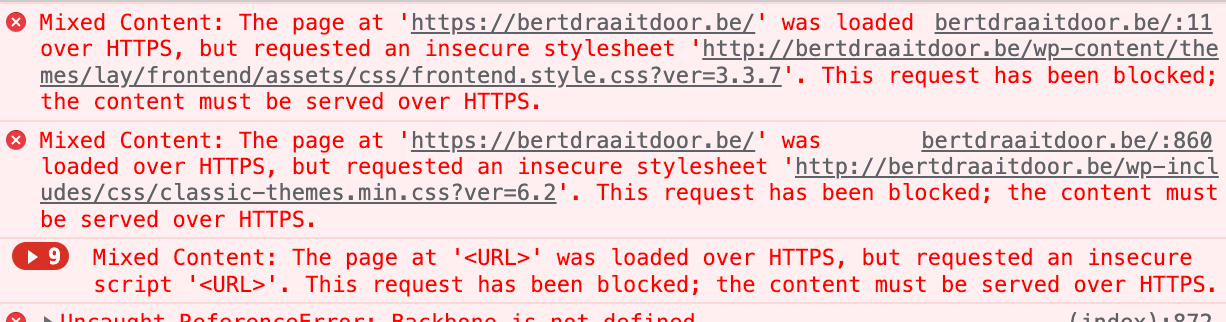
    u have more errors: [image: 1671791967227-screenshot-2022-12-23-at-11.39.12-resized.png] see just like open your javascript console: command + shift + i in chrome and then click "console" as long as you put javascript into ur website that produces errors this wont work i think
  • Collapsed Row + Loading Animation = ?

    3
    0 Votes
    3 Posts
    119 Views
    fabiandraxlF
    @arminunruh Cool, thank you for getting into this. :P
  • Element Grid duplicated caption text for images

    7
    4
    1 Votes
    7 Posts
    248 Views
    fabiandraxlF
    @arminunruh Can confirm, that the duplicated content in the element grid in the gridder is gone, thank you!
  • Outdated WooCommerce + Product Grid Bug

    9
    0 Votes
    9 Posts
    262 Views
    arminunruhA
    yea that one is still on my todo list :X
  • Underlined and black links on website sometimes

    2
    0 Votes
    2 Posts
    131 Views
    arminunruhA
    hey mmh i dont know i would check if the html of the texts that you use as your menu is the same on all pages and then i would check if any css is applied to it that would cause this i would use the google chrome inspector google "how to see css applied to dom element ins google chrome inspector"
  • After latest update, text doesn't remain at a fixed height.

    2
    1
    0 Votes
    2 Posts
    82 Views
    arminunruhA
    [image: 1671547831993-screenshot-2022-12-20-at-15.50.24.png] both your carousel and your text are aligned to the middle why dont u just align them to the top
  • clicking on link referring to anchor causes page to be cut off at the top

    8
    0 Votes
    8 Posts
    311 Views
    arminunruhA
    it works fine for me on your website which browser do u use?
  • Fatal error code

    4
    0 Votes
    4 Posts
    79 Views
    arminunruhA
    hey there i think we wrote emails and managed to fix this
  • 4.9.7. removed rubberband-effect on iPhone / Safari

    2
    1 Votes
    2 Posts
    127 Views
    arminunruhA
    yea because someone's client complained about the rubberband effect causing the cover to show up underneath the content xD i will change this so this wont be enabled by default but only on pages that use a cover
  • Can no longer upload .woff

    4
    1
    0 Votes
    4 Posts
    433 Views
    arminunruhA
    hey everyone! hmm there are lots of plugins that can enable certain file types to be uploadable like here https://www.wpbeginner.com/wp-tutorials/how-to-add-additional-file-types-to-be-uploaded-in-wordpress/ u can try one of those
  • Carousel external links

    7
    0 Votes
    7 Posts
    248 Views
    arminunruhA
    just trying to reproduce this and it works fine for me, cant reproduce this please send screenshots and urls of exactly where and on which page this happens and: can you send your website address, /wp-admin/ username and password and a link to this topic to info@laytheme.com?
  • woocommerce product grid - broken

    5
    1
    0 Votes
    5 Posts
    180 Views
    arminunruhA
    yea will work on it
  • This topic is deleted!

    4
    1
    0 Votes
    4 Posts
    19 Views
  • New feature Make Sticky not working, breaking rows

    4
    2
    0 Votes
    4 Posts
    184 Views
    arminunruhA
    can u update lay theme and try again?
  • Sticky footer not working after update

    10
    0 Votes
    10 Posts
    1k Views
    arminunruhA
    should work again now
  • Theme wurde einfach gelöscht/deinstalliert?

    2
    0 Votes
    2 Posts
    78 Views
    arminunruhA
    hey wir haben schon mails geschrieben bitte englisch hier :D
  • Vimeo Embedded Autoplay not working on Google Chrome

    3
    0 Votes
    3 Posts
    454 Views
    arminunruhA
    oh yea videos cant autoplay without being muted, thats for any video not just vimeo

I also code custom websites or custom Lay features.
💿 Email me here: 💿
info@laytheme.com

Our Web Development company: 100k.studio

Want to tip me? https://www.paypal.com/paypalme/arminunruh

Before you post:
  1. When using a WordPress Cache plugin, disable it or clear your cache.
  2. Update Lay Theme and all Lay Theme Addons
  3. Disable all Plugins
  4. Go to Lay Options → Custom CSS & HTML, click "Turn Off All Custom Code", click "Save Changes"

This often solves issues you might run into

When you post:
  1. Post a link to where the problem is
  2. Does the problem happen on Chrome, Firefox, Safari or iPhone or Android?
  3. If the problem is difficult to explain, post screenshots / link to a video to explain it
Online Users
Forgot your key, lost your files, need a previous Lay Theme or Addon version? Go to www.laykeymanager.com