Skip to content

General Discussion

5.0k Topics 21.7k Posts

A place to talk about anything Lay Theme related

  • Newsletter Signup Mailjet

    1
    0 Votes
    1 Posts
    124 Views
    No one has replied
  • Project Thumbnail title & category / position

    3
    1
    0 Votes
    3 Posts
    246 Views
    A
    Great, thank you Richard! Have a good 1.
  • Image placeholder background color is not working with element grid

    5
    0 Votes
    5 Posts
    1k Views
    L
    Hello @Richard-Keith, I have the same problem for the images at my project page. I checked the "lazy loading" and the " Image Placeholder Background Color" in lay options and I added the code you said in my custom CSS area, but it doesn't alter the background-color when they're loading. Do you have any advice ? Thank you in advance (here's a link to my website, https://www.louiseterrasse.com/)
  • L-ESP

    3
    0 Votes
    3 Posts
    568 Views
    RichardR
    Dear @marcos Are you able to post a link to your website. The solution posted in the previous thread: https://stackoverflow.com/questions/41555397/strange-symbol-shows-up-on-website-l-sep Does this work for you as a solution? Best wishes Richard
  • Custom Style Posts

    1
    0 Votes
    1 Posts
    109 Views
    No one has replied
  • Fixed text move up when footer moves in

    2
    1
    0 Votes
    2 Posts
    244 Views
    RichardR
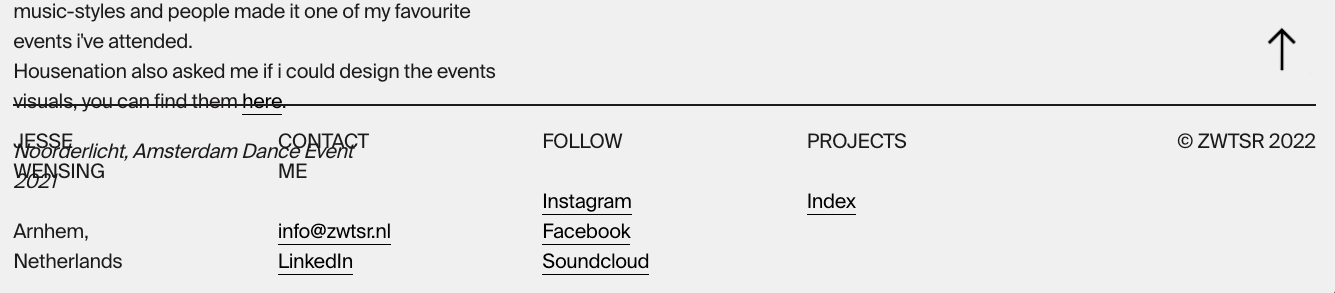
    Dear @zwtsr There could be a few solutions depending on design. Are you able to post a link to your website, this can help testing. The text is Fixed so will always control it's own space: "An element with position: fixed; is positioned relative to the viewport, which means it always stays in the same place even if the page is scrolled. The top, right, bottom, and left properties are used to position the element. A fixed element does not leave a gap in the page where it would normally have been located." https://www.w3schools.com/css/css_positioning.asp#:~:text=An element with position%3A fixed,would normally have been located. You may want to add some space above your footer, making room for the fixed text. Another options is to change the position property of your Footer to interact with the text and not be overlapped but this may create some issues, would need to test and see. Talk soon & best wishes Richard
  • 0 Votes
    4 Posts
    245 Views
    RichardR
    @jmmc Thanks João for following up & best wishes! ✨
  • 0 Votes
    3 Posts
    321 Views
    RichardR
    Dear @mihir Would it suit to use JSON and create a basic project layout? then for any new project you could just past your Basic JSON code and get the setup. http://laythemeforum.com/topic/7421/insert-page-into-another Best wishes Richard
  • Dropshadow for menu bar

    8
    0 Votes
    8 Posts
    1k Views
    RichardR
    Dear Nico @Nico-Schröder The following code: .navbar { -webkit-backdrop-filter: blur(.3rem); backdrop-filter: blur(0.3rem); -webkit-box-shadow: 0 1px 5px rgb(0 0 0 / 10%); -moz-box-shadow: 0 1px 5px rgba(0,0,0,.1); -ms-box-shadow: 0 1px 5px rgba(0,0,0,.1); -o-box-shadow: 0 1px 5px rgba(0,0,0,.1); box-shadow: 0 25px 5px rgb(0 0 0 / 10%); } Produces the following result: [image: Screen Shot 2022-01-19 at 10.51.30 AM.png] This is not the same for you? The unexpected Token shouldn't be a problem: [image: Screen Shot 2022-01-19 at 10.53.12 AM.png] Result: [image: Screen Shot 2022-01-19 at 10.53.28 AM.png] Best wishes Richard

  • Website loading on mobile

    4
    0 Votes
    4 Posts
    841 Views
    RichardR
    Dear Sandro @ateliermaeve Strange 🤔still unable to recreate the issue when viewing first time (this test was on the Iphone 13 Pro, loaded beautifully ) : [image: Screen Shot 2022-01-18 at 8.39.30 AM.png] Is there any other way you can think of that may help me test these errors? Best wishes ✨ Richard
  • This topic is deleted!

    2
    0 Votes
    2 Posts
    15 Views
  • This topic is deleted!

    1
    0 Votes
    1 Posts
    5 Views
    No one has replied
  • Index Filter Arrow

    4
    0 Votes
    4 Posts
    385 Views
    RichardR
    Great to hear @Hayo-Gebauer have a wonderful day ⭐️
  • Custom Jquery for the Shop

    6
    0 Votes
    6 Posts
    1k Views
    RichardR
    Happy to help @TYLM have a great day ✨
  • How to resize the Cover Row? (How to change the cover height?)

    2
    1
    0 Votes
    2 Posts
    213 Views
    fabiandraxlF
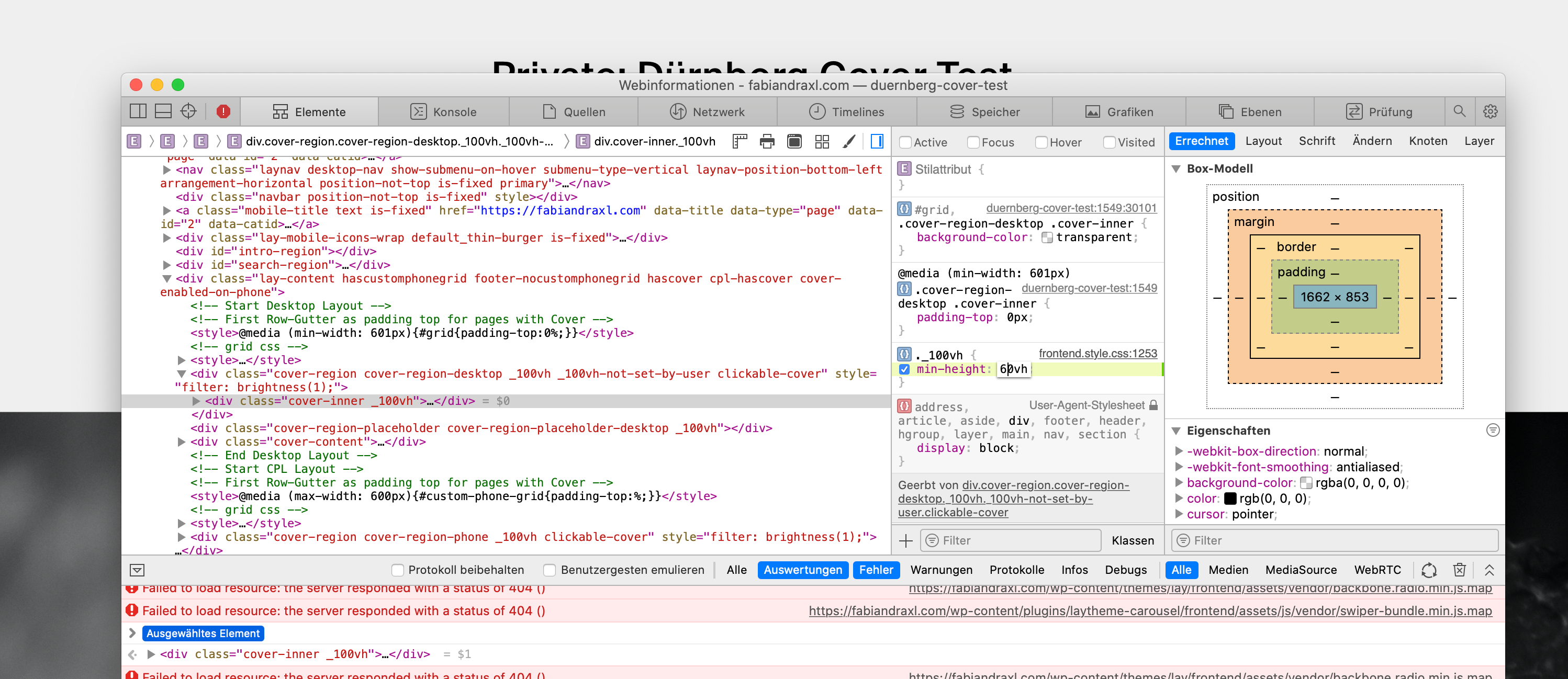
    @fabiandraxl After hour of trying i found some "solution": .cover-region, .cover-region-placeholder, .cover-inner { min-height: 60vh !important; height: 60vh !important; } But the automatic scrolling to row two is broken and the content of the cover is still centered as if the cover still was 100vh ... Could some body help me out pls? 😘 Here my Testwebsite / PW via DM
  • Project Index BUG

    5
    1
    0 Votes
    5 Posts
    1k Views
    arminunruhA
    hey ok should be fixed now if you update lay theme!
  • This topic is deleted!

    1
    2
    0 Votes
    1 Posts
    4 Views
    No one has replied
  • Custom circle cursor

    3
    0 Votes
    3 Posts
    818 Views
    RichardR
    Dear @ErEs Unable to guide you through the process sorry but i can say that this will idea will work with Lay Theme 🌝 Best wishes Richard
  • Fixed button underneath the images

    4
    0 Votes
    4 Posts
    204 Views
    RichardR
    Great to hear @AgneAgne ! best wishes ⭐️
  • Target correctly HTML5 videos in Carousels with Jquery

    1
    0 Votes
    1 Posts
    172 Views
    No one has replied
Online Users
Forgot your key, lost your files, need a previous Lay Theme or Addon version? Go to www.laykeymanager.com