Skip to content

General Discussion

A place to talk about anything Lay Theme related
4.9k Topics 20.9k Posts
  • Span class glyphicons not inserting properly in text editor

    5
    0 Votes
    5 Posts
    516 Views
    mariusjopenM
    Dear @edgrbnz good one! Best! Marius
  • Right page border missing / right edge overflowing

    8
    0 Votes
    8 Posts
    530 Views
    mariusjopenM
    Dear @brianagarelli great answer @edgrbnz . Best! Marius
  • Hide menu bar and site title on cover section

    6
    0 Votes
    6 Posts
    866 Views
    mariusjopenM
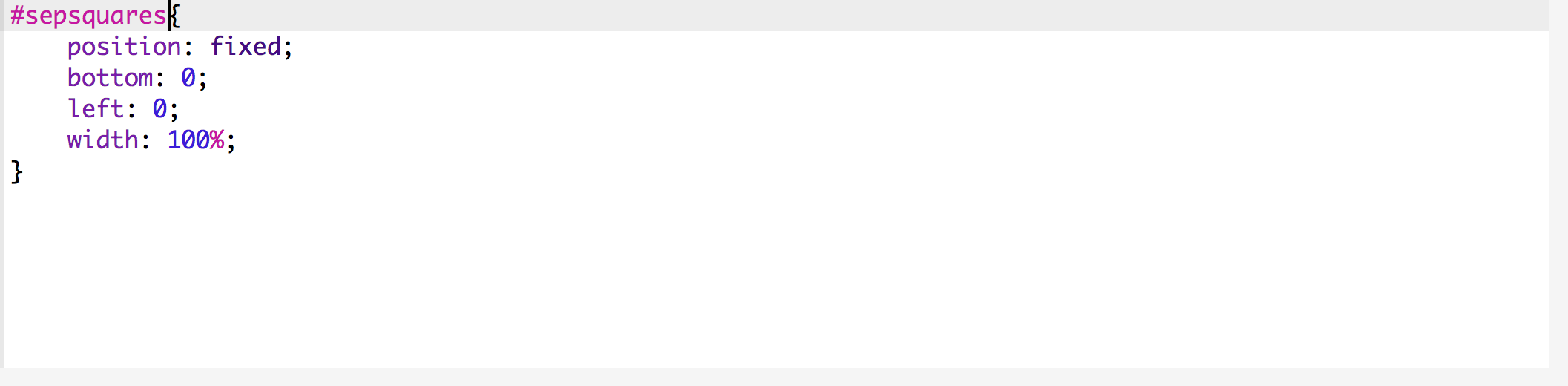
    Dear @David22 there are many good tutorials out there which explain how to hide a div box on scroll with jQuery. To have the menu above the cover, I would try to change the z-index. And play around with position: fixed. Hope that helps! Best! Marius
  • 0 Votes
    4 Posts
    288 Views
    mariusjopenM
    Dear @ivonnefehn thank you :-) Armin coded the Theme. I help where I can :-) Best! Marius
  • Thumbnail linking to a project on an other website

    2
    0 Votes
    2 Posts
    194 Views
    mariusjopenM
    Dear @travelingrabbit that is not possible. But you can use the hover effect also on images. In the forum is written how that works somewhere. Best! Marius
  • Mailchimp pop up

    10
    0 Votes
    10 Posts
    1k Views
    mariusjopenM
    Dear @robsdonatini great! Happy to hear! Yes. Stuff like that can be annoying. Best! Marius
  • Using Lay Theme as a way to learn web development

    2
    0 Votes
    2 Posts
    227 Views
    mariusjopenM
    Dear @Mauro-A-Santos the tools are very simple. A good editor. Atom, Visual Studio or Sublime will do. And FTP like Filezilla or Cyberduck are recommendable. And off we go! Github is not important to get started with. I would watch 2 or 3 tutorials of how to build a Wordpress Theme from scratch. Maybe even a course at Udemy or Lynda. If I work on Laytheme I just use Google Inspector, the CUSTOM CODE section and no tools. Sometimes a code editor to backup the code which I wrote. But that is it. Best! Marius
  • Hide the menu bar until scroll

    4
    0 Votes
    4 Posts
    531 Views
    mariusjopenM
    Dear @zippitybop great! I hope it will work out well! Best! Marius
  • Align menu to grid

    2
    2
    0 Votes
    2 Posts
    260 Views
    mariusjopenM
    Dear @carlosadalid if you inspect the navigation with Chrome Inspector, you can see that each menu item has an ID. With % or vh you can align them to your needs. Will be some small annoying work. But it is possible. Best! Marius
  • Content not Showing

    nocontent
    5
    0 Votes
    5 Posts
    482 Views
    mariusjopenM
    Dear @irenewiryanto if it works now. I never heard of that plugin and normally it should work without. Make sure Wordpress, and PHP is up to date. Good luck! Marius
  • scrolling horizontal

    3
    0 Votes
    3 Posts
    313 Views
    mariusjopenM
    Maybe with some CUSTOM CSS?
  • Can't scroll, as if a frame is set

    6
    3
    0 Votes
    6 Posts
    759 Views
    mariusjopenM
    Dear @BLUSCH yes. The site seems super slow. Might be a problem with your webhost. Can you deactivate the theme to see if it is still slow? Best! Marius
  • Slideshows white stripes

    8
    2
    0 Votes
    8 Posts
    440 Views
    arminunruhA
    Can you try this custom css? .col .lay-carousel img.h100 { height: 100.1%; }
  • Videos not to loop when autoplay

    4
    0 Votes
    4 Posts
    554 Views
    arminunruhA
    Hey thanks for the heads up, will fix this.
  • Text thumbnail instead of image

    6
    1
    0 Votes
    6 Posts
    495 Views
    mariusjopenM
    Dear @marcin with CUSTOM CSS and the !important tag. And then you need to select the specific link which you do not want to change. A bit annoying CSS work. Best! Marius
  • Pinterest website verification

    2
    0 Votes
    2 Posts
    198 Views
    mariusjopenM
    Dear @LeaGK91 normally you should not edit the LayTheme theme template files. But in this case I would just do it. Put it in the header.php between the other meta tags. Best! Marius
  • How to increase the maximum file upload size in WordPress x Laytheme

    4
    0 Votes
    4 Posts
    338 Views
    mariusjopenM
    Perfect! Happy to hear!
  • Drop Down Collapsible Side menu

    2
    0 Votes
    2 Posts
    273 Views
    mariusjopenM
    Dear @amcd125 you have a dropdown menu on the last menu point, no? Or do you mean a more animated dropdown menu like the mobile menu? This one you probably need to code in CUSTOM CSS, jQUERY and HTML. Best! Marius
  • This topic is deleted!

    1
    0 Votes
    1 Posts
    3 Views
    No one has replied
  • Gallery - Slideshow - Only one picture?

    2
    0 Votes
    2 Posts
    184 Views
    mariusjopenM
    Dear @lmpa92 I think this topic came up once and Armin posted a solution here in the forum. But I am not sure if the solution does still work. Best is – you have a little search here. Best! Marius

I also code custom websites or custom Lay features.
šŸ’æ Email me here: šŸ’æ
info@laytheme.com

Our Web Development company: 100k.studio

Want to tip me? https://www.paypal.com/paypalme/arminunruh

Before you post:
  1. When using a WordPress Cache plugin, disable it or clear your cache.
  2. Update Lay Theme and all Lay Theme Addons
  3. Disable all Plugins
  4. Go to Lay Options → Custom CSS & HTML, click "Turn Off All Custom Code", click "Save Changes"

This often solves issues you might run into

When you post:
  1. Post a link to where the problem is
  2. Does the problem happen on Chrome, Firefox, Safari or iPhone or Android?
  3. If the problem is difficult to explain, post screenshots / link to a video to explain it
Online Users
Forgot your key, lost your files, need a previous Lay Theme or Addon version? Go to www.laykeymanager.com