Skip to content

Installation Problems

Did you follow the steps in "How to Install" and "Troubleshooting" but still have problems? And your webhost support could not help you either? Ask here.
306 Topics 1.1k Posts
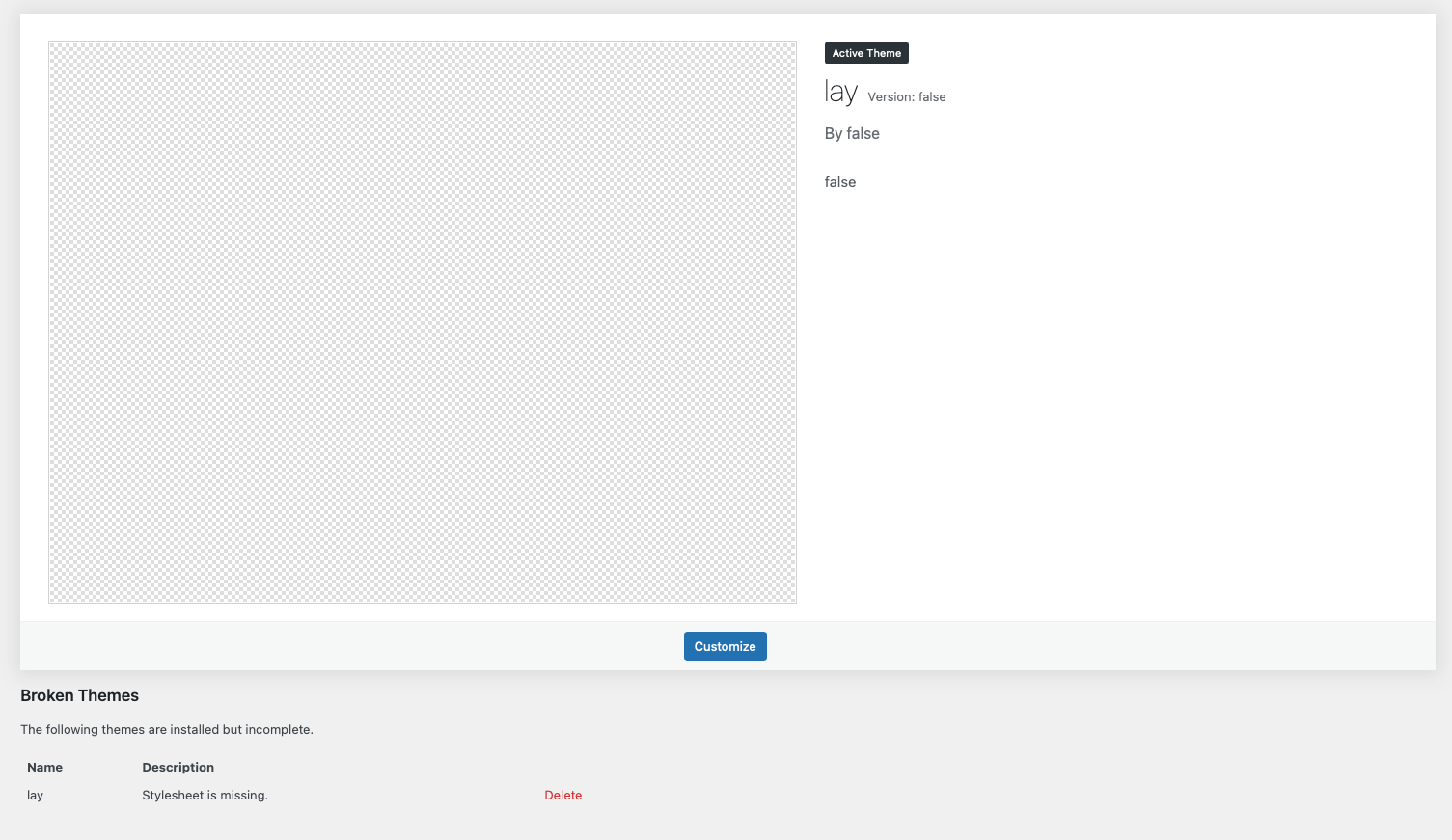
  • Theme broke: Stylesheet is missing after updating

    4
    1
    0 Votes
    4 Posts
    103 Views
    F
    Thank you, it worked. Now it looks just like it should again
  • This topic is deleted!

    1
    1
    0 Votes
    1 Posts
    7 Views
    No one has replied
  • Critical error message

    4
    0 Votes
    4 Posts
    179 Views
    arminunruhA
    yes please do so! can you send your website address, /wp-admin/ username and password and a link to this topic to info@laytheme.com? i need your ftp login too
  • Theme broke after update. v3.5.4.

    4
    0 Votes
    4 Posts
    94 Views
    B
    @arminunruh Email sent. Thank you!
  • No zip file received

    4
    0 Votes
    4 Posts
    95 Views
    arminunruhA
    there should be an email by gumroad with the files
  • Can't find my license key

    2
    0 Votes
    2 Posts
    50 Views
    arminunruhA
    hey sorry! i sent an email
  • Bought Domain on orangewebsite - will it work?

    2
    0 Votes
    2 Posts
    66 Views
    F
    @Bloodred you would also have to get a Webhosting plan with a "database", because you need a webspace and a database to host and install Wordpress/Laytheme. Maybe you could take a look if orangewebsites offer this. There is a difference between Wordpress.com and Wordpress.org. See here for more info: https://laytheme.com/installation.html
  • manage-licenseactivation cannot be loaded

    2
    0 Votes
    2 Posts
    57 Views
    arminunruhA
    hey i think we emailed right and you reinstalled wordpress and then it worked
  • Update, media is not shown

    4
    0 Votes
    4 Posts
    112 Views
    arminunruhA
    can you send your website address, /wp-admin/ username and password and a link to this topic to info@laytheme.com?
  • No Content after activated laytheme

    2
    2
    0 Votes
    2 Posts
    57 Views
    arminunruhA
    hey there, other theme's content doesnt work with lay theme unfortunately but i think i just sent you a refund right
  • 0 Votes
    2 Posts
    70 Views
    arminunruhA
    hey there, sorry does it work now? can you send your /wp-admin/ login to info@laytheme.com
  • Key reset

    1
    0 Votes
    1 Posts
    44 Views
    No one has replied
  • Reached maximum allowable domains

    2
    0 Votes
    2 Posts
    95 Views
    RichardR
    Dear @bequillard Lay Theme activations can be reset if desired. Feel free to email me at licensekeys@laytheme.com with your License key and i can remove the activation 🌝 Best wishes Richard
  • Blurry images on phone version

    6
    0 Votes
    6 Posts
    225 Views
    RichardR
    Dear @craigfeldspar I see in the "never show resized versions setting": "Normally, when appropriate, Lay Theme uses automatically generated smaller image sizes to speed up loading. This setting does not apply to the phone version. Activate this if your images seem blurry." This is probably due to loading speeds on mobile devices. talk soon Richard
  • "Front Page" Feature doesn't show up in Customizer

    8
    1
    0 Votes
    8 Posts
    133 Views
    RichardR
    Dear @CharlotteRRRRRRR If the above debugging steps are confirmed and you still cannot access the Customizer, you are welcome to send me you login details via 'Chats' and i can take a closer look πŸ” Note: please do not disclose any private info on the thread itself 🌝 Best wishes Richard
  • wordpress 5.9 the costumize page is not showing up

    8
    0 Votes
    8 Posts
    309 Views
    RichardR
    Dear @concigliery Are you able to upload any screenshots of The wordpress admin side or any other information would be appreciated 🌝 Best Richard
  • Reached maximum allowable domains

    4
    0 Votes
    4 Posts
    147 Views
    RichardR
    Dear @koencolpaert Sorry to hear about the Crash, i can definitely help you on the License key front. licensekeys@laytheme.com I can reset any License key you wish or remove any websites activated on that key. This way you can use them moving forwards as if they are fresh. talk soon ✨ Richard
  • Fatal Error / Sever requirements

    2
    0 Votes
    2 Posts
    71 Views
    RichardR
    Dear @Savvy Are you able to provide any more info about the Installation. Was it installed into > Appearance > Themes? or into the plugin area - also: Wordpress, Lay Theme & Laytheme's Addons are all up to date ? Any custom CSS or JS that may interfere is temporarily removed. Any third-party plugins are de-activated to see if this resolves the issue. Talk soon & best wishes Richard
  • No content after migration

    6
    0 Votes
    6 Posts
    228 Views
    R
    To anyone reading and clarify a bit more: When you drop all the files from your phpmyadmin and replace them with the new .sql, realise the password you now need to enter is the password you used on your earlier website build and not a password you may have set for the new hosting location.
  • images/video don't shows up

    loading video images
    6
    0 Votes
    6 Posts
    305 Views
    RichardR
    No worries @louise23 🌝Glad to hear all is working now, best wishes!

I also code custom websites or custom Lay features.
πŸ’Ώ Email me here: πŸ’Ώ
info@laytheme.com

Our Web Development company: 100k.studio

Want to tip me? https://www.paypal.com/paypalme/arminunruh

Before you post:
  1. When using a WordPress Cache plugin, disable it or clear your cache.
  2. Update Lay Theme and all Lay Theme Addons
  3. Disable all Plugins
  4. Go to Lay Options β†’ Custom CSS & HTML, click "Turn Off All Custom Code", click "Save Changes"

This often solves issues you might run into

When you post:
  1. Post a link to where the problem is
  2. Does the problem happen on Chrome, Firefox, Safari or iPhone or Android?
  3. If the problem is difficult to explain, post screenshots / link to a video to explain it
Online Users
Forgot your key, lost your files, need a previous Lay Theme or Addon version? Go to www.laykeymanager.com