Skip to content

Addons

Got a question about an Addon?
879 Topics 4.1k Posts
  • 0 Votes
    3 Posts
    67 Views
    arminunruhA
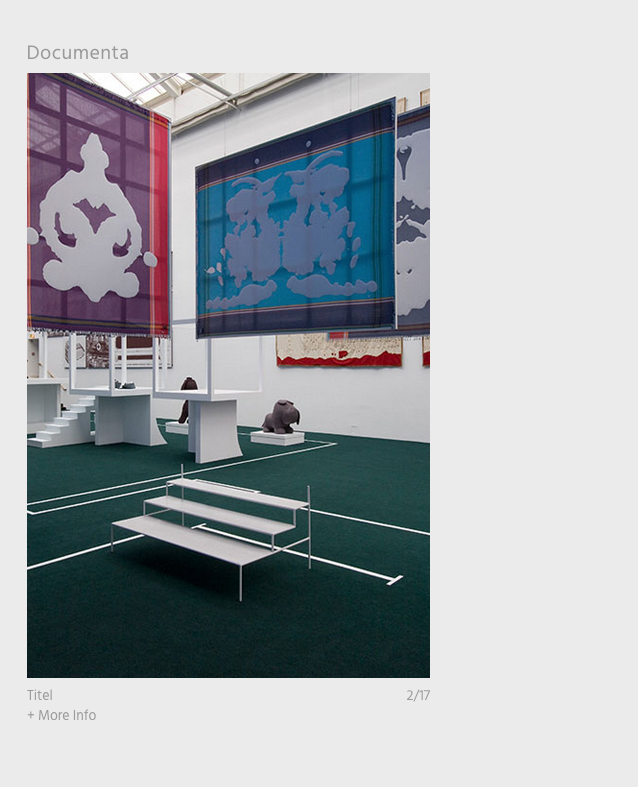
    i think this wont be possible because of how the captions are coded :| you could only have a carousel without captions and then add another text element underneath that is bigger you could use the stack element to stack both elements: https://laytheme.com/documentation/gridder-elements.html#stack-element
  • How to Use the 3D Plugin on a Single Page Only?

    4
    0 Votes
    4 Posts
    173 Views
    M
    great. Thanks @arminunruh
  • Jumping Issue on Landing Page Links with Fullscreen Slider

    6
    0 Votes
    6 Posts
    171 Views
    arminunruhA
    it works now no? what did you change?
  • fullscreen slider - image caption

    3
    0 Votes
    3 Posts
    144 Views
    J
    That solves it! Thank you very much!
  • 3D Logo addon

    3
    0 Votes
    3 Posts
    136 Views
    arminunruhA
    theres a bug at the moment where that button doesnt work if you set your wordpress language to anything other than english will release an update to fix this
  • multiple image hover

    2
    0 Votes
    2 Posts
    122 Views
    arminunruhA
    oh have multiple like this next to another? its not possible unless you create a png with images next to another and then use that one png as the hoverimage
  • fullscreen slider: custom arrows not working

    2
    1
    0 Votes
    2 Posts
    242 Views
    arminunruhA
    they are probably too big (max 128 * 128px). if they are 12px w try an even smaller one if its a svg, they are probably missing the width and height properties: http://laythemeforum.com:4567/topic/5190/svg-cursors-fix
  • Lightbox add-on doesnt work anymore after update

    5
    0 Votes
    5 Posts
    187 Views
    L
    perfect, thank you so much!! works :)
  • lightbox opening on an image with settings off

    2
    0 Votes
    2 Posts
    93 Views
    arminunruhA
    i see. i cant reproduce this on my own installation of lay theme on what page on https://a2g.ca/ exactly does the error occur? i dont see an image on the frontpage. can you send your website address, /wp-admin/ username and password and a link to this topic to info@laytheme.com?
  • This topic is deleted!

    1
    0 Votes
    1 Posts
    4 Views
    No one has replied
  • Trigger lightbox for images inserted manually with HTML

    7
    0 Votes
    7 Posts
    268 Views
    arminunruhA
    ok then probably it cant be done ://
  • This topic is deleted!

    2
    0 Votes
    2 Posts
    2 Views
  • This topic is deleted!

    2
    0 Votes
    2 Posts
    3 Views
  • This topic is deleted!

    2
    0 Votes
    2 Posts
    12 Views
  • Overlay top right

    13
    0 Votes
    13 Posts
    370 Views
    arminunruhA
    ok this is fixed now. i turned off the page overlay animations for safari 12 and lower and this made the overlays scrollable again
  • Carousel loop not working properly

    4
    1
    0 Votes
    4 Posts
    196 Views
    arminunruhA
    ah yea so its probably better to turn off the random order sorry but this seems to be a limitation of the slider library i use it used to work in prior versions, but i updated the slider library to fix a different issue where someone's slider was not aligned correctly
  • carousel addon settings can't be changed and saved

    2
    0 Votes
    2 Posts
    95 Views
    arminunruhA
    in lay options → carousel addon activate both show numbers and show captions in the spacing fields like space top space left space right; make sure no values are negative, with a - sign then saving should work
  • 0 Votes
    6 Posts
    289 Views
    B
    Sorry, I misspoke, I didn’t mean to say 'blocked,' I meant that it was getting stuck. All solved : )) Thank you very much @arminunruh.
  • Show unmute / mute custom css is not working / Carousel addon

    3
    0 Votes
    3 Posts
    104 Views
    arminunruhA
    try !important, like: bottom: 40px!important;
  • Carousel — images with text low res

    7
    0 Votes
    7 Posts
    225 Views
    arminunruhA
    ah it works now? ok nice

I also code custom websites or custom Lay features.
💿 Email me here: 💿
info@laytheme.com

Our Web Development company: 100k.studio

Want to tip me? https://www.paypal.com/paypalme/arminunruh

Before you post:
  1. When using a WordPress Cache plugin, disable it or clear your cache.
  2. Update Lay Theme and all Lay Theme Addons
  3. Disable all Plugins
  4. Go to Lay Options → Custom CSS & HTML, click "Turn Off All Custom Code", click "Save Changes"

This often solves issues you might run into

When you post:
  1. Post a link to where the problem is
  2. Does the problem happen on Chrome, Firefox, Safari or iPhone or Android?
  3. If the problem is difficult to explain, post screenshots / link to a video to explain it
Online Users
Forgot your key, lost your files, need a previous Lay Theme or Addon version? Go to www.laykeymanager.com