Skip to content

Shop / WooCommerce

Shop related questions and issues

253 Topics 1.2k Posts
  • side cart menu doubled

    12
    0 Votes
    12 Posts
    530 Views
    RichardR
    Thanks @TYLM ! best wishes โœจ
  • Emails setup WooCommerce

    3
    0 Votes
    3 Posts
    196 Views
    B
    @Richard said in Emails setup WooCommerce: emails Hello Richard, I am wondering how to change the textformats of the email template. There is no option in the Email template section nor in the Customize section of Laytheme for this. Thank you
  • SEO Plugin / Yoast / Rankmath

    1
    0 Votes
    1 Posts
    123 Views
    No one has replied
  • gridder and product page

    9
    1 Votes
    9 Posts
    676 Views
    R
    I'm also interested in this feature, to have the Gridder on a product page. Any news on its development?
  • Product page issues

    4
    3
    0 Votes
    4 Posts
    137 Views
    RichardR
    Dear @lotte Hope you had a nice holiday season & best wishes. โœจ "Options running into footer - can i make it scroll?" The following code should fix that - let me know how you go (added into > Customize > CSS ): .lay-woocommerce-variations-select-selected-list { overflow-y: scroll; height: 200px; } Result: [image: 1641415977018-screen-shot-2022-01-06-at-9.46.33-am-resized.png] "In general how to make this column wider and expand it to the right" The general width or dimensions of your shop can be set within > Customize > Woocommmerce > Woocommerce spaces: [image: 1641417352646-screen-shot-2022-01-06-at-10.07.29-am-resized.png] The padding of the Buttons can be set in > Customize > Woocommerce > Buttons > [image: 1641417455774-screen-shot-2022-01-06-at-10.17.02-am-resized.png] " PRO runs through the longer description does not fit. you cant see if your ordering pro or pro-max " You could expand the width - but this may push the quantity button underneath (wrap) on smaller screens: [image: 1641418002865-screen-shot-2022-01-06-at-10.25.28-am-resized.png] Does using a smaller font size work for you? for example this is at 15px ( less room for error): [image: 1641418110214-screen-shot-2022-01-06-at-10.27.32-am-resized.png] Hope this helps Lotte & talk soon, have a wonderful day ๐ŸŒป Richard
  • Projects + search question

    3
    0 Votes
    3 Posts
    115 Views
    RichardR
    Dear @lotte Ok, happy to clarify ๐ŸŒ Building a Webshop not a Portfolio - noted โœ…. Originally and for a long time Lay Theme has been about Portfolio based websites. The webshop has come in the last half year so in essence it's still all functioned around being a portfolio-style site. For this reason Projects exist. They allow the user to create Project's with Content inside & the key ingredient being the "Project Thumbnail" (no thumbnail on pages) .These "Project Thumbnails" can be used in Large "Project Thumbnail Grids" to show all of an Artists work etc on one page. - A Portfolio โญ๏ธ Then you can click on the Thumbnail and be taken to that body of Work E.g Scrolling page of Photographers body of work (in Thumbnail Grid) Project Thumbnail of Photo's of Greece March 2016 to March 2017. Click on Project Thumbnail Now inside this collection and able to see all photos of Greece..2016...etc... Hope i explained it ok, many features have been added of course but this captures the idea. "Is there any documentation about this or can somebody explain?" Sure! :) https://laytheme.com/documentation.html https://laytheme.com/getting-started.html "I'd like to search on Products, not Projects. Where to set this?" Currently Search only works for Projects as this was what it was set up for when created. Woocommerce is recent so the search does not work for Products yet - unsure when this will be implemented sorry Lotte. Hope this helps & talk soon, sincerely Richard ๐ŸŒป
  • This topic is deleted!

    1
    1
    0 Votes
    1 Posts
    3 Views
    No one has replied
  • Product variation costumiziation

    1
    2
    0 Votes
    1 Posts
    44 Views
    No one has replied
  • Problems with Single Product / Layout Type / Carousel on Desktop

    2
    0 Votes
    2 Posts
    104 Views
    RichardR
    Dear Tin @tinjessen Are you able to post a link to your website with the Carousel in question to better inspect it's behaviour/issue ๐Ÿ” Talk soon Tin & have a wonderful day ๐ŸŒ Richard
  • Payment method graphic

    2
    1
    0 Votes
    2 Posts
    71 Views
    RichardR
    Dear @Motoproprio Currently no, there are only the options provided in > Customize > WooCommerce > Checkout: But these mostly relate to Text Formats and the privacy policy text. If you wish to change things i would suggest some simple Custom CSS https://laytheme.com/documentation.html#custom-css-styling https://www.khanacademy.org/computing/computer-programming/html-css#intro-to-css https://www.khanacademy.org/computing/computer-programming/html-css/web-development-tools/a/using-the-browser-developer-tools Best wishes @Motoproprio ๐ŸŒ Richard
  • Shop Navigation active

    28
    0 Votes
    28 Posts
    1k Views
    arminunruhA
    sorry everybody! im releasing an update later today that fixes this
  • Is there an option to use the Woocommerce currency switcher?

    2
    0 Votes
    2 Posts
    78 Views
    RichardR
    Dear Sasha @spontans According to this documentation: https://docs.woocommerce.com/document/payments/currencies/multi-currency-setup/ Multi currency is setup on the front end via "widget" Lay Theme does not support Widgets at the moment except via +more > HTML or > +more > shortcode. I did test with the Plugin WOOCS https://wordpress.org/plugins/woocommerce-currency-switcher/ And was able to get some results by adding the shortcode via the Gridder: +More > Shortcode [image: 1634779301923-screen-shot-2021-10-21-at-2.10.33-pm-resized.png] Result (currency does indeed change within Product Thumbnail): [image: 1634779344007-screen-shot-2021-10-21-at-2.10.11-pm-resized.png] This is a third-party solution which is unlikely to work long-term. But may provide an option while Lay Theme features are being worked through with Woocommerce. Best wishes and have a wonderful day ๐ŸŒป Richard
  • Woo Commerce Additional Variation Images plugin works with Lay?

    5
    0 Votes
    5 Posts
    165 Views
    RichardR
    Dear @Villads " it is only possible to have a dropdown selector for product variations" As far as i can know yes, , the Attributes and Variations are the only way of creating dropdown menu's for the variables area on the product page: [image: 1634777769195-screen-shot-2021-10-21-at-1.53.40-pm-resized.png] [image: 1634777900541-screen-shot-2021-10-21-at-1.54.39-pm-resized.png] What other information did you want in these dropdown menu's? "Have tried different not working plugins for other button types for product variations." I dont yet understand this one sorry. Could you provide any more context please ๐Ÿ” Sorry for such delay, and best wishes, thank you for supporting Lay Theme ๐ŸŒ Richard
  • Weird text when woocommerce plugin is active

    lay theme woocomm
    10
    0 Votes
    10 Posts
    380 Views
    RichardR
    Dear @alexandrot After reviewing your website, im sorry but unfortunately I cannot help. You have a large number of third-party plugins installed along with heavy Custom CSS HTML and JS coding. Installed plugins that are de-activated may still affect the normal workings of Lay theme - Woocommerce connection. Due to such heavy customisation i cannot de-bug everything and find out what the problem is, this is up to you. It could be that past installed plugins have left their mark and are causing the issue. once again sorry about this Alexandrot. Becuase your website is already so heavily built up, i wouldnt expect to try any fresh re-install. An option would be to use jQuery to isolate the problem <p> paragraph elements within the problem woo-commerce container and then "display:none" Woocommerce Lay Theme integration was not meant for such customisation. The work around will need to come from you, I hope that future updates of Lay Theme may remedy this problem anyway. ๐ŸŒ Sincerely Richard
  • The shop : cart icon, footer & privacy policy.

    2
    0 Votes
    2 Posts
    164 Views
    RichardR
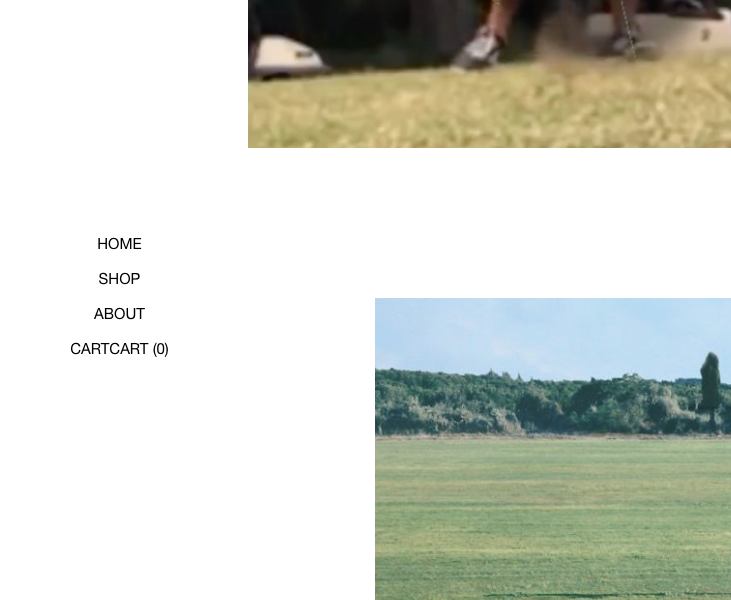
    Dear Karim @karimus1888 Let's answer these questions! ๐ŸŒ Do you know where we can find a good text for privacy policy and terms & conditions ? On the "shop setup" page within the Lay Theme website - Armin provides some info as well as the suggested plugin "wp legal pages" https://laytheme.com/shop.html#privacy-pages For the cart, there is the word "cart" to access of the orders. Is it possible to change the word by an icon of a cart ? For an icon within the Cart, you can choose settings within "flying side cart plugin > settings " The plugin is also mentioned here: https://laytheme.com/shop.html#sidecart-plugin [image: 1632181749737-screen-shot-2021-09-21-at-11.47.45-am-resized.png] If you mean the "cart" as part of the main menu: [image: 1632181807561-screen-shot-2021-09-21-at-11.49.33-am-resized.png] This is not as easily changed but you still have options - if you add some custom code. "Screen Options" can be found at the top of the > appearance > menu page: [image: 1632182012863-screen-shot-2021-09-21-at-11.51.13-am-resized.png] With this you can now add a 'custom class' to this menu-item e.g my-custom-menu-item With this class you can then target it with some custom code and change it into an image (note this customisation will be up to you and image size/padding etc will need to be tested by you as well, however i can send you in the right direction. https://onelittledesigner.com/2013/02/28/replacing-text-with-an-image-using-jquery/ Code may look similar to this: jQuery().ready(function () { jQuery('.my-custom-menu-item').each(function () { string = jQuery(this).text('CART'); jQuery(this).html('<img src="https://www.asaworld.online/wp-content/uploads/2021/09/cart-icon-e1632184362536.png" alt="' + string + '" />'); }); }); You can get the source for your image (img src) from a URL. This could be another website or link online, but even easier: in > Media > Media Library > any image in your media library will have its own URL when clicking on it (file-url): [image: 1632184543826-screen-shot-2021-09-21-at-12.34.47-pm-resized.png] Copy and paste this into the img src="insert-new-img-src-here" in the above code. For the footer, I have created a page for the footer but it doesn't appear in all pages. I see also the possibility to add a footer per page but it doesn't work for the article pages : https://keight.shop/ Currently standard footers aren't available for the shop page unfortunately - This should be worked out in the next updates ( is your Lay Theme fully updated? ) For now a special shop-related footer has been created by Armin: https://laytheme.com/shop.html#footer Hope this helps Karim ๐ŸŒBest wishes, good luck and have a wonderful day!!! Richard
  • inkl. MwSt. zzgl. Versandkosten

    2
    0 Votes
    2 Posts
    100 Views
    RichardR
    Dear Marc @moND0711 I see that you can create your own suffix to display 'after' the price within > Woocommerce > Settings > Tax > Price display suffix "Define text to show after your product prices. This could be, for example, "inc. Vat" to explain your pricing. You can also have prices substituted here using one of the following: {price_including_tax}, {price_excluding_tax}." [image: 1632178861662-screen-shot-2021-09-21-at-10.59.24-am-resized.png] However this is not the setting that you have used, i am still myself learning all the functions - could you send me in the right direction as to what settings you used? ๐Ÿ” If we cannot find any options you could always use some code, but i would advise against this until necessary - it may have some unforeseen bugs when testing: jQuery('.legal-price-info').each(function() { jQuery(this).insertAfter(jQuery(this).parent().find('.woocommerce-product-details__short-description')); }); Gives me this result: [image: 1632179193970-screen-shot-2021-09-21-at-11.05.45-am-resized.png] Talk soon Marc & best wishes ๐Ÿ– Richard
  • menu point active

    2
    0 Votes
    2 Posts
    79 Views
    RichardR
    Dear Marc @moND0711 Thank you for the update, this is known about and will hopefully be resolved in the next updates. Best wishes ๐ŸŒ Richard
  • Online shop and product thumbnail grid element not showing

    11
    0 Votes
    11 Posts
    500 Views
    RichardR
    Amazing! thanks for the update @pascal this is great for others in the future, will keep this in mind, as well as letting Armin know ๐ŸŒ Best wishes Richard
  • no "save draft" in the product ?

    4
    1
    0 Votes
    4 Posts
    137 Views
    RichardR
    No worries @ooblik Have a great day! ๐ŸŒ
  • Footer on cart and product pages

    5
    0 Votes
    5 Posts
    167 Views
    RichardR
    Dear @emgeoffice Not for me either - i think it may still be coming ๐ŸŒ Best wishes Richard

I also code custom websites or custom Lay features.
๐Ÿ’ฟ Email me here: ๐Ÿ’ฟ
info@laytheme.com

Our Web Development company: 100k.studio

Want to tip me? https://www.paypal.com/paypalme/arminunruh

Before you post:
  1. When using a WordPress Cache plugin, disable it or clear your cache.
  2. Update Lay Theme and all Lay Theme Addons
  3. Disable all Plugins
  4. Go to Lay Options โ†’ Custom CSS & HTML, click "Turn Off All Custom Code", click "Save Changes"

This often solves issues you might run into

When you post:
  1. Post a link to where the problem is
  2. Does the problem happen on Chrome, Firefox, Safari or iPhone or Android?
  3. If the problem is difficult to explain, post screenshots / link to a video to explain it
Online Users
Forgot your key, lost your files, need a previous Lay Theme or Addon version? Go to www.laykeymanager.com