Random "Warning"-error by editing project description
-
-
I'm getting randomly this error. Followed up by deleting all the project-thumbnails in the pages, were I was using them as a link to the project.
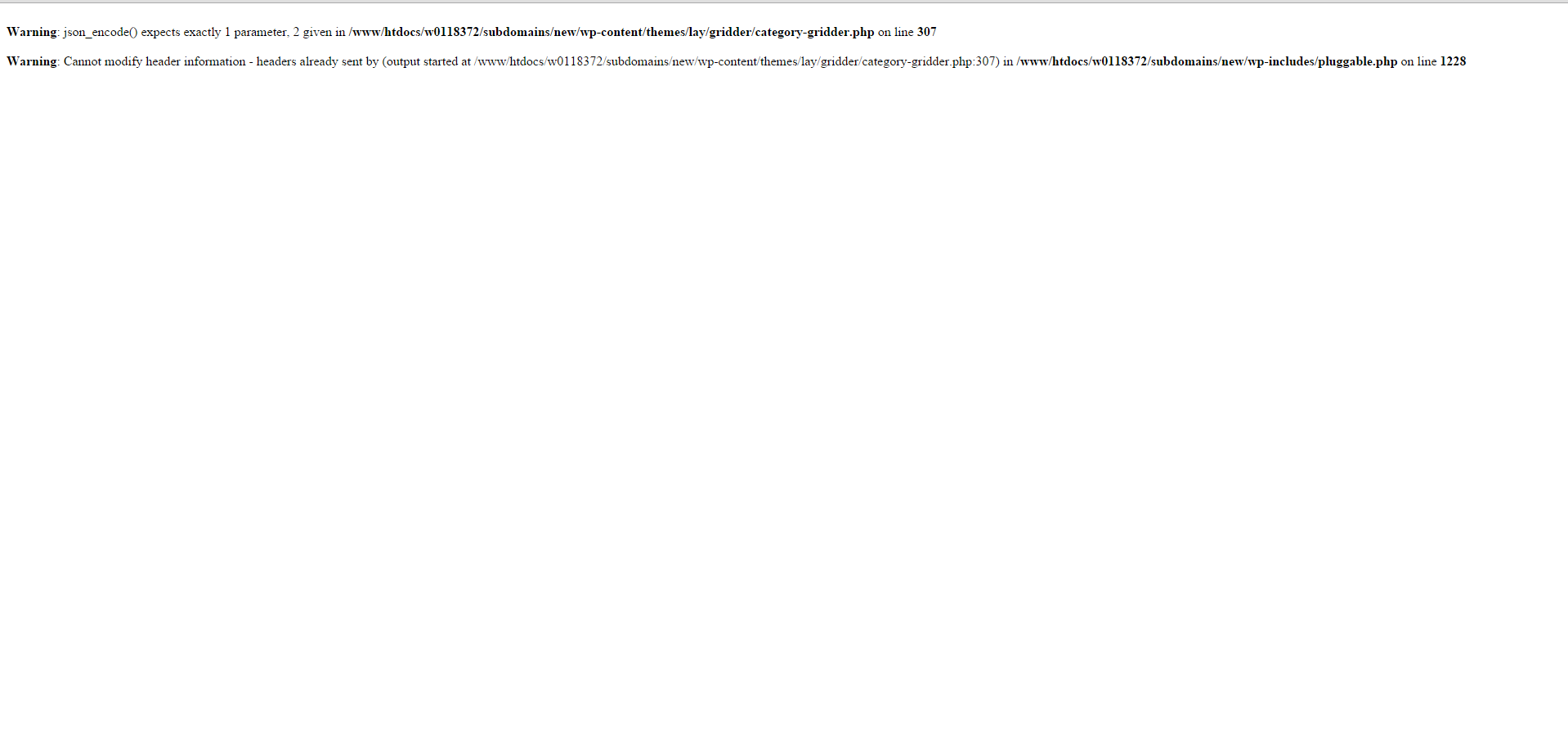
I can give now a little more details about when it is happening: As long the project-thumbnail is not used already (embedded on the page), i can update the name and the description of the project. But as soon i have placed it somewhere, i get this error and i'm loosing the all the project-thumbnails (not only the one i was editing).
-
Hey jo!
Ahw sry. It seems you are using an older php version that doesn't support something. Anyway, going to publish a small update to fix this. -
-
This was the problem: http://stackoverflow.com/a/22208945/3159159
I fixed this with the latest update. On stackoverflow they say PHP 5.4 or later.
Anyway, should work with an older PHP version too now.

Hello! It looks like you're interested in this conversation, but you don't have an account yet.
Getting fed up of having to scroll through the same posts each visit? When you register for an account, you'll always come back to exactly where you were before, and choose to be notified of new replies (either via email, or push notification). You'll also be able to save bookmarks and upvote posts to show your appreciation to other community members.
With your input, this post could be even better 💗
Register Login