Link to an Anchor on another page
-
Dear @limelight
Did you have a look here?
Definitive guide to 'Smooth scroll to anchors from menu'
http://laythemeforum.com/topic/4200/definitive-guide-to-smooth-scroll-to-anchors-from-menu/2Best!
Marius
-
-
-
Sure thing!
The company icons on the home page here:
https://limelightmedia.tv/home/are all supposed to link to a specific section on the previous work page here:
https://limelightmedia.tv/previous-work/When I click each link for example #zurich a / appears before the anchor link in the navigation bar eg.
https://limelightmedia.tv/previous-work/#zurichI don't know if that is whats causing the problem...
-
-
-
Hi there Marius,
No, not the row, Just the image icon has a link to:
https://limelightmedia.tv/previous-work#zurichAnd then there is an anchor id=zurich on the previous work page. The same for each company icon... I did just quickly try giving the row an ID on the previous work page, but still no luck...
-
Dear @limelight
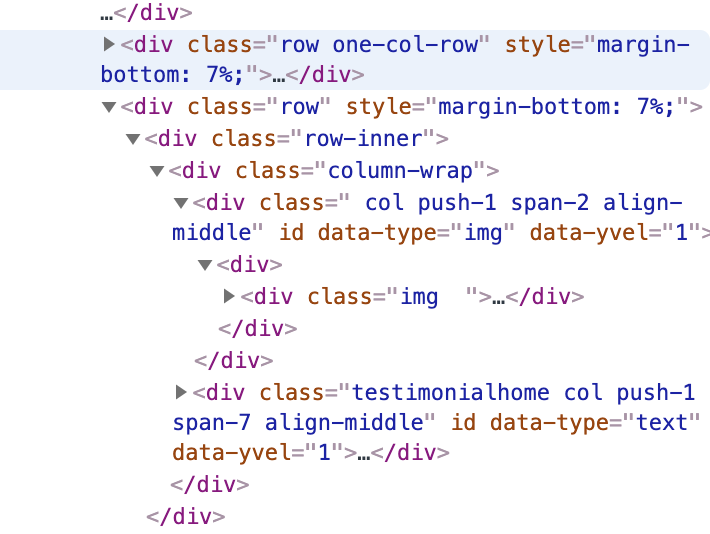
I do not see here an ID which could get used as anchor:
Marius
-
Hi there @mariusjopen
The anchor is in the body of the text in the HTML...
-
Hi @mariusjopen
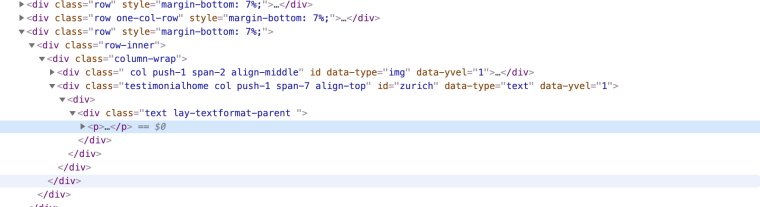
I have changed it so the anchor ID is the div element rather than within the html and still not working i'm afraid.![alt text]
-
Dear @limelight
to make it easy for people to understand:
Can you please paste the code which you used?Best!
Marius

Hello! It looks like you're interested in this conversation, but you don't have an account yet.
Getting fed up of having to scroll through the same posts each visit? When you register for an account, you'll always come back to exactly where you were before, and choose to be notified of new replies (either via email, or push notification). You'll also be able to save bookmarks and upvote posts to show your appreciation to other community members.
With your input, this post could be even better 💗
Register Login