Skip to content
  • Recent
  • Tags
  • Popular
  • Users
  • Search
Skins
  • Light
  • Brite
  • Cerulean
  • Cosmo
  • Flatly
  • Journal
  • Litera
  • Lumen
  • Lux
  • Materia
  • Minty
  • Morph
  • Pulse
  • Sandstone
  • Simplex
  • Sketchy
  • Spacelab
  • United
  • Yeti
  • Zephyr
  • Dark
  • Cyborg
  • Darkly
  • Quartz
  • Slate
  • Solar
  • Superhero
  • Vapor

  • Default (No Skin)
  • No Skin
Collapse

Lay Theme Forum

  1. Home
  2. General Discussion
  3. Make the Image Caption and Numbers in carousel fix to the bottom of the page even when resizing the page.

Make the Image Caption and Numbers in carousel fix to the bottom of the page even when resizing the page.

Scheduled Pinned Locked Moved General Discussion
15 Posts 6 Posters 1.8k Views 1 Watching
  • Oldest to Newest
  • Newest to Oldest
  • Most Votes
Reply
  • Reply as topic
Log in to reply
This topic has been deleted. Only users with topic management privileges can see it.
  • mariusjopenM
    mariusjopenM
    mariusjopen
    Global Moderator
    wrote on last edited by
    #2

    Dear @Fletch
    try this:

    .lay-carousel-sink-parent {
        position: fixed;
        bottom: 20px;
    }
    

    Try to use a similar solution for the numbers :-)
    You can do it!

    Best!

    Marius

    www.mariusjopen.world

    F 1 Reply Last reply
    0
    • mariusjopenM mariusjopen

      Dear @Fletch
      try this:

      .lay-carousel-sink-parent {
          position: fixed;
          bottom: 20px;
      }
      

      Try to use a similar solution for the numbers :-)
      You can do it!

      Best!

      Marius

      F
      F
      Fletch
      wrote on last edited by
      #3

      @mariusjopen Thanks very much for the response. The caption is now fixed but the numbers have now completely disappeared. Do you know why this may have happened?

      Best,
      G

      1 Reply Last reply
      0
      • mariusjopenM
        mariusjopenM
        mariusjopen
        Global Moderator
        wrote on last edited by
        #4

        Dear @Fletch
        probably you need to do the same for the numbers.
        Play around with z-index. Does something have a background colour which hides something?

        Best!

        Marius

        www.mariusjopen.world

        A 1 Reply Last reply
        0
        • F
          F
          Fletch
          wrote on last edited by
          #5

          Hi!

          Thanks so much for your help. I managed to sort it in the end :D

          Best,
          George

          1 Reply Last reply
          0
          • edgrbnzE
            edgrbnzE
            edgrbnz
            wrote on last edited by
            #6

            Would be cool if you could share some code if someone else wants to do the same!

            🤝

            ✦ ✦ ✦

            1 Reply Last reply
            1
            • mariusjopenM mariusjopen

              Dear @Fletch
              probably you need to do the same for the numbers.
              Play around with z-index. Does something have a background colour which hides something?

              Best!

              Marius

              A
              A
              antonioprado
              wrote on last edited by
              #7

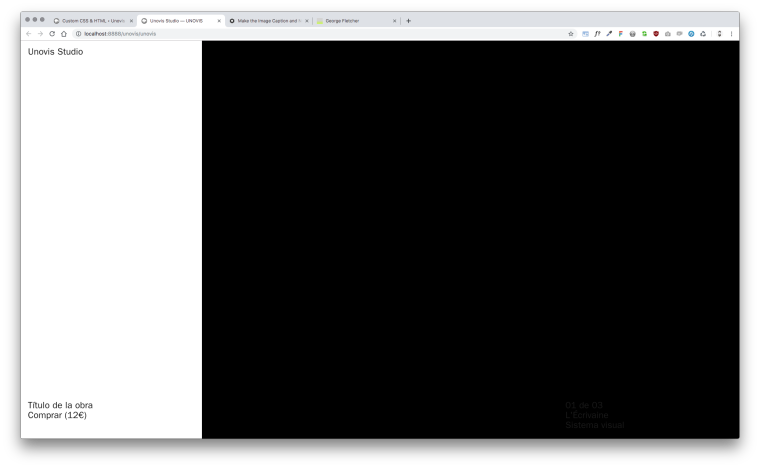
              @mariusjopen I'm having a problem trying to achieve something similar... it works when I put the code you give, but it only works with the first caption. When I have two captions, they all see at same time in the first slide. Can you help me out on this? I'm working locally but here go a screenshot :)

              The code I'm using is the same you gave!

              Thank you!!!0_1567612508869_Captura de pantalla 2019-09-04 a las 17.53.53.png

              1 Reply Last reply
              0
              • mariusjopenM
                mariusjopenM
                mariusjopen
                Global Moderator
                wrote on last edited by
                #8

                Dear @antonioprado
                it is a bit difficult to debug only from a screenshot :-D

                Best!

                Marius

                www.mariusjopen.world

                A 1 Reply Last reply
                0
                • mariusjopenM mariusjopen

                  Dear @antonioprado
                  it is a bit difficult to debug only from a screenshot :-D

                  Best!

                  Marius

                  A
                  A
                  antonioprado
                  wrote on last edited by antonioprado
                  #9

                  @mariusjopen Hello! Finally I could manage to replicate what I want to do. Basically I want all the captions to be positioned on the bottom and left of the page, but I can't figure it out why the next caption is visible at the same time as the first one. Another thing that happens too is when I resize the window, the captions move from their position even they have the css code to stand at the bottom left of the page. Could you please give me some light here? I've tried everything...

                  Thank you very much in advance :D

                  https://filmosofia.space/carousel

                  A 1 Reply Last reply
                  0
                  • A antonioprado

                    @mariusjopen Hello! Finally I could manage to replicate what I want to do. Basically I want all the captions to be positioned on the bottom and left of the page, but I can't figure it out why the next caption is visible at the same time as the first one. Another thing that happens too is when I resize the window, the captions move from their position even they have the css code to stand at the bottom left of the page. Could you please give me some light here? I've tried everything...

                    Thank you very much in advance :D

                    https://filmosofia.space/carousel

                    A
                    A
                    antonioprado
                    wrote on last edited by
                    #10

                    @antonioprado @mariusjopen Any little help? :D

                    1 Reply Last reply
                    0
                    • mariusjopenM
                      mariusjopenM
                      mariusjopen
                      Global Moderator
                      wrote on last edited by
                      #11

                      Dear @antonioprado
                      how did you set up the carousel and the captions? Which CUSTOM CSS did you move?

                      Best!

                      Marius

                      www.mariusjopen.world

                      1 Reply Last reply
                      0
                      • V
                        V
                        vondeldex
                        wrote on last edited by
                        #12

                        Hello !
                        Old post but still usefull,
                        I also want to put the captions at the bottom of the page,
                        I put your code in the custom css and it works :

                        .lay-carousel-sink-parent {
                            position: fixed;
                            bottom: 20px;
                        }
                        

                        But now the next captions appear in the corner :
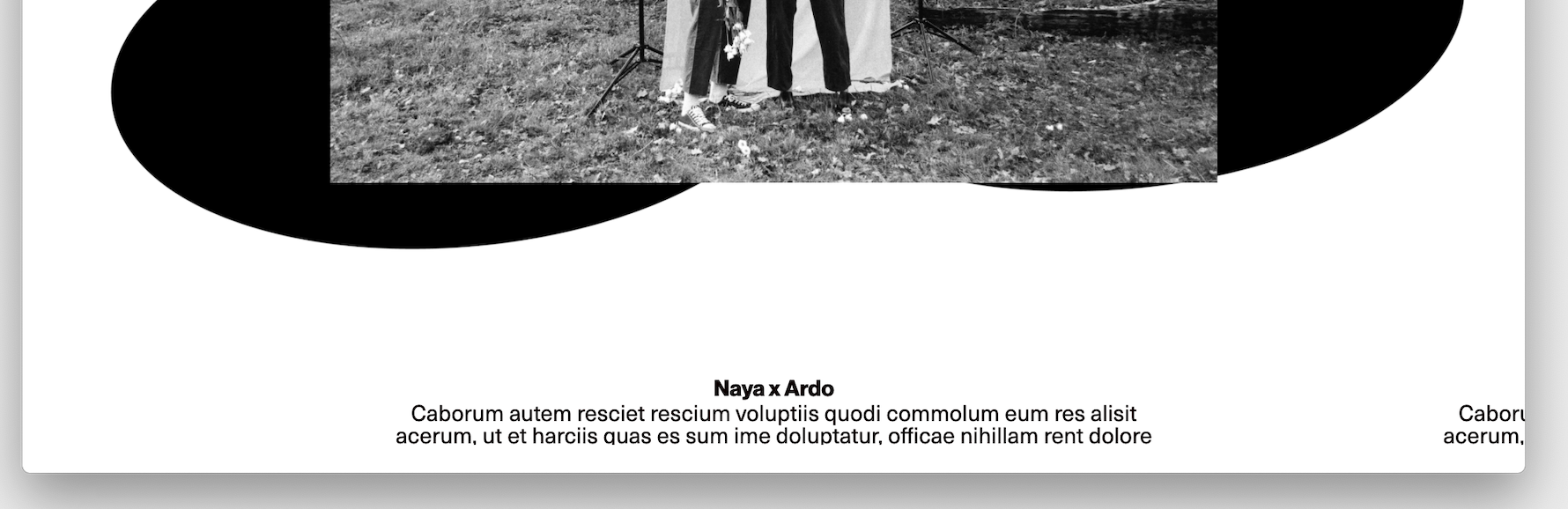
                        Capture d’écran 2021-01-14 à 12.09.24.png

                        Do you know why ?

                        Thanks,
                        Julia

                        1 Reply Last reply
                        0
                        • RichardR
                          RichardR
                          Richard
                          Global Moderator
                          wrote on last edited by
                          #13

                          Dear Julia @vondeldex

                          Could you post a link to your website with the Text in corner and i can have a better look! :)

                          Best
                          Richard

                          1 Reply Last reply
                          0
                          • V
                            V
                            vondeldex
                            wrote on last edited by
                            #14

                            Hello Richard !
                            Thanks for your reply,
                            Here is the link to the page : http://florilegerecords.com/accueil

                            There is also a problem with the smartphone, the text goes beneath the images and doesn't stick to the bottom,

                            Thanks !

                            1 Reply Last reply
                            0
                            • RichardR
                              RichardR
                              Richard
                              Global Moderator
                              wrote on last edited by
                              #15

                              Dear @vondeldex

                              I believe i have answered the same question in another thread :)

                              Best
                              Richard

                              1 Reply Last reply
                              0

                              Hello! It looks like you're interested in this conversation, but you don't have an account yet.

                              Getting fed up of having to scroll through the same posts each visit? When you register for an account, you'll always come back to exactly where you were before, and choose to be notified of new replies (either via email, or push notification). You'll also be able to save bookmarks and upvote posts to show your appreciation to other community members.

                              With your input, this post could be even better 💗

                              Register Login
                              Reply
                              • Reply as topic
                              Log in to reply
                              • Oldest to Newest
                              • Newest to Oldest
                              • Most Votes


                              Online Users
                              Forgot your key, lost your files, need a previous Lay Theme or Addon version? Go to www.laykeymanager.com
                              laytheme.com
                              • Login

                              • Don't have an account? Register

                              • Login or register to search.
                              • First post
                                Last post
                              0
                              • Recent
                              • Tags
                              • Popular
                              • Users
                              • Search