:active / :visited styles for project menu items
-
Hi,
sorry in advance if this is an annoying CSS question, but I just can't wrap my head around it.
I am trying to define individual styles for each menu item in the project sub-menu in one category. So I want Project A to be red when hovered, active and visited, Project B to be blue when hovered, active and visited, etc...I have incorporated this in the custom CSS so far:
.menu-item-138 a:hover{
		color: red !important;
}

.menu-item-138 a:hover::after {
		content: 'xxx';
		font-family: Arial;
		font-size: 15px;
		margin-left: 30px;
}
and it works perfectly fine, but I can't find a way to specify the same for the active and visited state of the menu-items. Is this even possible? It tried some things with current-menu-item, but couldn't customize it to only one menu-item at a time.
Would be very happy about some help, thanks a lot! -
-
Hi Marius,
thanks for your reply! I tried current-menu-item but could only make it work with one style for all current menu items. But I want menu-item A to look different when active and after it was visited to menu-item B when that one is active or was visited. Here's a sketch of what I mean:
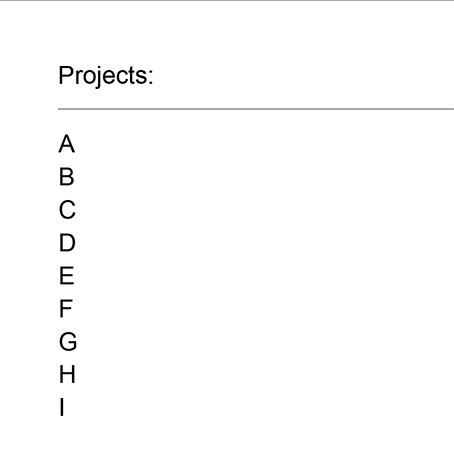
State 1: no menu item has yet been visited
State 2: menu item A and B have been visited, menu item C is active
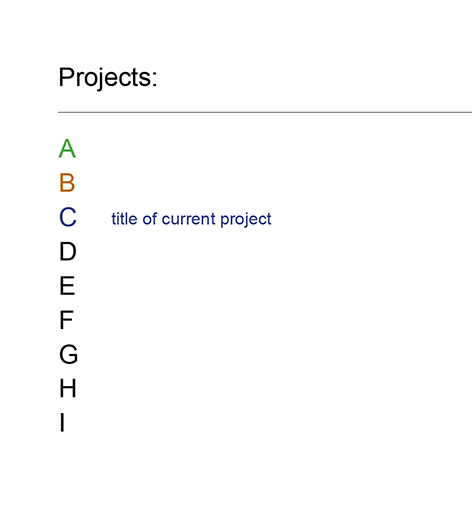
Hope that makes sense?
-
Dear @Leonie
looks like a lot of repeating code :-D#menu-item-236.current-menu-item { content: 'xxx'; font-family: Arial; font-size: 15px; margin-left: 30px; }Hope that helps!
Best!
Marius

Hello! It looks like you're interested in this conversation, but you don't have an account yet.
Getting fed up of having to scroll through the same posts each visit? When you register for an account, you'll always come back to exactly where you were before, and choose to be notified of new replies (either via email, or push notification). You'll also be able to save bookmarks and upvote posts to show your appreciation to other community members.
With your input, this post could be even better 💗
Register Login