Position: fixed; not working properly, instead keep scrolling with the page
-
Hi everyone.
I am having a problem with fixing an element, I have done this in the past and on other lay theme sites but for some reason it isn't working.
Website is here: http://pollardstreetprocessing.com/index-6-2. Password: layhelp
I am trying to get the black square (circled in red) to be fixed in position while the page scrolls, but they scroll with the page instead.
My CSS for the item is here:
.fixed-box-2 {
position: fixed;
bottom: 20px;
right:20px;
z-index: 1000;
}Positioning is not final, I just want to get them fixed first and I will position them after. Ideally they are positioned where they are now, just fixed 20px from the bottom of the page.
Can anyone help? What am I doing wrong?
Thanks,
Jack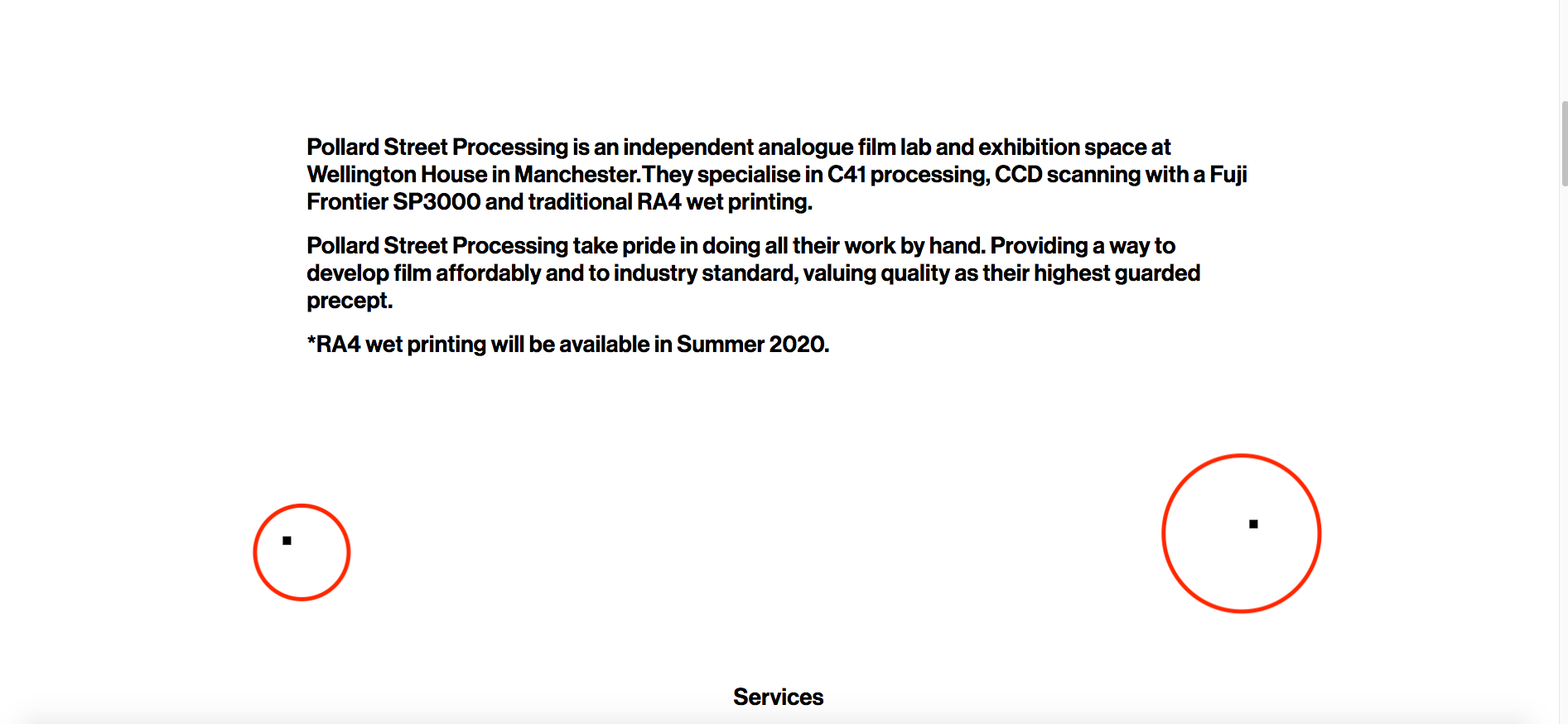
-
Dear @J-KMB
If I use this it works:.fixed-box-1 { position: fixed; left: 20%; top: 50%; }Best!
Marius

Hello! It looks like you're interested in this conversation, but you don't have an account yet.
Getting fed up of having to scroll through the same posts each visit? When you register for an account, you'll always come back to exactly where you were before, and choose to be notified of new replies (either via email, or push notification). You'll also be able to save bookmarks and upvote posts to show your appreciation to other community members.
With your input, this post could be even better 💗
Register Login