Setting frontpage when using qTranslate-XT

-
Hi
First of all thank you for all your amazing work with this theme!
I am making a dual-language website (Danish and English) where I am using qTranslate-XT. When I set the frontpage of the website it automatically sets the English version as the primary language –resulting in www.sitename.dk/en to be the front page. I want the primary language of the landing page to be Danish (www.sitename.dk/) but can't figure out how to change this.
These are my language settings (Languages > General > Default Language / Order:)

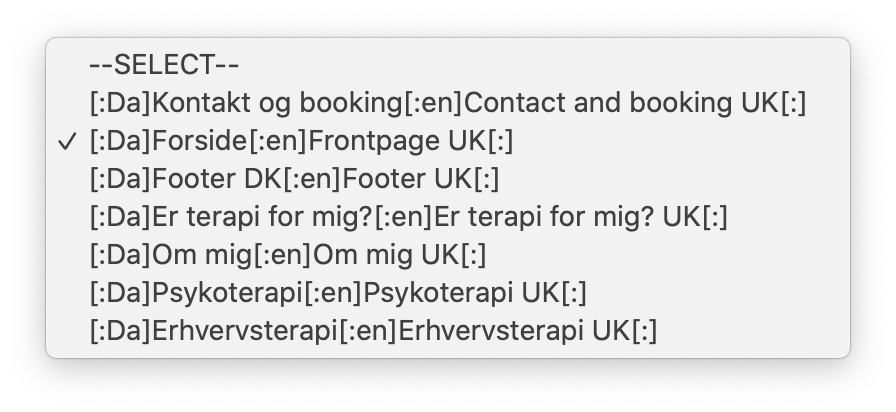
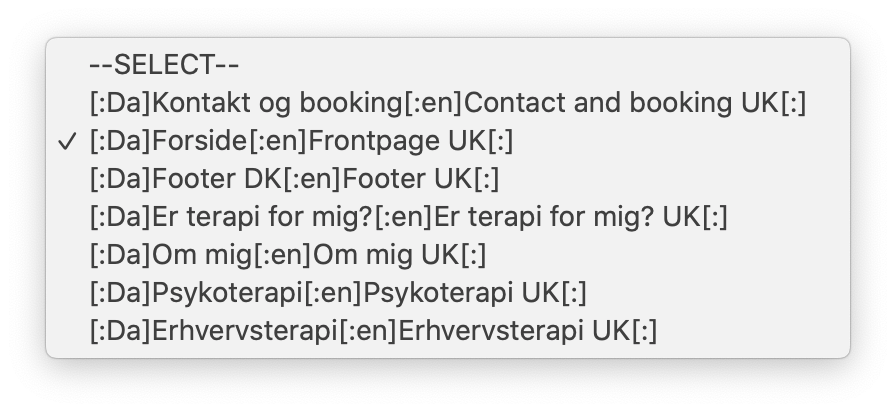
And this it what the dropdown looks like in Custumize > Front page > Choose a Page
This is the url: http://charlottehummervad.dk/ (and I use google chrome)
Really hope you can help with this!!!
Thank you once again
Best, J -
Dear @jensdan
best is to look through ALL settings possible from the plugin, look in the plugin forum and search in Google or here…
Nothing I can do - except telling you this.
Maybe someone else knows…
Best!
Marius -
Dear @jensdan
best is to look through ALL settings possible from the plugin, look in the plugin forum and search in Google or here…
Nothing I can do - except telling you this.
Maybe someone else knows…
Best!
MariusThank you for your reply @mariusjopen
It's amazing that you always take you time your time to answer so many questions!!! Thank you SO much.
I will look for a solution and post it here when I find it.Thanks again
J -
Thank you for your reply @mariusjopen
It's amazing that you always take you time your time to answer so many questions!!! Thank you SO much.
I will look for a solution and post it here when I find it.Thanks again
J@jensdan Is ‘Detect Browser Language’ checked (qTranslate plugin settings > General)? If so, you could try turning that off. See if that works.
EDIT: Also, from what I understood, the plugin remembers what language you were looking at the last time you visited the site. Do not know if that is a setting.
-
Dear @jensdan
thank you :D
Happy to help.
Best!Marius

Hello! It looks like you're interested in this conversation, but you don't have an account yet.
Getting fed up of having to scroll through the same posts each visit? When you register for an account, you'll always come back to exactly where you were before, and choose to be notified of new replies (either via email, or push notification). You'll also be able to save bookmarks and upvote posts to show your appreciation to other community members.
With your input, this post could be even better 💗
Register Login