How can I position elements the same place for each fullscreen slide with Fullscreen Slider?

-
Hi Lay support team!
When I place elements on my site and use Fullscreen Slider the elements as a default (of course) always become centered on the Y-axis for each fullscreen slide (as seen in the link below).
https://jonasgeorgchristensen.net/bemalinger
I do not want my pictures to be centered like that so...
How can I position my elements at the same place for each fullscreen slide with fullscreen slider?
In the case seen in the link, I would like to have my pictures on each slide positioned to the left (as they are now) but placed higher up on each slide, starting around 6 % from the top.
(see my beautiful screenshot to get help understanding my poor explination)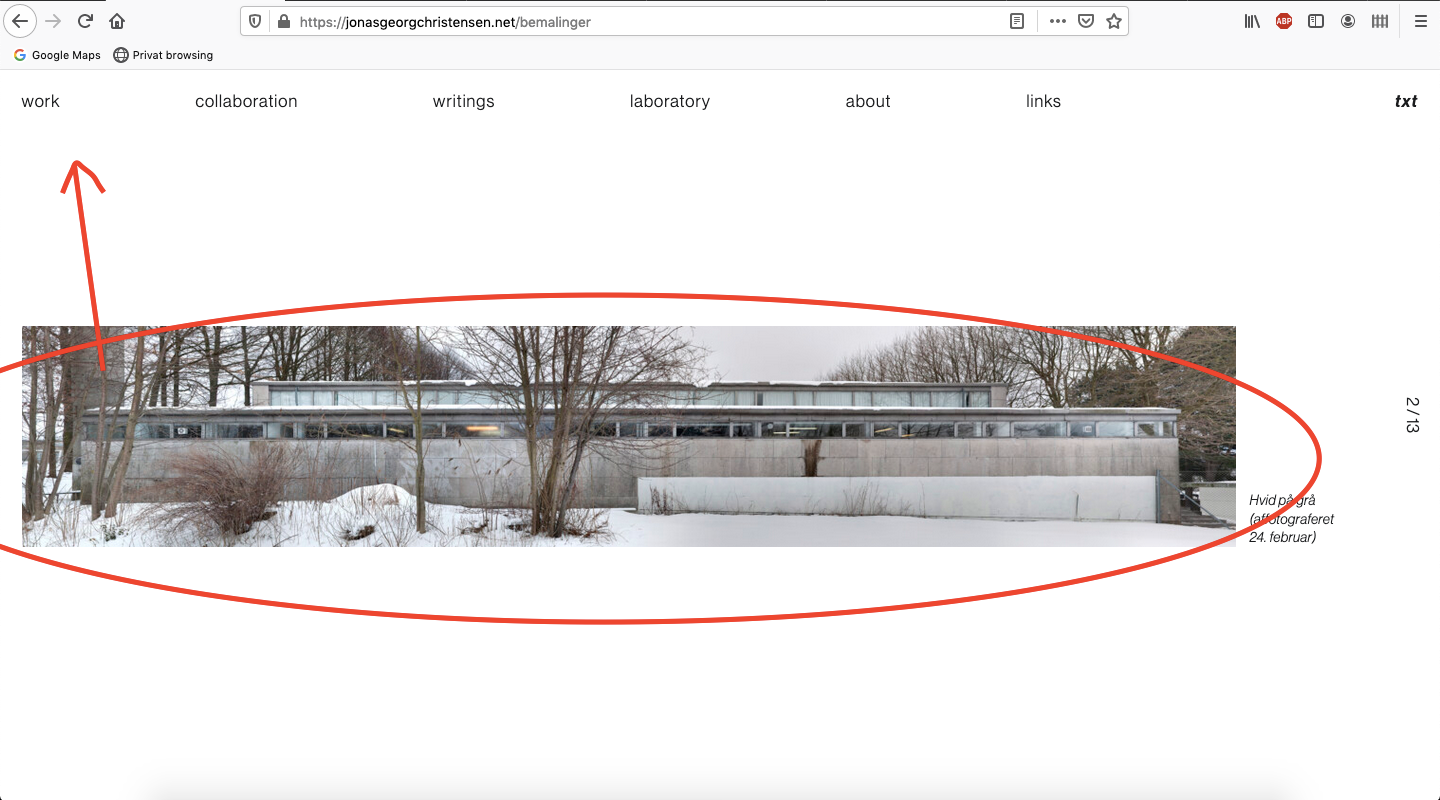
I tried to html-tag the pictures individually, and then place them individually by CSS: "position" and "top: 6%" , but that ofc only place the first picture/element correcty...
Can you pleace help me find a way to position all the pictures with the same distances to the top, when they are displayed in each slide.
Kind regards
T -
Dear T
Add the following code in Lay-options - Custom CSS & HTML - the Custom CSS Area at the top:

.fp-tableCell {
    vertical-align: top !important;
}
And let me know if this helps :)
Thank you for using Lay Theme and have a wonderful day!
Best
Richard -
-
Dear @TSJ
When i view your website the images sit at the top:

Maybe if you reset your Browsers cache?Sorry about me not getting the ' 6%' margin earlier so:
.fp-tableCell {
    vertical-align: top !important;
}

.fp-tableCell .row-inner {
    margin-top: 6%;
}
Is that what you were after? :)
Best
Richard

Hello! It looks like you're interested in this conversation, but you don't have an account yet.
Getting fed up of having to scroll through the same posts each visit? When you register for an account, you'll always come back to exactly where you were before, and choose to be notified of new replies (either via email, or push notification). You'll also be able to save bookmarks and upvote posts to show your appreciation to other community members.
With your input, this post could be even better 💗
Register Login