Skip to content
  • Recent
  • Tags
  • Popular
  • Users
  • Search
Skins
  • Light
  • Brite
  • Cerulean
  • Cosmo
  • Flatly
  • Journal
  • Litera
  • Lumen
  • Lux
  • Materia
  • Minty
  • Morph
  • Pulse
  • Sandstone
  • Simplex
  • Sketchy
  • Spacelab
  • United
  • Yeti
  • Zephyr
  • Dark
  • Cyborg
  • Darkly
  • Quartz
  • Slate
  • Solar
  • Superhero
  • Vapor

  • Default (No Skin)
  • No Skin
Collapse

Lay Theme Forum

  1. Home
  2. Addons
  3. Google Maps and text

Google Maps and text

Scheduled Pinned Locked Moved Addons
7 Posts 2 Posters 1.1k Views
  • Oldest to Newest
  • Newest to Oldest
  • Most Votes
Reply
  • Reply as topic
Log in to reply
This topic has been deleted. Only users with topic management privileges can see it.
  • C
    C
    cschm.tz
    wrote on last edited by
    #1

    @mariusjopen
    Hi all, I am using WP Google Maps as a plugin for my site.
    Do you by any chance know if it allows you to have text over the map?

    The idea was to have the map as a full size background and some descriptive text on top, instead of underneath as I have now.
    https://lasalbercas.com/como-llegar-2-2

    Any suggestions are great at this stage!!!
    Thanks so much in advance,

    Christian

    1 Reply Last reply
    0
    • RichardR
      RichardR
      Richard
      Global Moderator
      wrote on last edited by Richard
      #2

      Dear Christian @cschm-tz

      I don't know if its possible with the Google maps plugin..

      Try adding this code to the "Custom CSS" Area of 'Lay Options - Custom CSS & HTML" :

      .text.lay-textformat-parent {
          transform: translate(0px , -500px);
      
      }
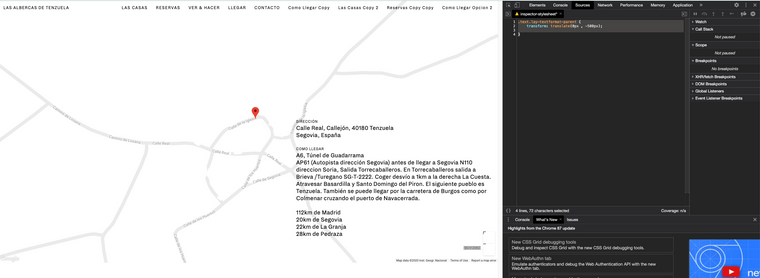
      

      Screen Shot 2020-12-08 at 5.22.30 PM.png
      Let me know how you go and have a wonderful day :)
      Richard

      1 Reply Last reply
      0
      • C
        C
        cschm.tz
        wrote on last edited by
        #3

        @Richard-K said in Google Maps and text:

        .text.lay-textformat-parent {
        transform: translate(0px , -500px);

        }

        Hey Richard!
        Thanks so much for your tips :)

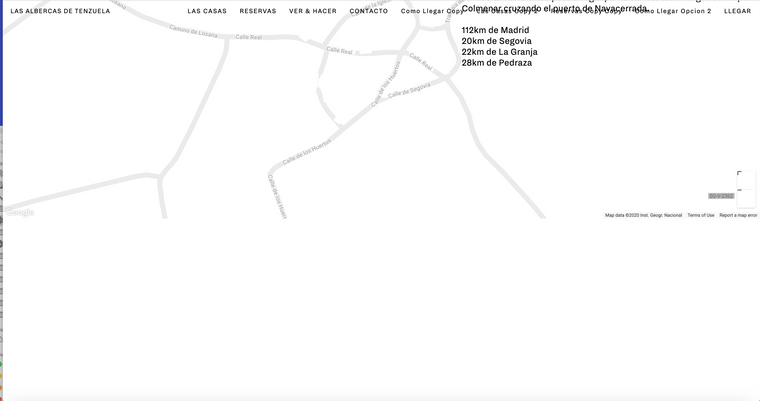
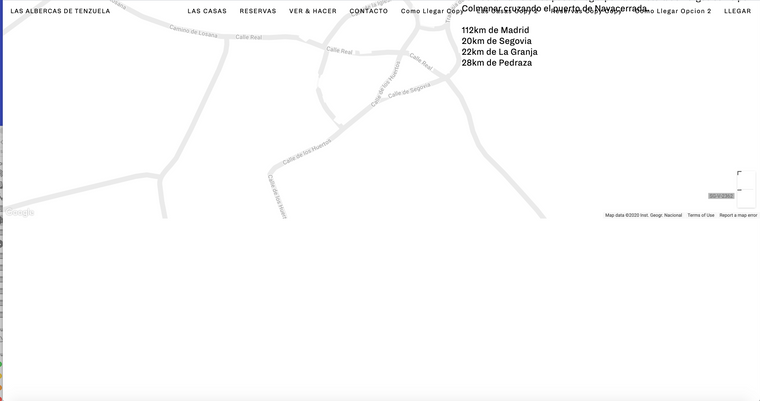
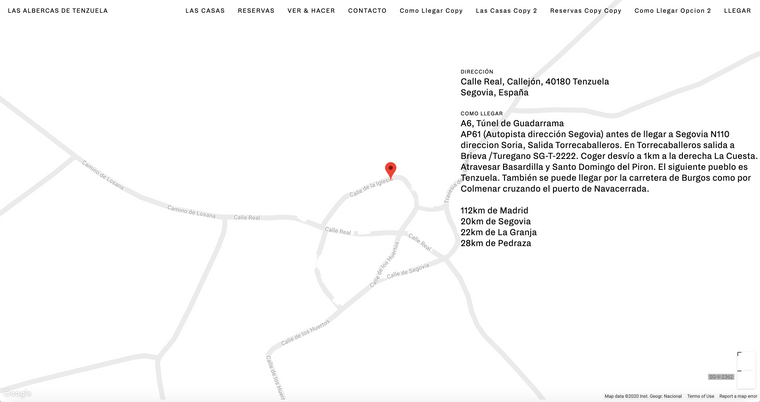
        The text has now moved which is definitely progress, but now I am left with a blank space which is where the text used to live. Is there a way of getting rid of this without deleting the text altogether? (screenshot attached)

        This is the updated link by the way!
        https://lasalbercas.com/como-llegar-2-2-3

        Thanks again for your help and have a great day!
        Christian
        Captura de pantalla 2020-12-08 a las 13.08.38.png Captura de pantalla 2020-12-08 a las 13.08.46.png

        1 Reply Last reply
        0
        • C
          C
          cschm.tz
          wrote on last edited by
          #4

          @Richard-K
          Hey again Richard,
          Is it possible this last change in css you suggested changes the text behaviour throughout the whole site?

          .text.lay-textformat-parent {
          transform: translate(0px , -740px);

          Is there a way of only addressing the paragraph in the maps page which appears in the above screenshots?

          Thanks so much for your time!!!
          All the best

          Christian

          1 Reply Last reply
          0
          • RichardR
            RichardR
            Richard
            Global Moderator
            wrote on last edited by
            #5

            Dear Christian

            You are completely right, i was not thinking properly sorry.

            We can give an element within the Gridder its own class or ID so we can target it specifically:

            Right-click element:

            Screen Shot 2020-12-10 at 10.45.49 PM.png

            Then set either a custom 'Class' or 'ID' in my example i have used 'special' :

            Screen Shot 2020-12-10 at 10.46.12 PM.png

            Then the code if you chose a 'class' ( also don't actually need to address 'text' anymore but just to be safe ) :

            .special .text {
                transform: translate(0px , -500px);
            }
            

            Or the Code if you chose an ID :

            #special .text {
                transform: translate(0px , -500px);
            }
            

            CSS transform: translate - has a lot of possible options and you can change the code to suit your needs:
            https://www.w3schools.com/css/css3_2dtransforms.asp

            Once again sorry about my past answer, and thanks for using Lay Theme Christian
            If you have any more questions let me know :)

            Best
            Richard

            1 Reply Last reply
            0
            • C
              C
              cschm.tz
              wrote on last edited by
              #6

              @Richard-K said in Google Maps and text:

              .special .text {
              transform: translate(0px , -500px);
              }

              Hi Richard

              Thank you so much that will become very handy, although that sadly still doesn't solve the white gap I am left with — where the text original was placed. I have reattached for you to see :)

              Getting rid of this space through css has meant deleting the text altogether — do you know a way around this?

              Thanks again for all your helpful suggestions,
              Best

              Christian

              Captura de pantalla 2020-12-08 a las 13.08.38.png

              1 Reply Last reply
              0
              • RichardR
                RichardR
                Richard
                Global Moderator
                wrote on last edited by
                #7

                Dear @cschm-tz

                Are you able just to use the 'stack' feature?
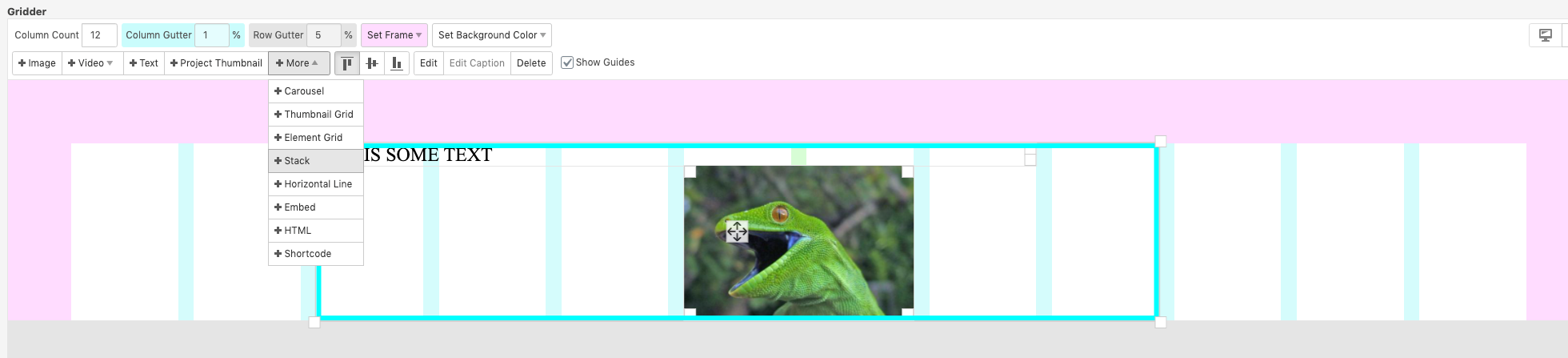
                Screen Shot 2020-12-15 at 2.54.35 PM.png

                Text should easily be placed on top ' stacked' on other elements - i was using code because i assumed this hadn't worked for you

                Best
                Richard

                1 Reply Last reply
                0

                Hello! It looks like you're interested in this conversation, but you don't have an account yet.

                Getting fed up of having to scroll through the same posts each visit? When you register for an account, you'll always come back to exactly where you were before, and choose to be notified of new replies (either via email, or push notification). You'll also be able to save bookmarks and upvote posts to show your appreciation to other community members.

                With your input, this post could be even better 💗

                Register Login
                Reply
                • Reply as topic
                Log in to reply
                • Oldest to Newest
                • Newest to Oldest
                • Most Votes


                Online Users
                Forgot your key, lost your files, need a previous Lay Theme or Addon version? Go to www.laykeymanager.com
                laytheme.com
                • Login

                • Don't have an account? Register

                • Login or register to search.
                • First post
                  Last post
                0
                • Recent
                • Tags
                • Popular
                • Users
                • Search