How to fix content scrolling over fixed footer? I'd like the content to scroll top and behind footer. Thanks

-
-
-
@ECCS I did this yesterday to my footer. I have a transparent, fixed footer and the content is scrolling behind it. This is what I put in my CSS:
.slug-release #footer-region {
position: fixed;
background:transparent;
bottom: 0;
z-index: 999
}Breakdown:
- .slug-release – release is the name of the page the footer should appear on. Leave .slug– and add the name of your page afterward.
- position: fixed – footer is always at the bottom of the browser
- background: transparent – footer background is transparent. You can put any color here.
- bottom: 0 – put this to zero and layout your grid in the footer page.
- z-index: 999 – this puts the footer to the front on top of all the content
Hope this helps. I am sure there are different ways to do it but this is how I did it. I don't have a lot of CSS knowledge.
Cheers,
Louis -
Dear @ECCS
Hi, If you can post a link to your website that would be great to see what is needed :)
Best
Richard@Richard-K
https://chowesther.com/I just added the following to the custom CSS but I'm sure there's something else to add to clear the issue
#footer-region{
position: fixed;
bottom: 0;
left: 0;
width: 100%;
} -
@ECCS I did this yesterday to my footer. I have a transparent, fixed footer and the content is scrolling behind it. This is what I put in my CSS:
.slug-release #footer-region {
position: fixed;
background:transparent;
bottom: 0;
z-index: 999
}Breakdown:
- .slug-release – release is the name of the page the footer should appear on. Leave .slug– and add the name of your page afterward.
- position: fixed – footer is always at the bottom of the browser
- background: transparent – footer background is transparent. You can put any color here.
- bottom: 0 – put this to zero and layout your grid in the footer page.
- z-index: 999 – this puts the footer to the front on top of all the content
Hope this helps. I am sure there are different ways to do it but this is how I did it. I don't have a lot of CSS knowledge.
Cheers,
Louis@Louis-josek said in How to fix content scrolling over fixed footer? I'd like the content to scroll top and behind footer. Thanks:
.slug-release #footer-region {
Thank You, for the code and elaborating. It worked :)
-
Hey, I have the problem, that my footer is hiding some content underneath …
I have coded that the background is solid white, because content was flowing over the footer.
Now I have the Problem, that my Footer is not under the last bit of text, but hiding the last bit under the footer …
My Code so far:
#footer-region{
position: fixed;
background: white;
width: 100%;
bottom: 0;
z-index: 999
}Anyone can help?
-
yea because the footer is position fixed, it is not part of the content flow, meaning it doesn't make the page height taller anymore.
that is why you could set.lay-content{ margin-bottom: 600px!important; }and 600px needs to be the height of the footer.
look at this website for example (not a lay theme website but the same principle applies):
https://100k.studio/it has a fixed footer and the div above the footer creates space for the footer by having a margin-bottom
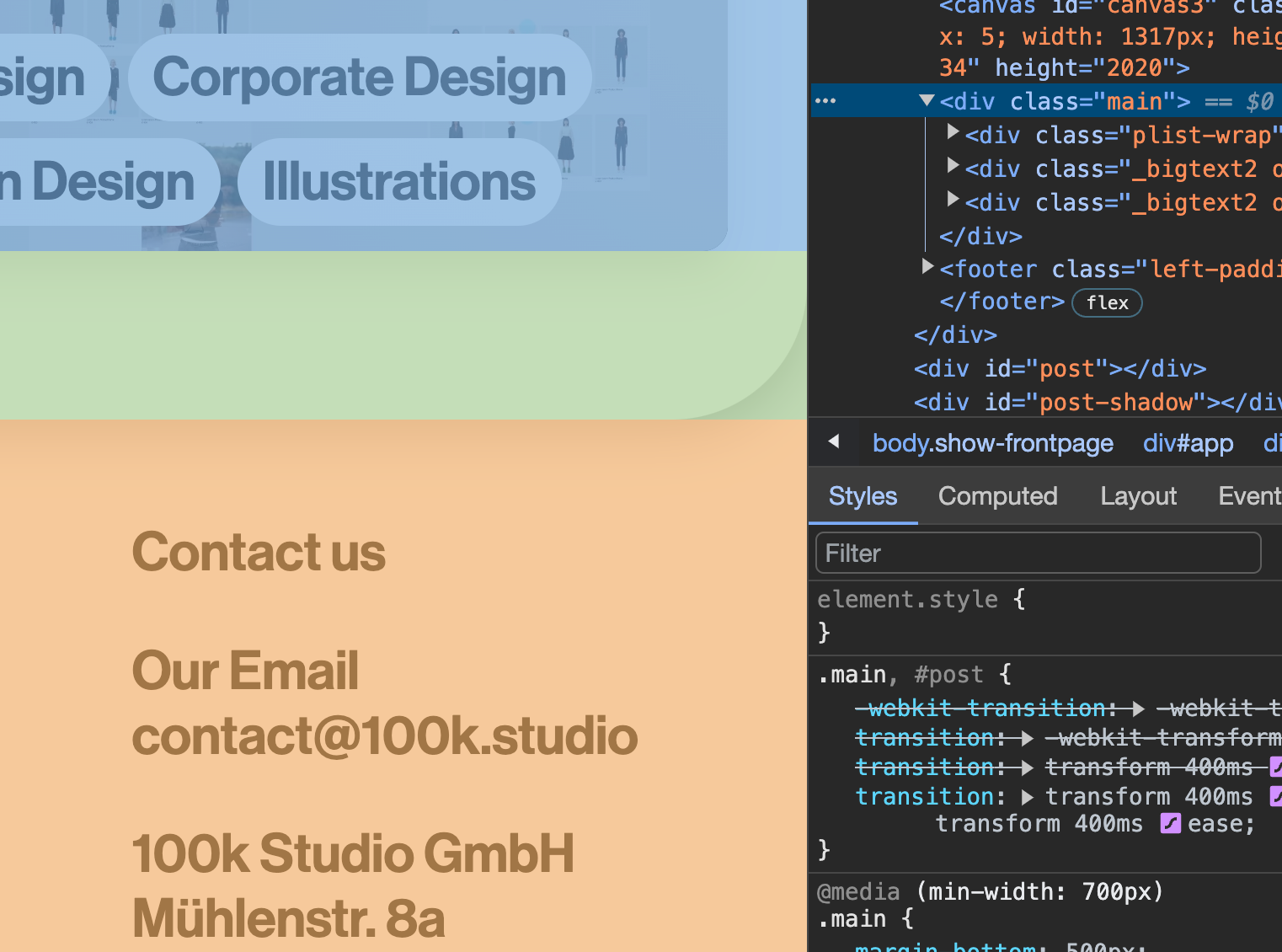
if you cant make it work please post a link here


Hello! It looks like you're interested in this conversation, but you don't have an account yet.
Getting fed up of having to scroll through the same posts each visit? When you register for an account, you'll always come back to exactly where you were before, and choose to be notified of new replies (either via email, or push notification). You'll also be able to save bookmarks and upvote posts to show your appreciation to other community members.
With your input, this post could be even better 💗
Register Login