Skip to content
  • Recent
  • Tags
  • Popular
  • Users
  • Search
Skins
  • Light
  • Brite
  • Cerulean
  • Cosmo
  • Flatly
  • Journal
  • Litera
  • Lumen
  • Lux
  • Materia
  • Minty
  • Morph
  • Pulse
  • Sandstone
  • Simplex
  • Sketchy
  • Spacelab
  • United
  • Yeti
  • Zephyr
  • Dark
  • Cyborg
  • Darkly
  • Quartz
  • Slate
  • Solar
  • Superhero
  • Vapor

  • Default (No Skin)
  • No Skin
Collapse

Lay Theme Forum

  1. Home
  2. Bug Reports
  3. Internal sever error jQuery code
Internal sever error jQuery code

Scheduled Pinned Locked Moved Bug Reports
8 Posts 4 Posters 914 Views 2 Watching
  • Oldest to Newest
  • Newest to Oldest
  • Most Votes
Reply
  • Reply as topic
Log in to reply
This topic has been deleted. Only users with topic management privileges can see it.
  • M
    M
    Mathilde
    wrote on last edited by
    #1

    Dear Laytheme,

    Some time ago I wanted to make a circle turn at the same time as the scroll, for that I used the following jQuery code in the part "Custom <head> content ».

    <script>
    
    jQuery(window).scroll(function() {
    
      var offset = jQuery(window).scrollTop();
      offset  = offset * 0.4;
    
      jQuery('.fixed-element-circle').css({
        '-moz-transform': 'rotate(' + offset + 'deg)',
        '-webkit-transform': 'rotate(' + offset + 'deg)',
        '-o-transform': 'rotate(' + offset + 'deg)',
        '-ms-transform': 'rotate(' + offset + 'deg)',
        'transform': 'rotate(' + offset + 'deg)',
      }); 
    
    });
    
    </script>
    

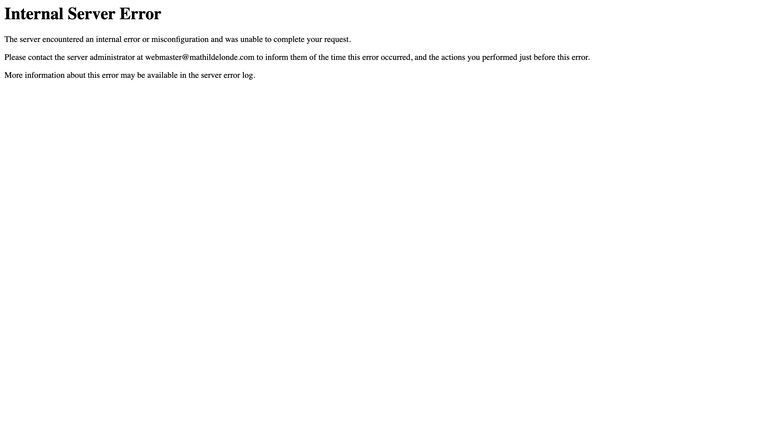
    It worked perfectly fine so far, but since a few days now, once I click on "save changes" on the custom css and html page, I land on an "Internal server error » message.

    After some tests to try to solve the problem, I realized it happened with all Jquery code I use, so I had to take them off.

    I don’t understand why, can you please give me some help with that ?

    Thank you in advance!
    Capture d’écran 2021-03-10 à 11.58.17.png

    1 Reply Last reply
    0
    • J
      J
      jsphbngrnd
      wrote on last edited by
      #2

      Hey Laytheme, I'm experiencing the same issue on two websites!
      If you have any idea how to fix this please let us know :D

      1 Reply Last reply
      0
      • RichardR
        RichardR
        Richard
        Global Moderator
        wrote on last edited by
        #3

        Dear @Mathilde @jsphbngrnd

        Could you please post a link to your websites, and as always to be sure before moving forwards:

        • Wordpress, Lay Theme & Laytheme's Addons are all up to date ?

        • Any Custom CSS or JS that may interfere is temporarily removed.

        • Any third-party plugins de-activated to see if this resolves the issue.

        I know this has happened after a recent update, so likely a bug and will need to forward it - If the above do not help:

        Could you please send your website address, /wp-admin/ username and password and a link to this topic to info@laytheme.com?

        Will stay posted and talk soon!

        Best
        Richard

        1 Reply Last reply
        0
        • M
          M
          Mathilde
          wrote on last edited by
          #4

          Hi @Richard

          Thank you for your respond!
          Yes, everything is up to date, all plugins have been deactivated, and all CSS or JS removed but the problem still remain.
          I just sent an email with the information you asked.

          Best,
          Mathilde

          1 Reply Last reply
          0
          • RichardR
            RichardR
            Richard
            Global Moderator
            wrote on last edited by Richard
            #5

            Dear @Mathilde @jsphbngrnd

            Please make sure:
            Have you read the documentation about applying jQuery/Javascript to LayTheme & wrapping code in a 'Newpage Event' ?

            https://laytheme.com/documentation.html#custom-javascript

            <script>
            window.laytheme.on("newpageshown", function(layoutObj, type, obj){
            
            });
            </script>
            

            Make sure before proceeding :)
            Best
            Richard

            1 Reply Last reply
            0
            • M
              M
              Mathilde
              wrote on last edited by
              #6

              Dear @Richard,

              Yes, but i’m not sure to understand everything, I’m not very experimented.

              Could you please tell me how I should write my code, wrapping code in a 'Newpage Event’, so I can see if it’s work ? :)

              Thank you very much!

              Best,
              Mathilde

              1 Reply Last reply
              0
              • arminunruhA
                arminunruhA
                arminunruh
                Global Moderator
                wrote on last edited by
                #7

                Hey Mathilde,

                I believe this could be related to this:
                https://laytheme.com/troubleshooting.html#updating-redirects

                1 Reply Last reply
                1
                • M
                  M
                  Mathilde
                  wrote on last edited by
                  #8

                  hey @Armin-Unruh,

                  Yes it was related to that, thank you for your help!! It's working again :)
                  Have a nice day,

                  Mathilde

                  1 Reply Last reply
                  1

                  Hello! It looks like you're interested in this conversation, but you don't have an account yet.

                  Getting fed up of having to scroll through the same posts each visit? When you register for an account, you'll always come back to exactly where you were before, and choose to be notified of new replies (either via email, or push notification). You'll also be able to save bookmarks and upvote posts to show your appreciation to other community members.

                  With your input, this post could be even better 💗

                  Register Login
                  Reply
                  • Reply as topic
                  Log in to reply
                  • Oldest to Newest
                  • Newest to Oldest
                  • Most Votes


                  Online Users
                  L
                  lstark
                  Forgot your key, lost your files, need a previous Lay Theme or Addon version? Go to www.laykeymanager.com
                  laytheme.com
                  • Login

                  • Don't have an account? Register

                  • Login or register to search.
                  • First post
                    Last post
                  0
                  • Recent
                  • Tags
                  • Popular
                  • Users
                  • Search

