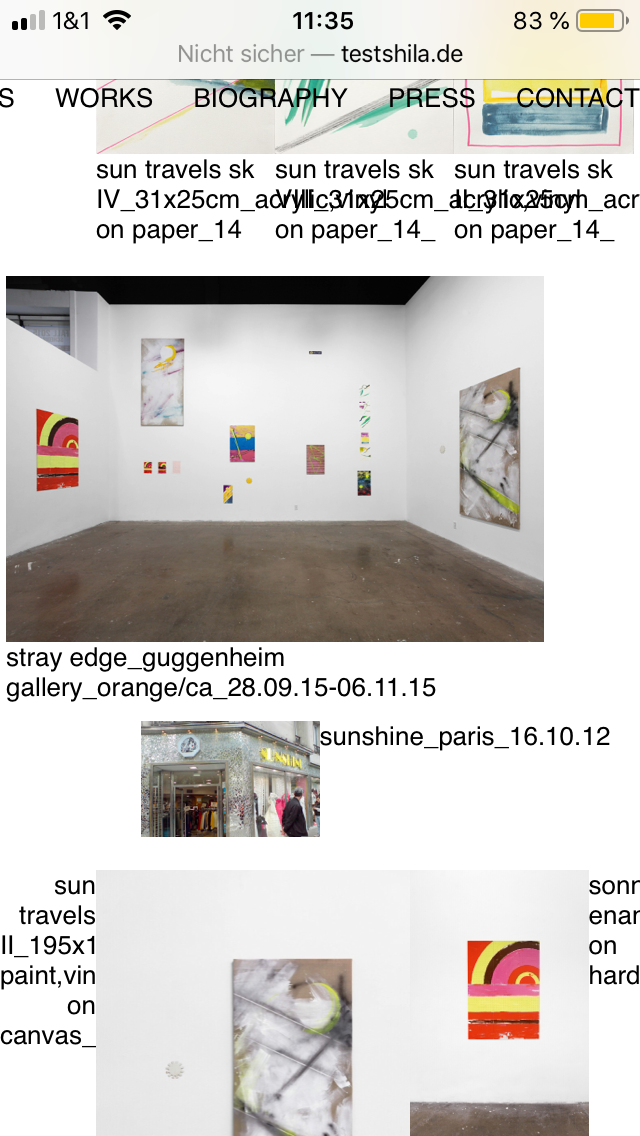
Mobile Version Text Format
-
-
-
-
-
-
Dear Daniel
@danny
Very close 🌝
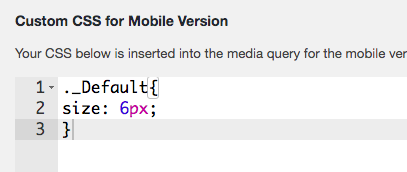
._Default{
font-size:6px;
}
Now the trick is how to apply it only on mobile even though you have set no mobile breakpoint for the CSS to apply to?
A: We can use a 'Media Query'
@media only screen and (max-width: 600px) {
     ._Default{
    font-size:6px;
    }
}
The above says:
For a screen 600px and under - Apply the following CSS Rules - Class: _Default now gets a font-size of 6px.In some cases you may need to apply the term
!important
to override any CSS that has already been set that may interfere.!importantwill always take precedence. However use it sparingly as a rule.@media only screen and (max-width: 600px) { ._Default{ font-size:6px !important; } }
Hope this helps Daniel and best wishes ✨
Richard
-
Dear @Richard,
thanks so much, works great!!
Would it be possible that you have a look at my other questions on the Lightbox Captions (http://laythemeforum.com/topic/6880/lightbox-caption-alignment)
and the size and colour of the menu points?
http://laythemeforum.com/topic/6872/different-font-for-each-menu-point
Thanks again.
It is really fun to work with the theme,
Best wishes and a nice day,
Daniel
-
-
Dear Daniel
@danny
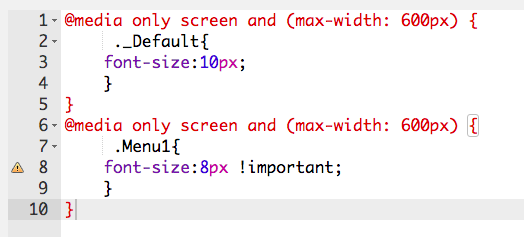
You can declare your CSS rules within one 'media query'. You do not need to make muiltiple - E.g:
@media only screen and (max-width: 600px) {
     ._default{
             font-size:10px;
     }

     .Menu{
             font-size:8px !important;
     }
}
Please note, respectfully Daniel that if you wish to go deeper into customising Lay theme it is up to you to research how Basic CSS and HTML function, i am unfortunately unable to maintain a tutorial like this even though i wish to help.
Have a wonderful day Daniel and thank you for supporting Lay theme.
Best
Richard
-


Hello! It looks like you're interested in this conversation, but you don't have an account yet.
Getting fed up of having to scroll through the same posts each visit? When you register for an account, you'll always come back to exactly where you were before, and choose to be notified of new replies (either via email, or push notification). You'll also be able to save bookmarks and upvote posts to show your appreciation to other community members.
With your input, this post could be even better 💗
Register Login