Skip to content
  • Recent
  • Tags
  • Popular
  • Users
  • Search
Skins
  • Light
  • Brite
  • Cerulean
  • Cosmo
  • Flatly
  • Journal
  • Litera
  • Lumen
  • Lux
  • Materia
  • Minty
  • Morph
  • Pulse
  • Sandstone
  • Simplex
  • Sketchy
  • Spacelab
  • United
  • Yeti
  • Zephyr
  • Dark
  • Cyborg
  • Darkly
  • Quartz
  • Slate
  • Solar
  • Superhero
  • Vapor

  • Default (No Skin)
  • No Skin
Collapse

Lay Theme Forum

  1. Home
  2. Bug Reports
  3. Problem adding Google Fonts

Problem adding Google Fonts

Scheduled Pinned Locked Moved Bug Reports
2 Posts 2 Posters 262 Views
  • Oldest to Newest
  • Newest to Oldest
  • Most Votes
Reply
  • Reply as topic
Log in to reply
This topic has been deleted. Only users with topic management privileges can see it.
  • panteleyP
    panteleyP
    panteley
    wrote on last edited by
    #1

    Hi,

    Hope you're doing well.

    I'm having some issues recently when I trying to add different fonts from the same family from Google Fonts. It's ok when I add the first Font weight, but when I continue to add the rest of the weights from the family it only displays one weight.
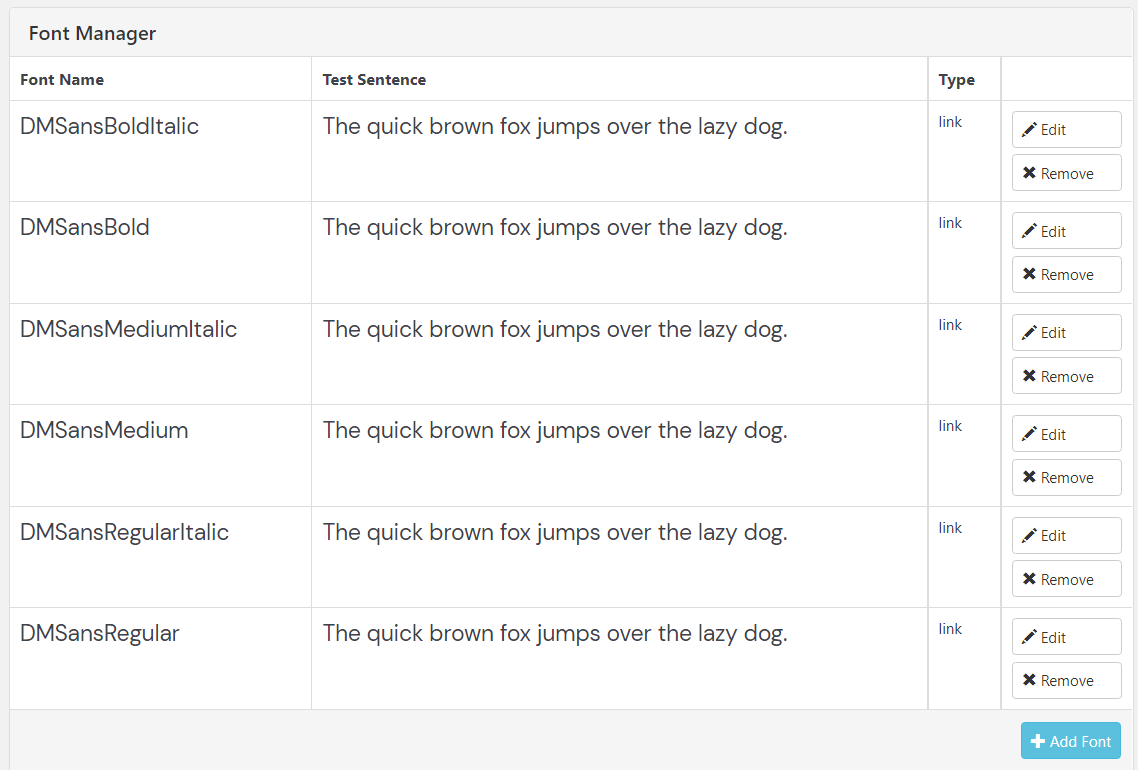
    Screenshot 2021-09-08 231821.png

    Screenshot 2021-09-08 231909.png

    It's really annoying,
    Thanks,

    1 Reply Last reply
    0
    • RichardR
      RichardR
      Richard
      Global Moderator
      wrote on last edited by
      #2

      Dear @pandeli

      In your above screenshot, you may see its written:

      "Please insert your "Font name", "JavaScript Embed Code" and your "font-family" CSS below. Don't insert any other CSS styles like "font-weight" or "font-style"!"

      You only need to insert the main font-family from google, not its variations. Then in "text formats" you can use this font and change its weight or style settings properly:
      Screen Shot 2021-09-10 at 6.47.53 PM.png

      https://laytheme.com/documentation.html#textformats


      Best wishes 🌝
      Richard
      1 Reply Last reply
      0

      Hello! It looks like you're interested in this conversation, but you don't have an account yet.

      Getting fed up of having to scroll through the same posts each visit? When you register for an account, you'll always come back to exactly where you were before, and choose to be notified of new replies (either via email, or push notification). You'll also be able to save bookmarks and upvote posts to show your appreciation to other community members.

      With your input, this post could be even better 💗

      Register Login
      Reply
      • Reply as topic
      Log in to reply
      • Oldest to Newest
      • Newest to Oldest
      • Most Votes


      Online Users
      Forgot your key, lost your files, need a previous Lay Theme or Addon version? Go to www.laykeymanager.com
      laytheme.com
      • Login

      • Don't have an account? Register

      • Login or register to search.
      • First post
        Last post
      0
      • Recent
      • Tags
      • Popular
      • Users
      • Search