Text-Color vs. Background-Color of Editor
-
Hello,
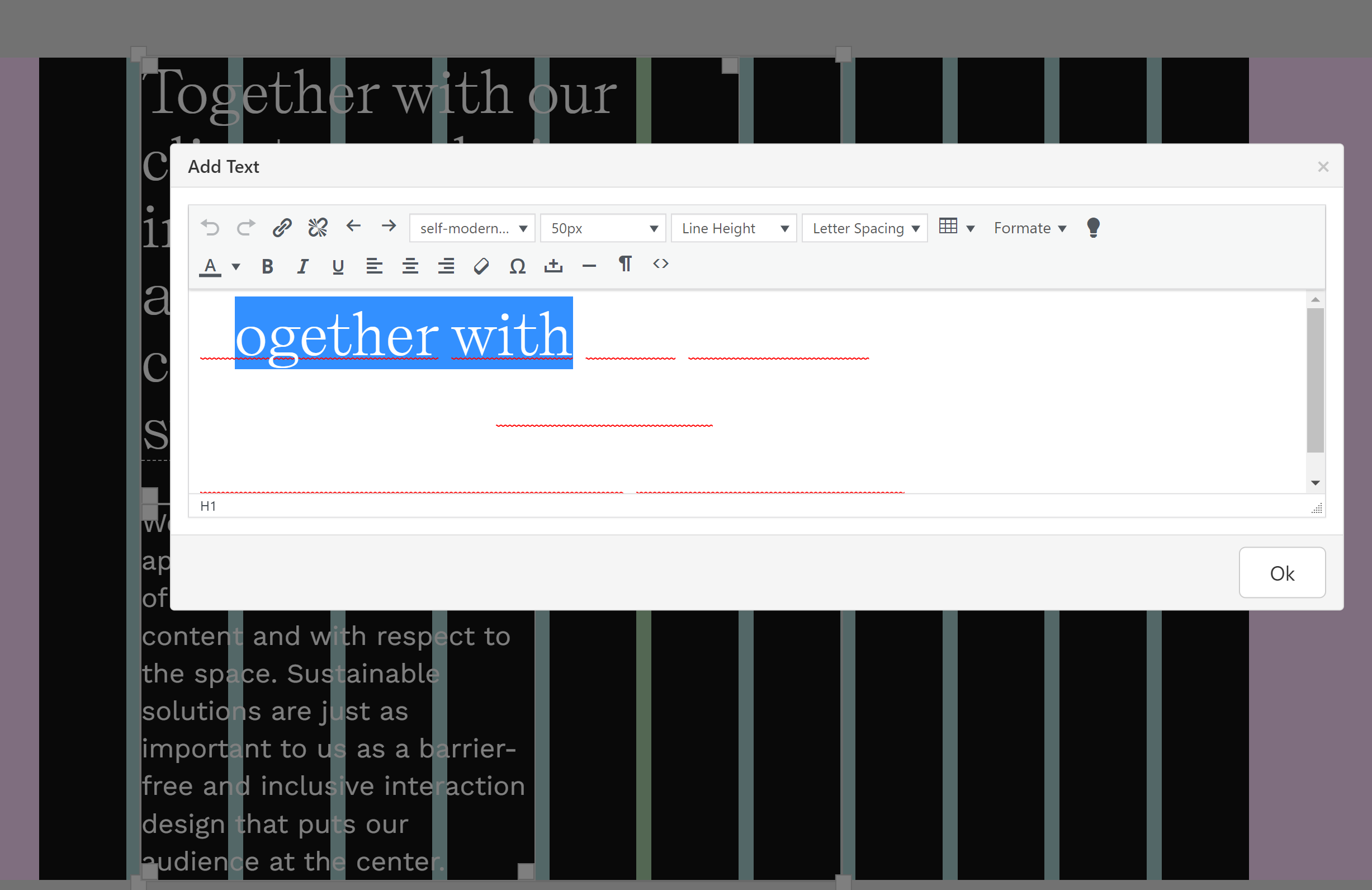
my website design is based on a dark background. And that is why I have choosen a white font-color for the text.
Now I have the problem, that the editor for text is rendering the font like my preset but the background color of the editor is white by default:
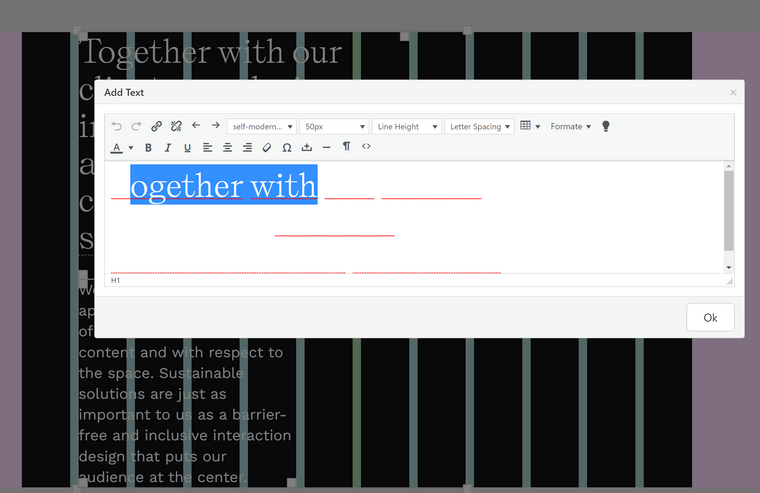
Has anyone an idea how to change the background-color of the editor or what could be another solution to the problem?
Best
Johannes -
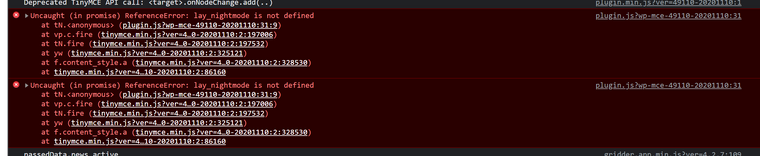
Noticed, that the new Nightmode-Button doesn't do anything. Also getting this error:
-
Dear @timperangel
Thank you for the Bug report, another user has also experienced this and i can confirm it as well, it has been forwarded to Armin ✅
Best ✨
Richard
-
Dear Richard and Armin,
since your last answer I am refreshing multiple times a day the laytheme changelog page hoping that a fix for the bug will be released. :) I can't work productively atm since I can't see the white text in the white background.
So here is my question: When are you planing to release a ne laytheme version with a fix?
And do you have any hotfix-recommendation in the meantime in case the update will take a while?
Best
Johannes -
hey i cant reproduce this bug
can you update lay theme again?
can you maybe clear ur cache and try again? -
Hey Armin,
after updating the theme I had a very unpleasant last hour... 😓
In the backend everything was fine, but at the moment when I wanted to check the customizer I've got this:
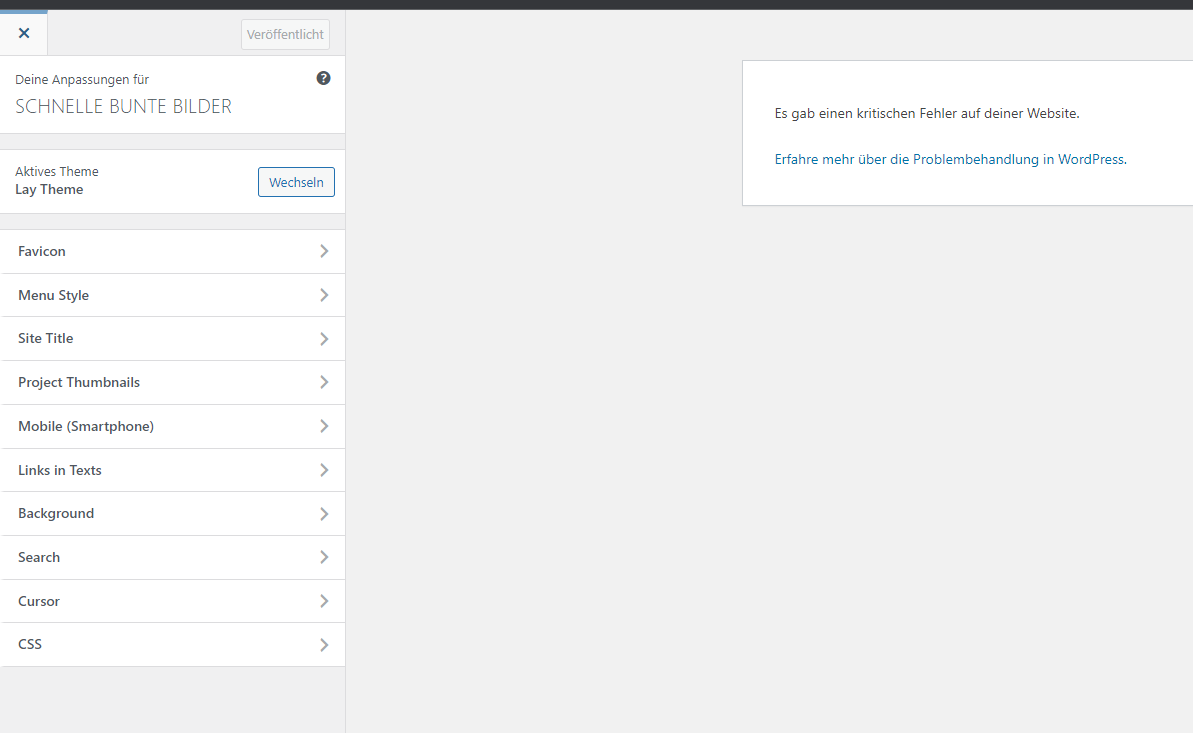
Same was for going the actual website.
After this I cleared the cache (WP Fastest Cache) without any success. Next was deactivating all the plugins, but nothing changed for the good.
I checked the standard Wordpress Theme and because this worked, I ended up deleting the Lay Theme and manually uploaded a backup of the theme folder from one month ago with the version: 4.2.7
Good news:
- The frontend is working again → https://schnellebuntebilder.de/
The bad news:
- Customizer is still not working and I am getting now this:
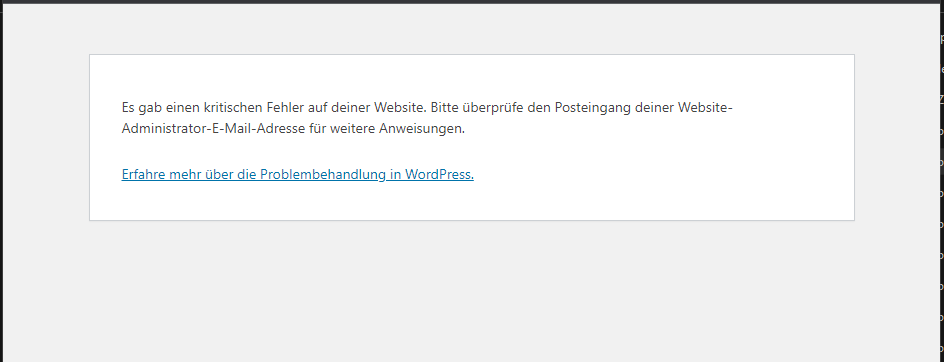
In the mail it says:
Wenn du Hilfe bei diesem Problem suchst, wirst du möglicherweise nach einigen der folgenden Informationen gefragt:
WordPress-Version 6.0
Aktives Theme: Lay Theme (Version 4.2.7)
Aktuelles Plugin:  (Version )
PHP-Version 8.0.16


Fehler-Details
==============
Ein Fehler vom Typ E_ERROR wurde in der Zeile 243 der Datei XXX/wp-content/themes/lay/customizer/customizer.php verursacht. Fehlermeldung: Uncaught Error: Failed opening required ' XXX/wp-content/themes/lay/customizer/assets/php/favicon.php' (include_path='.:/usr/share/php:..') in  XXX/wp-content/themes/lay/customizer/customizer.php:243
Stack trace:
#0  XXX/wp-includes/class-wp-hook.php(307): Customizer::lay_customize_register(Object(WP_Customize_Manager))
#1  XXX/wp-includes/class-wp-hook.php(331): WP_Hook->apply_filters(NULL, Array)
#2  XXX/wp-includes/plugin.php(476): WP_Hook->do_action(Array)
#3  XXX/wp-includes/class-wp-customize-manager.php(933): do_action('customize_regis...', Object(WP_Customize_Manager))
#4  XXX/wp-includes/class-wp-hook.php(307): WP_Customize_Manager->wp_loaded('')
#5  XXX/wp-includes/class-wp-hook.php(331): WP_Hook->apply_filters(NULL, Array)
#6  XXX/wp-includes/plugin.php(476): WP_Hook->do_action(Array)
#7  XXX/wp-settings.php(620): do_action('wp_loaded')
#8  XXX/wp-config.php(116): require_once('/www/htdocs/w01...')
#9  XXX/wp-load.php(50): require_once('/www/htdocs/w01...')
#10  XXX/wp-admin/admin.php(34): require_once('/www/htdocs/w01...')
#11  XXX/wp-admin/customize.php(13): require_once('/www/htdocs/w01...')
#12 {main}
  thrown
(Comment: I replaced parts of the path with " XXX/" for posting here)
So far so bad...
I tested once to update the theme, but ended up in a loop-cycle (same result like the first update to 4.3.1) and did all the steps another time (deleting laytheme and re-uploading the backup).
Could you please help me to repair the current Laytheme-installation and get everything working like before the update?
-
Small Update: I managed to get the backup-version 4.2.7 working. The error above was because of an uncomplete upload.
But: The update to the newest version 4.3.1 still leads to an error and is killing the whole website. I checked the error, maybe this helps:
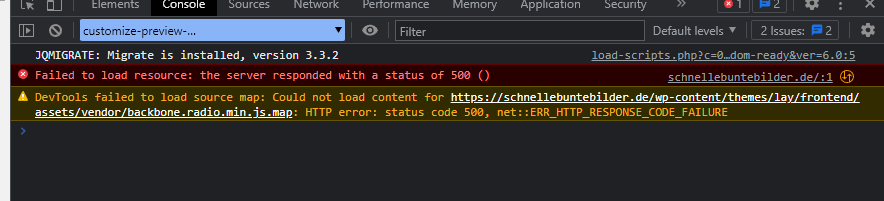
-
Hey Armin,
after updating the theme I had a very unpleasant last hour... 😓
In the backend everything was fine, but at the moment when I wanted to check the customizer I've got this:
Same was for going the actual website.
After this I cleared the cache (WP Fastest Cache) without any success. Next was deactivating all the plugins, but nothing changed for the good.
I checked the standard Wordpress Theme and because this worked, I ended up deleting the Lay Theme and manually uploaded a backup of the theme folder from one month ago with the version: 4.2.7
Good news:
- The frontend is working again → https://schnellebuntebilder.de/
The bad news:
- Customizer is still not working and I am getting now this:
In the mail it says:
Wenn du Hilfe bei diesem Problem suchst, wirst du möglicherweise nach einigen der folgenden Informationen gefragt:
WordPress-Version 6.0
Aktives Theme: Lay Theme (Version 4.2.7)
Aktuelles Plugin:  (Version )
PHP-Version 8.0.16


Fehler-Details
==============
Ein Fehler vom Typ E_ERROR wurde in der Zeile 243 der Datei XXX/wp-content/themes/lay/customizer/customizer.php verursacht. Fehlermeldung: Uncaught Error: Failed opening required ' XXX/wp-content/themes/lay/customizer/assets/php/favicon.php' (include_path='.:/usr/share/php:..') in  XXX/wp-content/themes/lay/customizer/customizer.php:243
Stack trace:
#0  XXX/wp-includes/class-wp-hook.php(307): Customizer::lay_customize_register(Object(WP_Customize_Manager))
#1  XXX/wp-includes/class-wp-hook.php(331): WP_Hook->apply_filters(NULL, Array)
#2  XXX/wp-includes/plugin.php(476): WP_Hook->do_action(Array)
#3  XXX/wp-includes/class-wp-customize-manager.php(933): do_action('customize_regis...', Object(WP_Customize_Manager))
#4  XXX/wp-includes/class-wp-hook.php(307): WP_Customize_Manager->wp_loaded('')
#5  XXX/wp-includes/class-wp-hook.php(331): WP_Hook->apply_filters(NULL, Array)
#6  XXX/wp-includes/plugin.php(476): WP_Hook->do_action(Array)
#7  XXX/wp-settings.php(620): do_action('wp_loaded')
#8  XXX/wp-config.php(116): require_once('/www/htdocs/w01...')
#9  XXX/wp-load.php(50): require_once('/www/htdocs/w01...')
#10  XXX/wp-admin/admin.php(34): require_once('/www/htdocs/w01...')
#11  XXX/wp-admin/customize.php(13): require_once('/www/htdocs/w01...')
#12 {main}
  thrown
(Comment: I replaced parts of the path with " XXX/" for posting here)
So far so bad...
I tested once to update the theme, but ended up in a loop-cycle (same result like the first update to 4.3.1) and did all the steps another time (deleting laytheme and re-uploading the backup).
Could you please help me to repair the current Laytheme-installation and get everything working like before the update?
@timperangel said in Text-Color vs. Background-Color of Editor:
p-content/themes/lay/customizer/assets/php/favicon.php'
hey!
do you have this file missing?
p-content/themes/lay/customizer/assets/php/favicon.php'i just checked and that file should exist.
ok hm i coudn't reproduce that bug, could you send your ftp login to info@laytheme.com so i can find the exact error?


Hello! It looks like you're interested in this conversation, but you don't have an account yet.
Getting fed up of having to scroll through the same posts each visit? When you register for an account, you'll always come back to exactly where you were before, and choose to be notified of new replies (either via email, or push notification). You'll also be able to save bookmarks and upvote posts to show your appreciation to other community members.
With your input, this post could be even better 💗
Register Login