links do not work
-
A majority of our website users cannot click on links: neither thumbnais, nor normal links.
Our website is anteup.at.
If you right-click on "Open link in new tab" everything works normally. We have disabled all plugins and removed CSS & JS and it still doesn't work. We have the latest version of Lay Theme and the cache is cleared. It doesn't matter which browser is used: my colleague and I both use the latest google chrome version. Everything works normally for me, but not for my colleague.What else can we do?
-
i dont know, the links work normally for me, also using chrome
i havent heard of this issue before
mmh
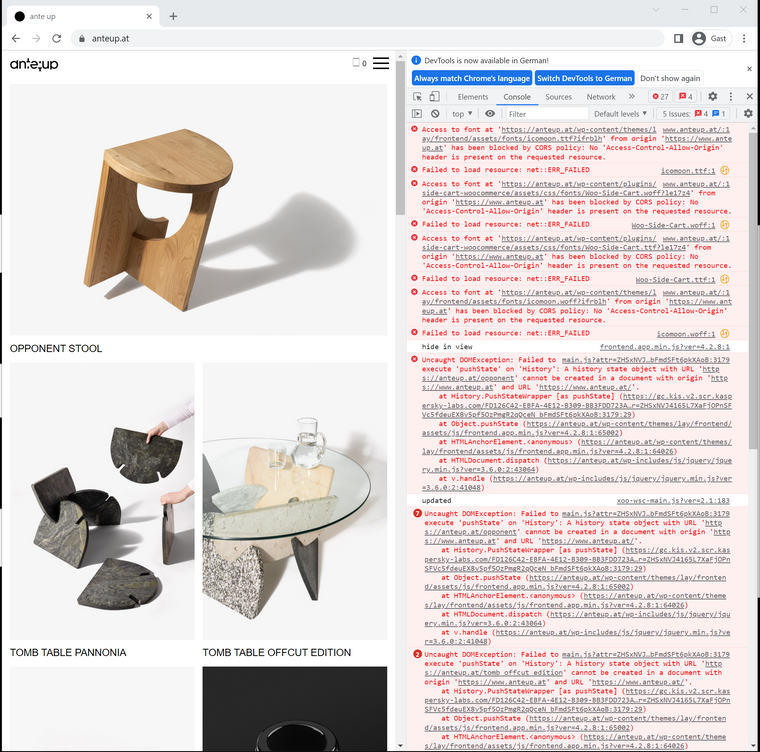
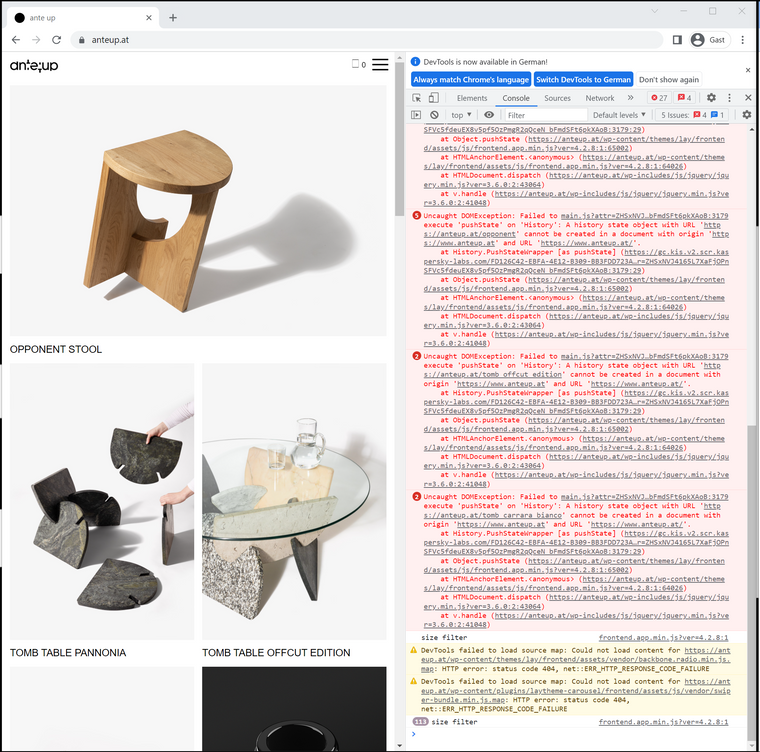
is there any error in the console?
https://balsamiq.com/support/faqs/browserconsole/#:~:text=To open the developer console,(on Windows%2FLinux). -
-
ah i see.
it seems the site doesnt work when ure on
https://www.anteup.at/but it does work when youre on
https://anteup.at/i did code lay theme in a way where both urls should work but for some reason in your case it doesnt work. maybe there is a misconfiguration with how links are created in your wordpress installation.
my webhost gives me the option to only show websites with https:// instead of https://www
can you see if you have any options for your domain settings for this?
and then set the domain to only use https:// instead of https://www

Hello! It looks like you're interested in this conversation, but you don't have an account yet.
Getting fed up of having to scroll through the same posts each visit? When you register for an account, you'll always come back to exactly where you were before, and choose to be notified of new replies (either via email, or push notification). You'll also be able to save bookmarks and upvote posts to show your appreciation to other community members.
With your input, this post could be even better 💗
Register Login