Image quality thumbnail
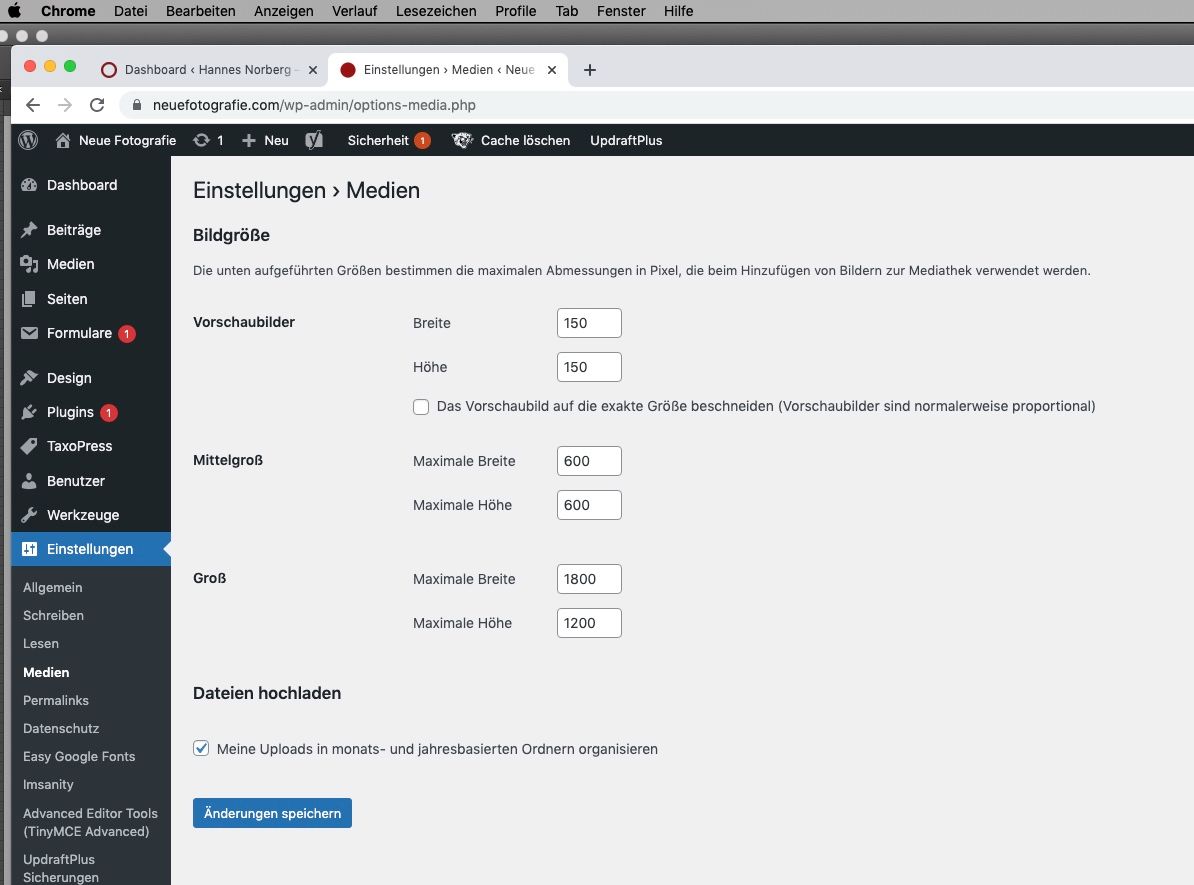
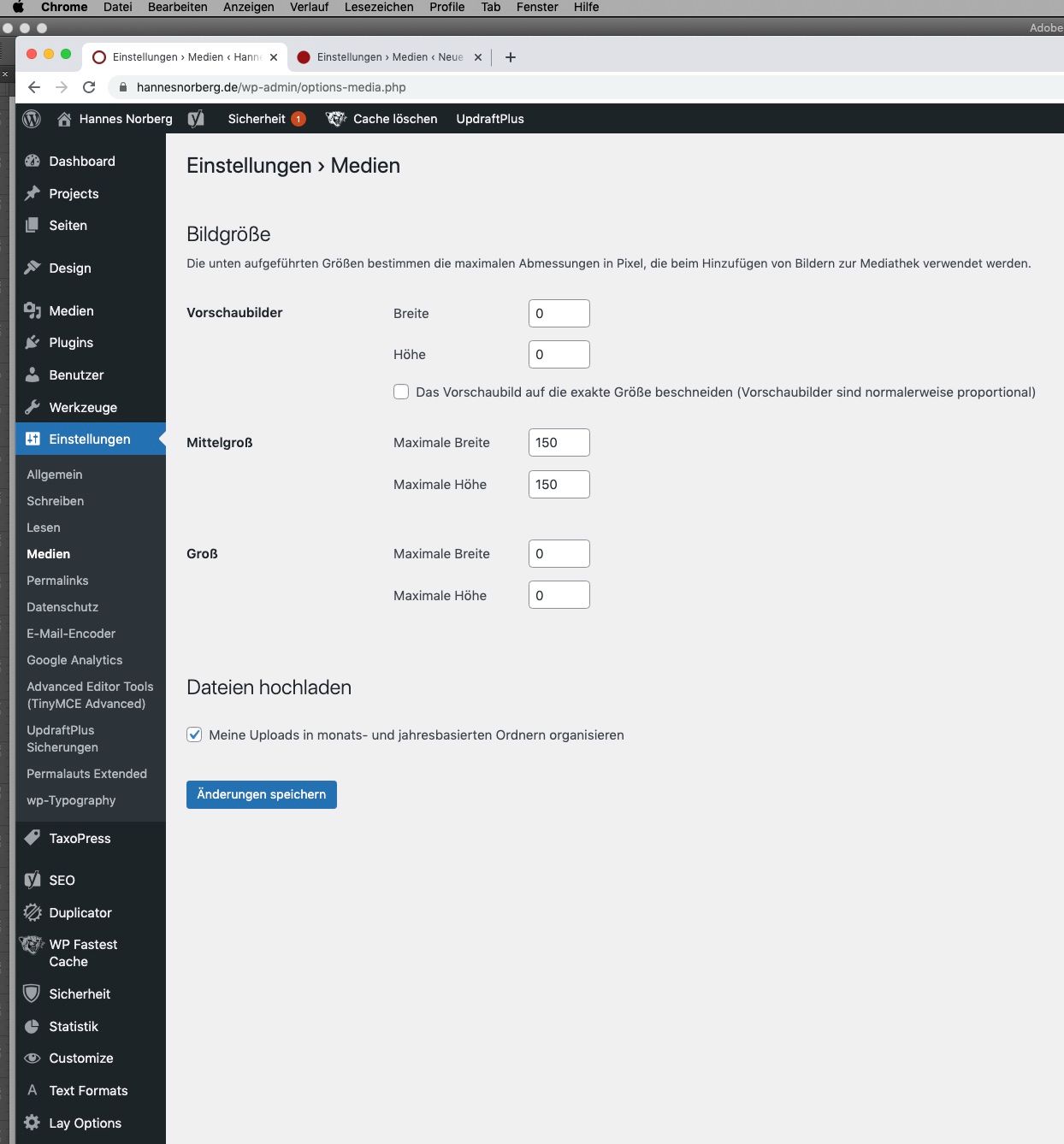
-
Dear @hannes
Given how many third-party plugins you have installed, many of which cause issue with Lay Theme, it could be difficult to debug what the problem may be.
Even if you deactivate a plugin, it may have worked its magic behind the scenes.
However, to be sure, what settings do you have regarding image quality and resizing in > Lay Options >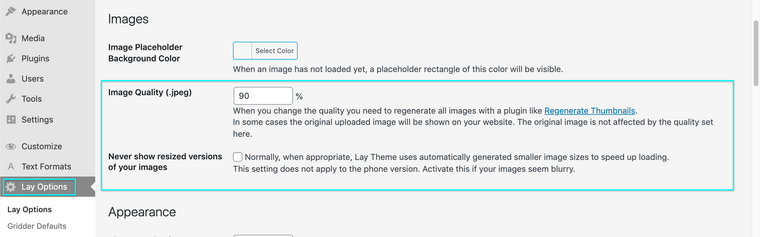
Best wishes Hannes & have a wonderful day 🌝
Richard
-
I have the same issue. Can you help with this?
-
Here is video about this issue: https://disk.yandex.ru/i/wh90Ps17wHsiQg
-
Heeey, is anybody here? 🙃
-
hey sorry sometimes im slow to respond
you cant change the sizes there.
lay theme will create many different sizes for your images. then the correct size is loaded based on the pixel width of your image on your website.
does that create any issues for you?
-
hey sorry sometimes im slow to respond
you cant change the sizes there.
lay theme will create many different sizes for your images. then the correct size is loaded based on the pixel width of your image on your website.
does that create any issues for you?
@arminunruh Thank you for answer, Armin! I upload really many photos, and all this dublicats requires more storage on host. If i can control image size, it will be great and more useful for me. Maybe you can add this function in menu?
-
mmmh mmh
i see!
maybe i should disable the creation of the extra sizes on upload if the option "never show resized versions of images" is active in "lay options"
im writing this down
-
mmmh mmh
i see!
maybe i should disable the creation of the extra sizes on upload if the option "never show resized versions of images" is active in "lay options"
im writing this down
@arminunruh good idea! i will be waiting. Thanks, Armin!
-
mmmh mmh
i see!
maybe i should disable the creation of the extra sizes on upload if the option "never show resized versions of images" is active in "lay options"
im writing this down
@arminunruh hey, Armin! How it goes?
-
heyy! i didnt work on this yet



Hello! It looks like you're interested in this conversation, but you don't have an account yet.
Getting fed up of having to scroll through the same posts each visit? When you register for an account, you'll always come back to exactly where you were before, and choose to be notified of new replies (either via email, or push notification). You'll also be able to save bookmarks and upvote posts to show your appreciation to other community members.
With your input, this post could be even better 💗
Register Login