split screen - one page website
-
Dear @Richard
Dear Laytheme,I would like to create a split screen (text on the left, images under each other on the right), as in this page: https://kostasmurkudis.org/ss2018
I followed your documentation 1:1 and ended having a funny doubled website:
So the two rows work - only I don't need to double effect :)
And for the left half: how can I stack multiple text boxes under each other?
Thanks so much!
Best wishes
Daniel -
so one half is the footer!
so i guess you chose the same page for the footer that u have as ur frontpage?
in lay options → footer
And for the left half: how can I stack multiple text boxes under each other?
use the stack element! +more → +stack
or use many rows -
@arminunruh thanks!
So I set the footer off but then it creates this weird half page:
My goal is to have a one page (no sub-pages or extra pages) like: https://kostasmurkudis.org/ss2018
I can't put off the frontpage I guess?
And the stack element: acting very weird, no I can't even put images next to the text.
You want a login to check yourself?
Thanks!
Best
Daniel -
I have similar situation, so I'll try your recommendation
-
I have similar situation, so I'll try your recommendation
@Yaroslav-Fadeev did it worked out for you? would be curious.
-
@arminunruh thanks!
So I set the footer off but then it creates this weird half page:
My goal is to have a one page (no sub-pages or extra pages) like: https://kostasmurkudis.org/ss2018
I can't put off the frontpage I guess?
And the stack element: acting very weird, no I can't even put images next to the text.
You want a login to check yourself?
Thanks!
Best
Daniel@arminunruh
did you time for this? thanks! -
@arminunruh thanks!
So I set the footer off but then it creates this weird half page:
My goal is to have a one page (no sub-pages or extra pages) like: https://kostasmurkudis.org/ss2018
I can't put off the frontpage I guess?
And the stack element: acting very weird, no I can't even put images next to the text.
You want a login to check yourself?
Thanks!
Best
Daniel -
hey everybody!
so you need to set a project as your frontpage
try that and lmk if it worked
-
that project will be the project that is shown first when you enter the website
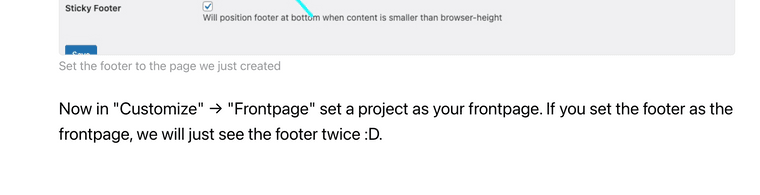
i added this to the tutorial now:


Hello! It looks like you're interested in this conversation, but you don't have an account yet.
Getting fed up of having to scroll through the same posts each visit? When you register for an account, you'll always come back to exactly where you were before, and choose to be notified of new replies (either via email, or push notification). You'll also be able to save bookmarks and upvote posts to show your appreciation to other community members.
With your input, this post could be even better 💗
Register Login