Lay Buttons: labels off-centered depending on used browser ...
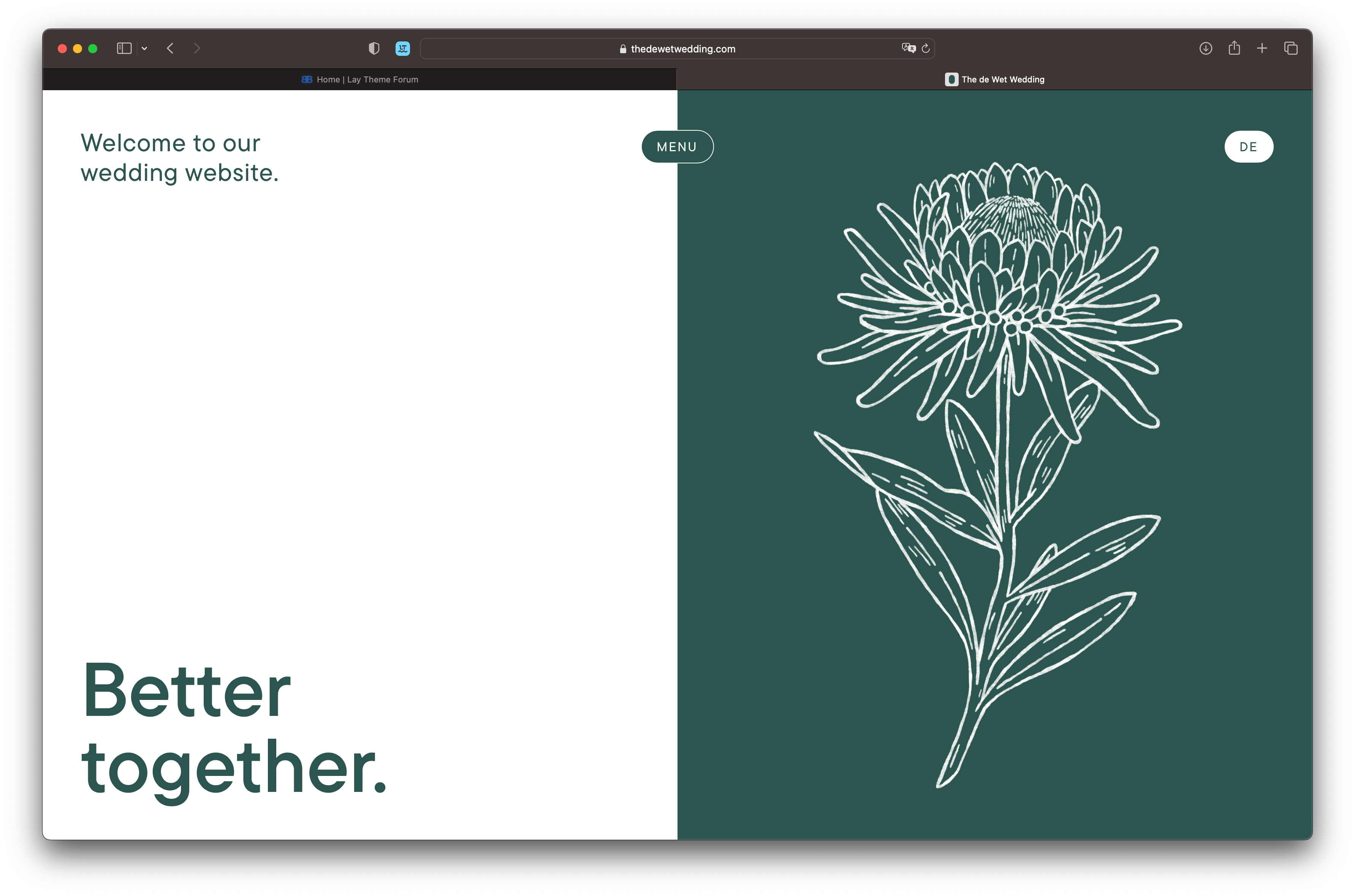
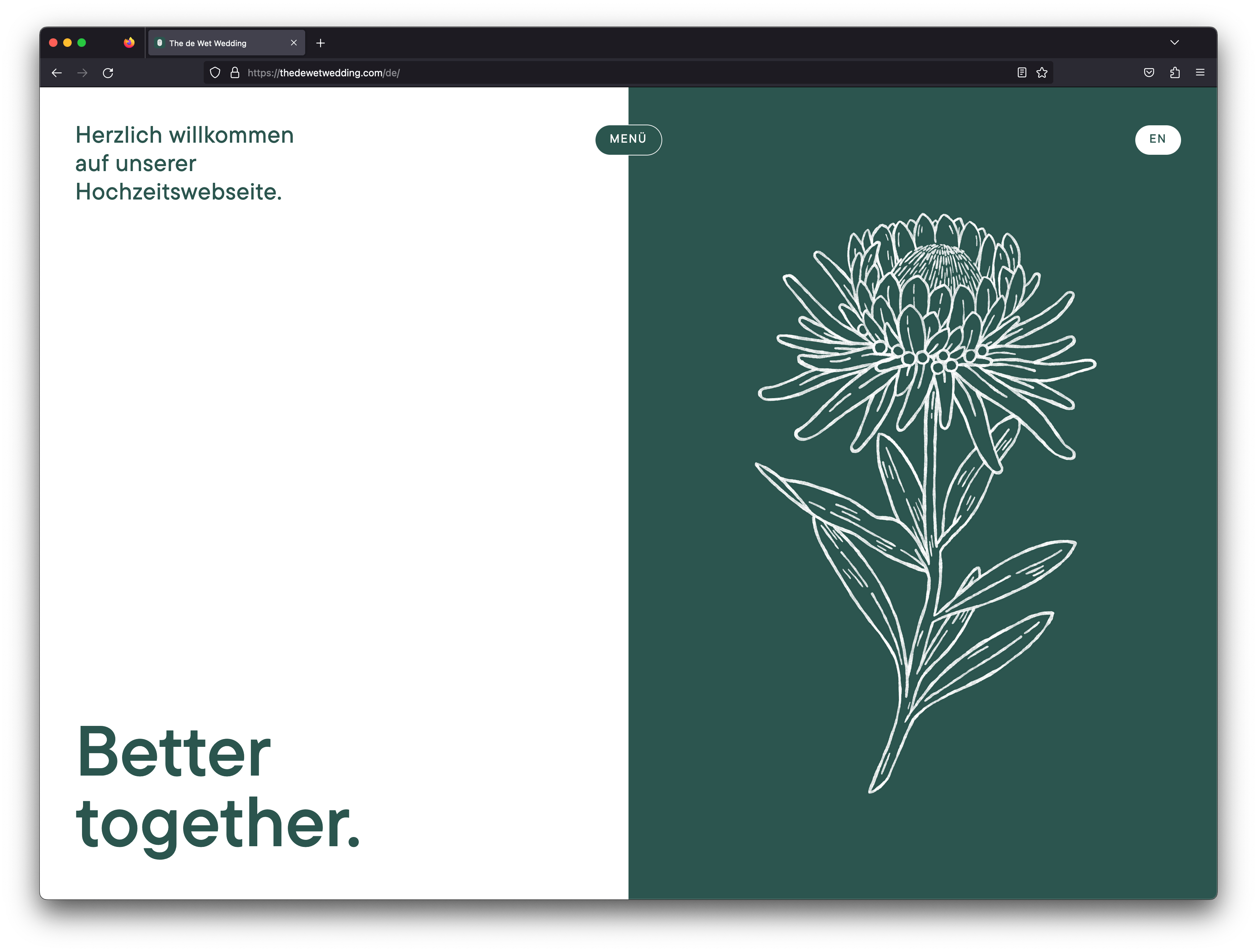
-
Hej @arminunruh
Created this new site and I noticed, that the button labels are vertically misaligned i.e. off-centered ... i believe it has something to do with the integration of Adobe Fonts ... could it be that the browsers use different font files or something like that? I know that browser interpret and render fonts differently but something like that never happened before with any of my other lay-sites.
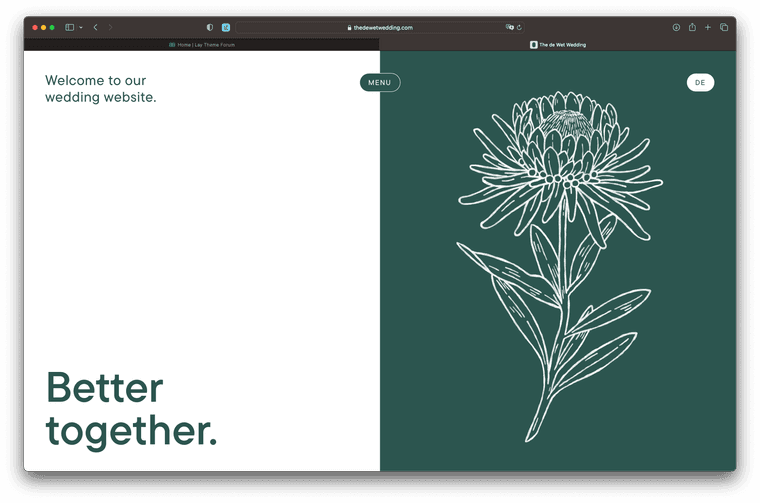
Safari Looks fine, Mobile and Desktop:

Firefox Desktop and Mobile is broken:

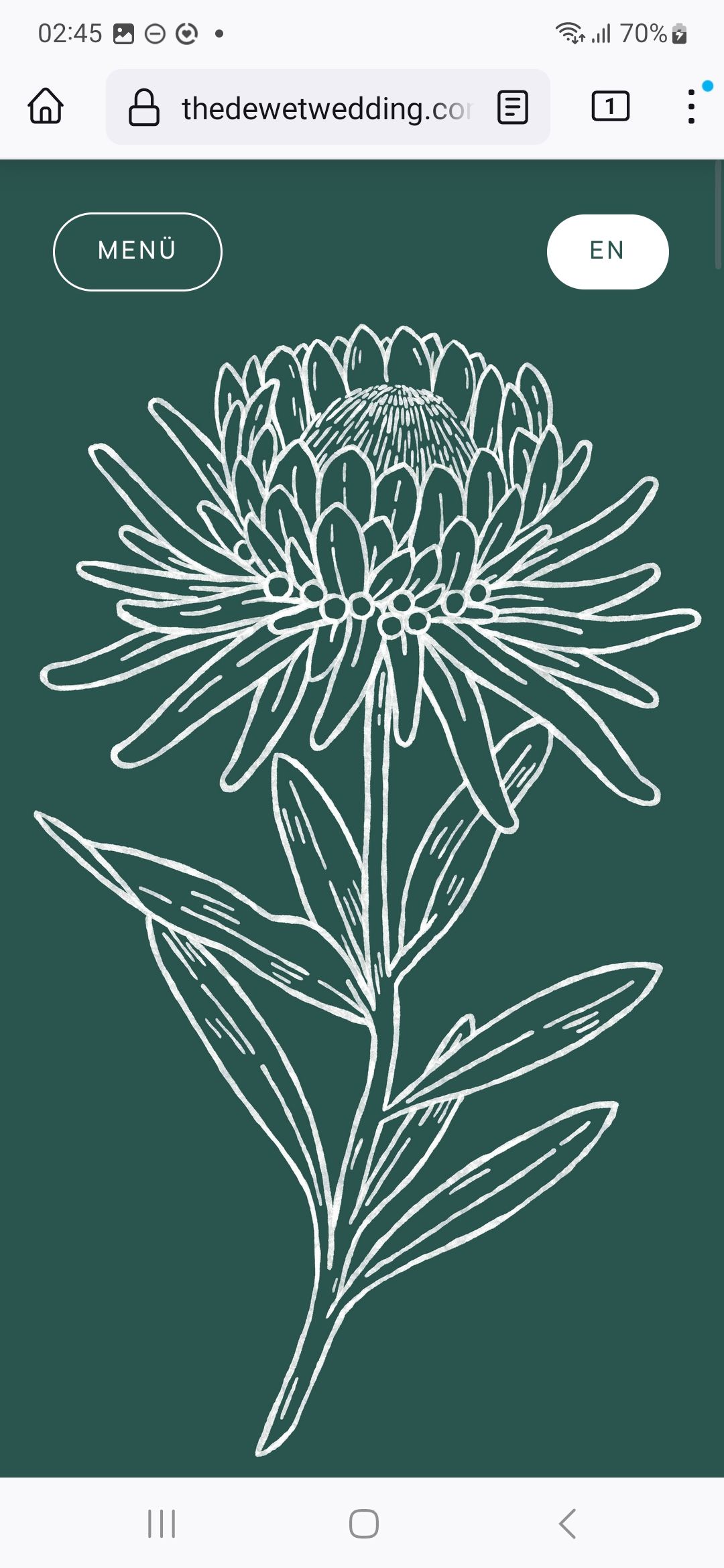
Chrome Desktop is fine, Mobile is broken too.
Could you please help me soon? :) Thank you, Fabi
-
dont know why it happens!
https://developer.mozilla.org/en-US/docs/Web/HTTP/Browser_detection_using_the_user_agent
<script>
if (navigator.userAgent.includes("Firefox")) {
document.body.classList.add("firefox");
}
</script>
<style>
.laybutton2{
padding-top: 13px!important;
}
</style>
:)
-
dont know why it happens!
https://developer.mozilla.org/en-US/docs/Web/HTTP/Browser_detection_using_the_user_agent
<script>
if (navigator.userAgent.includes("Firefox")) {
document.body.classList.add("firefox");
}
</script>
<style>
.laybutton2{
padding-top: 13px!important;
}
</style>
:)
I added the following to my custom <head> content:
<script>
  if (navigator.userAgent.includes("Firefox") || navigator.userAgent.includes("Android")) { document.documentElement.classList.add('offcenter') }
</script>
And Custom CSS:
.offcenter .laybutton1, .offcenter .laybutton2 {
        padding-bottom: calc(10px - .5ex) !important;
}
It works, but what is about Chrome Mobile, Samsung Browser etc ... any Ideas?
What about the "no-chrome-no-safari" u are using in lay? -
It works, but what is about Chrome Mobile, Samsung Browser etc ... any Ideas?
you need to find out the navigator.userAgent in javascript with these browsers and create custom css / js
What about the "no-chrome-no-safari" u are using in lay?
i dont understand your question


Hello! It looks like you're interested in this conversation, but you don't have an account yet.
Getting fed up of having to scroll through the same posts each visit? When you register for an account, you'll always come back to exactly where you were before, and choose to be notified of new replies (either via email, or push notification). You'll also be able to save bookmarks and upvote posts to show your appreciation to other community members.
With your input, this post could be even better 💗
Register Login