PlaceHolder image for video doesn't disappear ever. Why?
-
Hello LayTheme community,
I have the following problem:
The placeholder image I've set for a video never disappears. It is still displayed even when minutes have passed and the video must have loadedThats the website: https://rebeccagrundmann.com/not-in-my-name/
The thing marked "placeholder image" is in fact a placeholder image for a video. Both were properly uploaded via laythemes native option for this. The video is big and might load slowly (depending on your dataspeed) which is why I've set a placeholder image in the first place.Background information:
–– First I uploaded only the video – no placeholder. Soon I found out, that the video due to it's size of 58MB only loads slowly when your Wifi connection is weak.
–– The video originally came with a size of 400MB. I compressed it to the limit, down to 58MB.
–– The reason for embedding such a big video is that I want to avoid an ugly cookie-banner or a long cookiebanner-design-process...Things I've already tried:
–– When I deactivate the placeholder, the video loads normally. (a bit faster when in fast Wifi – a bit slower when in slow Wifi...)
–– I went through all configurations in the video-upload-dialog like (Autoplay / Mute / Show custom play button / etc...) Currently activated: "Show Standard controls".
–– I tested my case with different operating systems and different browsers on both mobile and desktop.
–– I deactivated all Plug-Ins and I updated LayTheme.I appreciate your attention and support!
Very best,
Christian -
hey!
you need a way to play the video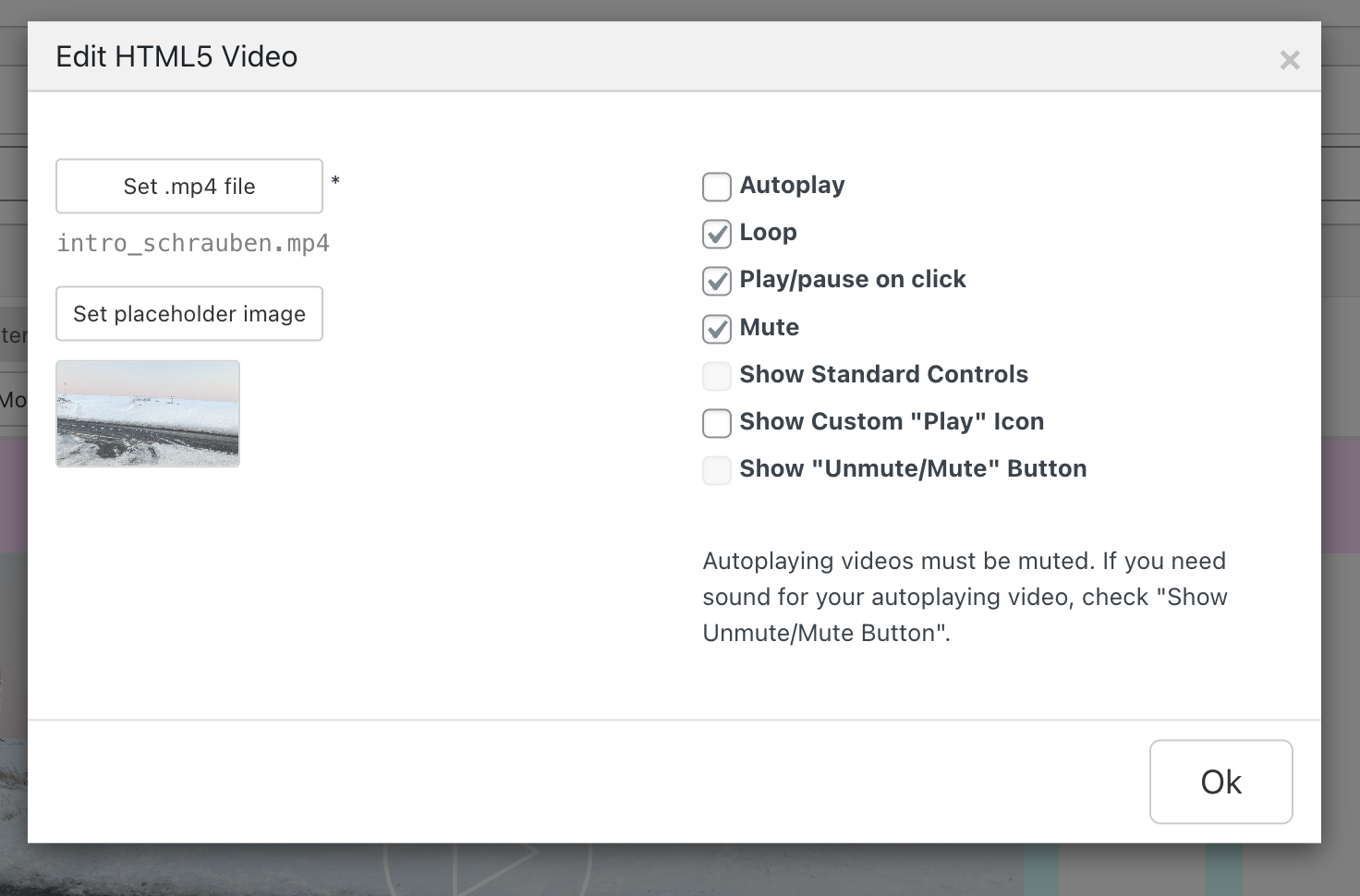
so you either need play/pause enabled
or you need "show custom play icon enabled"or you need autoplay enabled (in that case you could just remove the placeholder image entirely though)

Hello! It looks like you're interested in this conversation, but you don't have an account yet.
Getting fed up of having to scroll through the same posts each visit? When you register for an account, you'll always come back to exactly where you were before, and choose to be notified of new replies (either via email, or push notification). You'll also be able to save bookmarks and upvote posts to show your appreciation to other community members.
With your input, this post could be even better 💗
Register Login