Skip to content
  • Recent
  • Tags
  • Popular
  • Users
  • Search
Skins
  • Light
  • Brite
  • Cerulean
  • Cosmo
  • Flatly
  • Journal
  • Litera
  • Lumen
  • Lux
  • Materia
  • Minty
  • Morph
  • Pulse
  • Sandstone
  • Simplex
  • Sketchy
  • Spacelab
  • United
  • Yeti
  • Zephyr
  • Dark
  • Cyborg
  • Darkly
  • Quartz
  • Slate
  • Solar
  • Superhero
  • Vapor

  • Default (No Skin)
  • No Skin
Collapse

Lay Theme Forum

  1. Home
  2. Bug Reports
  3. Mobile site title not centerd when bigger than 100px image height
Mobile site title not centerd when bigger than 100px image height

Scheduled Pinned Locked Moved Bug Reports
4 Posts 2 Posters 287 Views 2 Watching
  • Oldest to Newest
  • Newest to Oldest
  • Most Votes
Reply
  • Reply as topic
Log in to reply
This topic has been deleted. Only users with topic management privileges can see it.
  • S Offline
    S Offline
    Sojoer
    wrote on last edited by
    #1

    Bildschirmfoto 2024-02-16 um 09.37.53.png

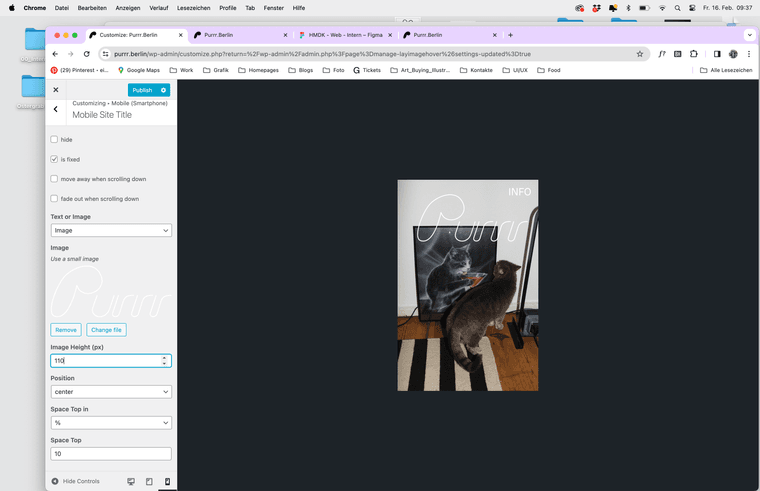
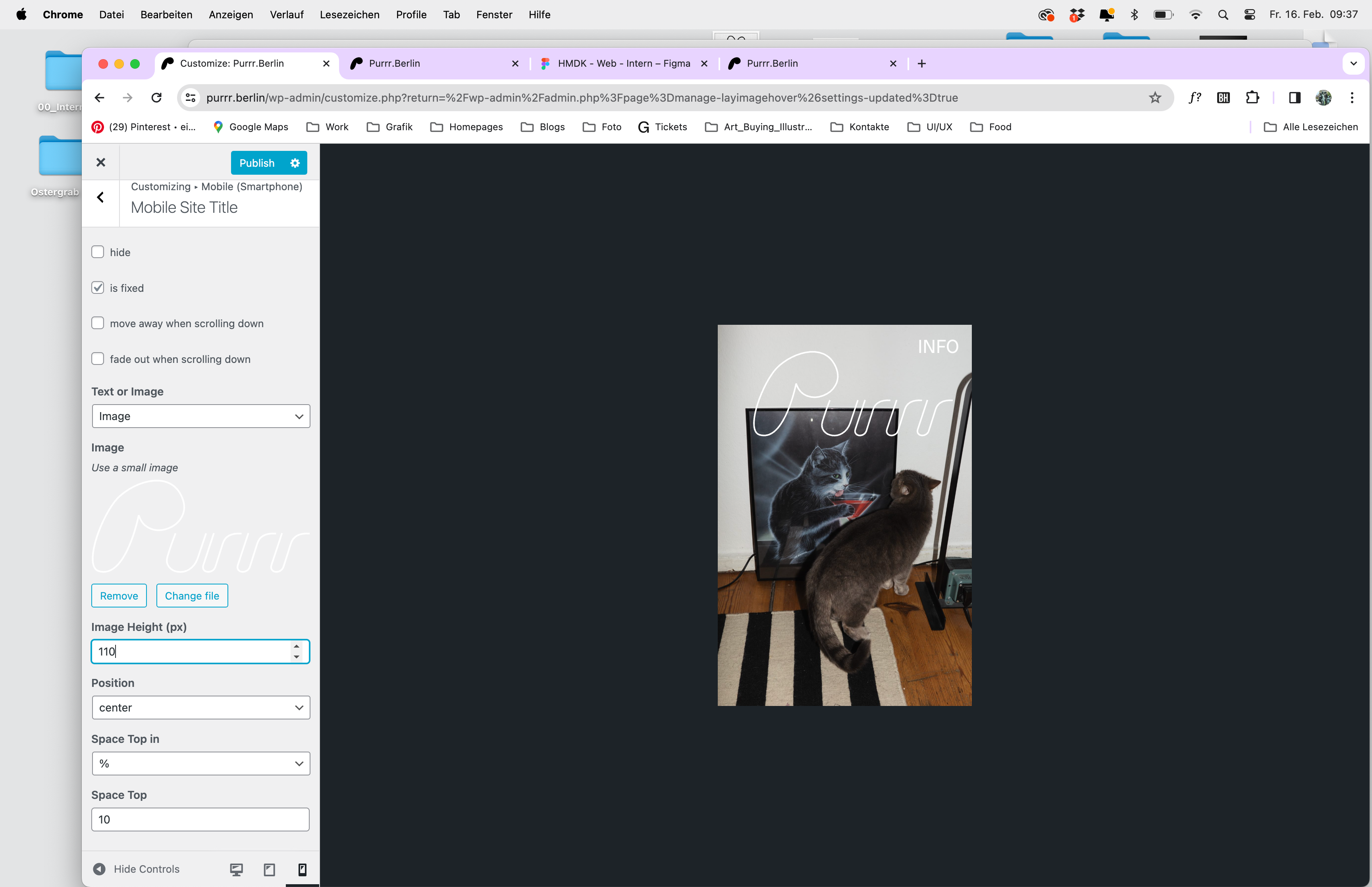
    Hi! I have a problem with the size of the position of the mobile site title. I want it to be a picture (I used an SVG) with centred layout. THe centred layout only works if I put it on less than 100px. Whenever I want it bigger it's not centred anymore. There is no frame around the Logo. Could you olease help me with that?

    Here is a Link to the website I'm wokring on
    https://www.purrr.berlin/

    Looking forward to your help!

    Best
    Sonja

    1 Reply Last reply
    0
    • arminunruhA Offline
      arminunruhA Offline
      arminunruh
      Global Moderator
      wrote on last edited by
      #2

      your mobile title is just top: 120vw

      i think there is no setting to center center the mobile title no?
      try this css

      Enter the custom css in "lay options" -> "custom css & html" → mobile css

      .mobile-title{
      padding: 0 0;
      }
      .mobile-title{
      height: auto;
      width: 100%;
      top: 50%;
      left: 50%
      transform: translate(-50%,-50%);
      }
      
      .mobile-title img {
      width: 100%!important;
      height: auto!important;
      }
      
      1 Reply Last reply
      0
      • S Offline
        S Offline
        Sojoer
        wrote on last edited by
        #3
        This post is deleted!
        1 Reply Last reply
        0
        • S Offline
          S Offline
          Sojoer
          wrote on last edited by
          #4

          Hi @arminunruh ! Thank you for your help. I needed to change some values in the code but now it works just fine :)

          1 Reply Last reply
          0
          Reply
          • Reply as topic
          Log in to reply
          • Oldest to Newest
          • Newest to Oldest
          • Most Votes


          Online Users
          E
          emresenoglu
          Forgot your key, lost your files, need a previous Lay Theme or Addon version? Go to www.laykeymanager.com
          laytheme.com
          • Login

          • Don't have an account? Register

          • Login or register to search.
          • First post
            Last post
          0
          • Recent
          • Tags
          • Popular
          • Users
          • Search