html class and css code doesn't work
-
Hello everybody,
I'm trying to do something really simple that didn't work after several tries...
I would like to have round corner for some images.
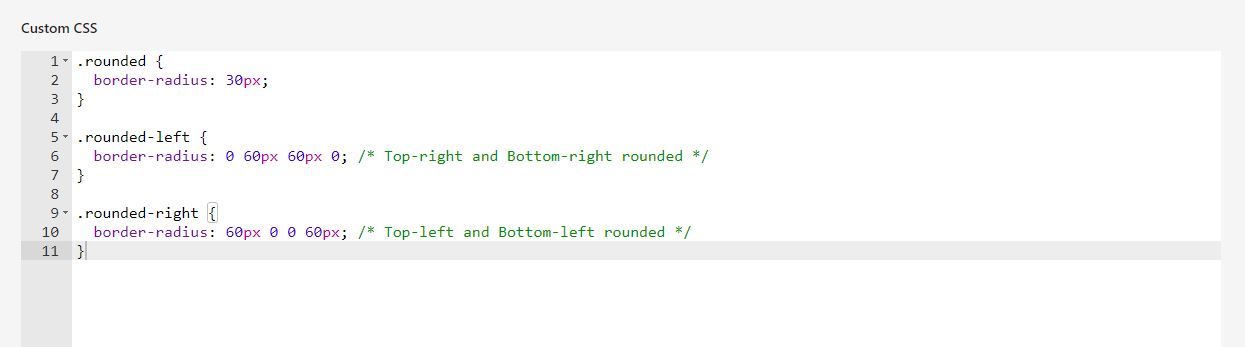
I wrote the code in the customize css and affiliate a html class as below but the corners stayed sharp.
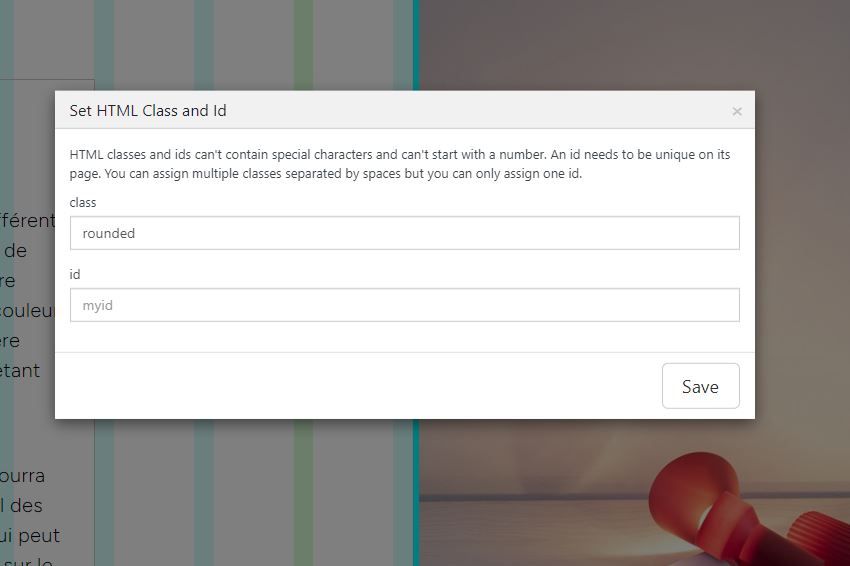
I try with a row background, it worked.
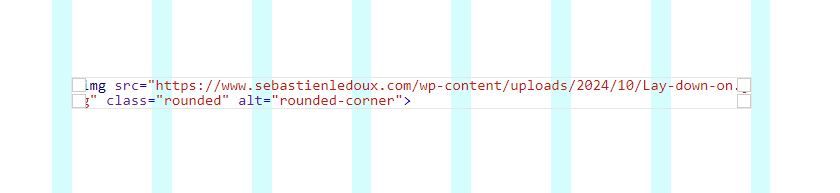
I apply it to all of the pictures, it worked.I try adding html in the gridder (as below), it works but I loose the scaling and need to add more constrain.

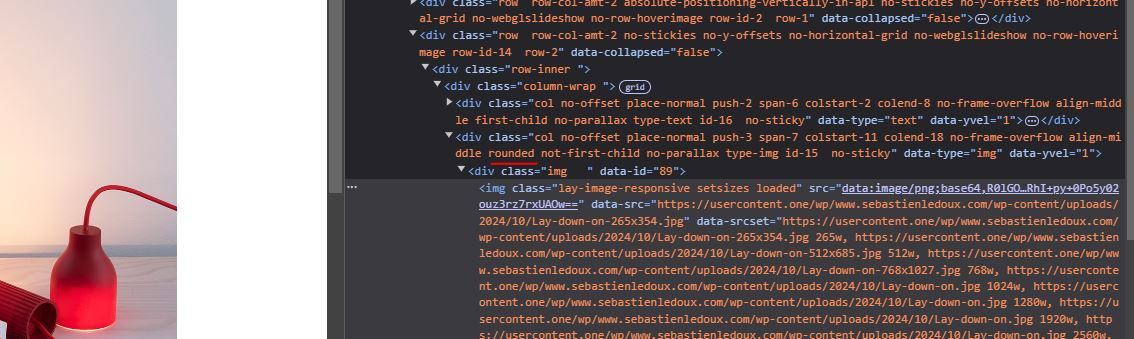
Here is a screenshot of the inspect tool:
I followed and tried the tutorial "create a button style" and it didn't work either.
Does anyone have an idea of the issue ?
Thank you !
Sebastien.
-
maybe
.rounded{
overflow: hidden!important;
border-radius: 30px!important;
}
does that work?
-
Hello Armin,
It seems to work, thanks a lot.
Have a good day !

Hello! It looks like you're interested in this conversation, but you don't have an account yet.
Getting fed up of having to scroll through the same posts each visit? When you register for an account, you'll always come back to exactly where you were before, and choose to be notified of new replies (either via email, or push notification). You'll also be able to save bookmarks and upvote posts to show your appreciation to other community members.
With your input, this post could be even better 💗
Register Login