How to officially set a page as the Home page in WordPress (without /home permalink)?
-
Is it possible to officially define a page as the Home Page within the WordPress CMS so that it automatically removes the /home permalink?
For example, the default Privacy Policy Page in WordPress displays a black bar with information like: — Draft, Privacy Policy Page (see screenshot below).

On another WordPress site I’m working on, I see a similar label for the designated Home Page (see screenshot below).

However, in LayTheme, I don't see this behavior, and the permalink /home remains. (See screenshot below.)
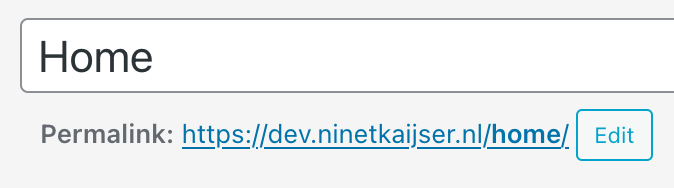
Is there a way to set a page as the official Home Page so that WordPress treats it accordingly and removes /home from the URL?
-
ah you set the homepage in customize → frontpage
-
when you then link to / then its that page
but it will also still be available as /home/thats the only way i think
-
-
the reason is its not possible to set a category page as the frontpage with the normal wordpress way.
and with the way i coded it for laytheme, you can also set the category page as a frontpage.

Hello! It looks like you're interested in this conversation, but you don't have an account yet.
Getting fed up of having to scroll through the same posts each visit? When you register for an account, you'll always come back to exactly where you were before, and choose to be notified of new replies (either via email, or push notification). You'll also be able to save bookmarks and upvote posts to show your appreciation to other community members.
With your input, this post could be even better 💗
Register Login